Equipment and Port Configuration Ethernet Port
5. Set the 802.3ah EFM OAM parameters - EFM OAM standard allows troubleshooting of
point-to-point Link Layer connectivity between two attached NEs. ML devices support
EFM OAM on all Ethernet (ETH-x) and Ethernet-like ports. In addition to standard
parameters, ML devices allow to set Loopback Timeout:
Enabling EFM OAM - EFM OAM is disabled by default. When Enabled, ML
devices support only Active mode (originate discovery message toward attached
device) and report status of discovered. For more information see 802.3ah Ethernet
OAM.
Loopback timeout - a timer for remote EFM OAM Loopback. If remote EFM OAM
Loopback is applied toward ML port and is not released, this loopback will be
forcedly reset for normal Ethernet traffic after timer is expired.
6. Set the QoS Parameter group according to the relevant sections:
Classification Method (on page 7-3) (and PVID CoS for Classification Method set
to L2 Priority)
Optional - (Ingress or Egress) Rate Limit (on page 7-5).
7. Click OK to save.
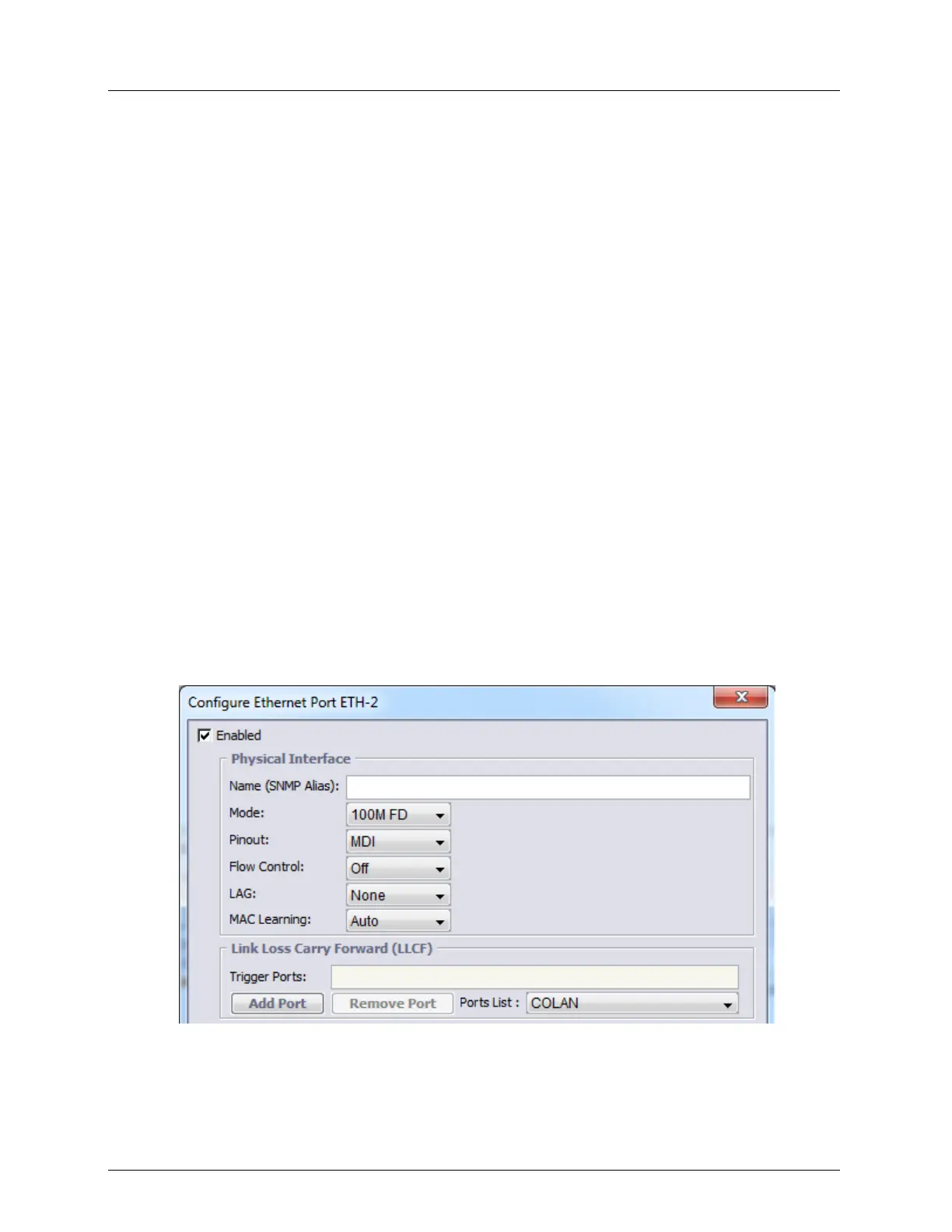
ETH Port Physical Interface Configuration
This section describes the Physical Interface sub-set of the Ethernet port configuration
parameters. Refer to Configuring Ethernet Ports for an overview.
To configure the Ethernet port 802.3ah Physical Media parameters
1. Access the Ethernet Port Configuration dialog (partial dialog showing the parameters
covered in this section is displayed below).



 To Next Page