Control of Alarmed Conditions Monitoring
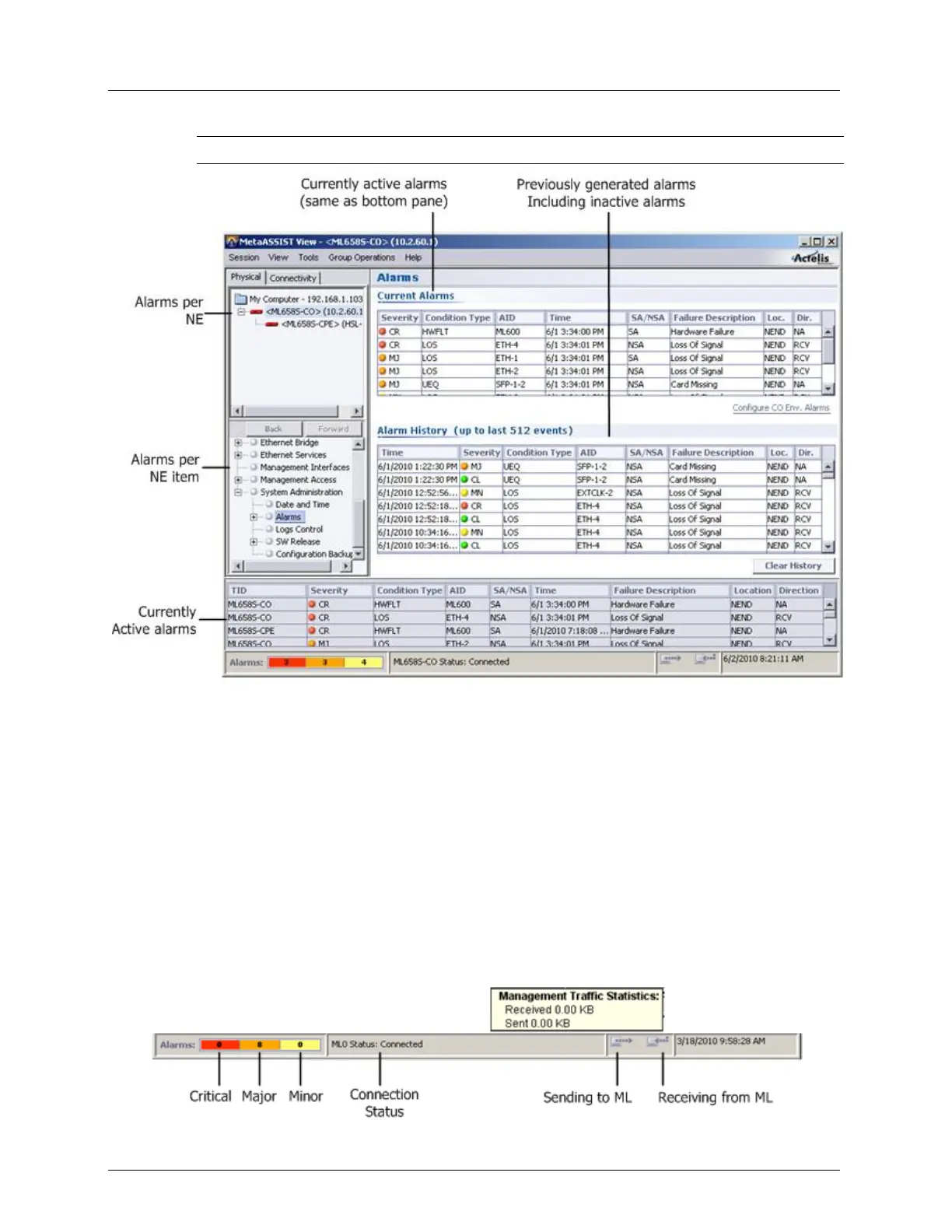
NOTE: Clicking on an active alarm links to the NE item and invokes the corresponding pane.
The alarms' levels and notification can be customized by the user per Network Element. For
example, a critical alarm can be configured to be sent as a user selected sound (Configuring
Fault Notification Sound Effects (on page 13-9)). In addition, the fault levels for each NE
component can be modified from the corresponding glance (summary) pane and customized
to the operator’s requirements (About Alarm Severity and Conditions (on page 13-8)).
When performing maintenance on a system, alarms can be disabled so fault messages are not
unnecessarily sent to the control center (Disabling Alarms for Maintenance (on page 13-
11)).
NE Connection Status
The status bar provides a short informational note about the current connection status, as
detailed in the table below.



 To Next Page