Quality of Service (QoS) L2 (CoS) / L3 (DSCP/ToS) Queuing Priorities
L2 (CoS) / L3 (DSCP/ToS) Queuing
Priorities
Each classification method (selected on a port level) operates according to a priority queue
defined on a system level. The default definitions are detailed in the table below. For
example, if L3 DSCP method is selected on the relevant Ethernet port, and bit 18 is
identified, the frame will be allocated to queue L; if L2 Priority classification method is
selected and bit 6 is identified, the frame will be allocated to queue HHH and so forth. The
classification priorities (for each classification method) can be modified on a system level.
The following table shows the default Classification settings available on all models.
Table 34: L2/L3 Default Classification
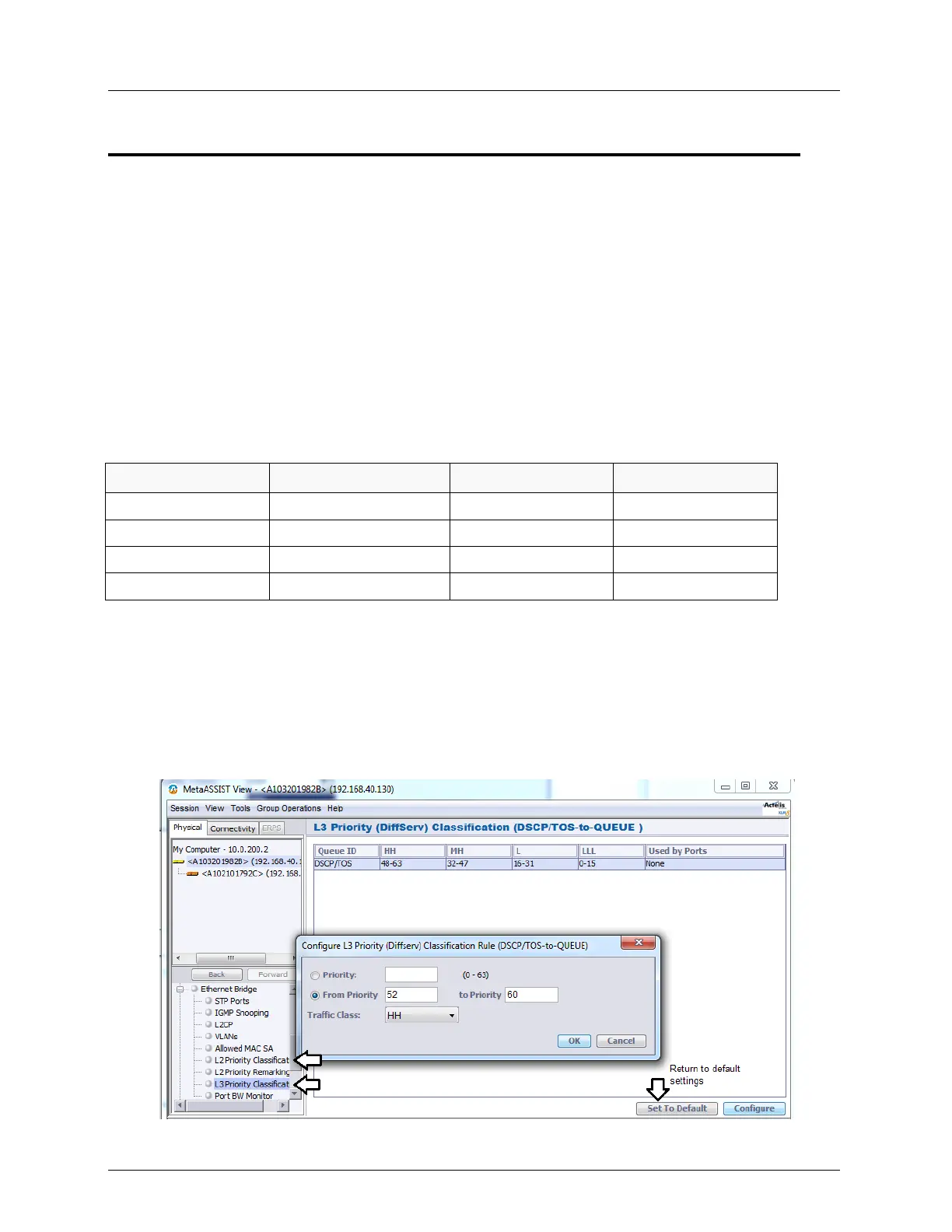
To change default L2/L3 Priority (COS)
1. In the Network Element tree, expand Ethernet Bridge and select L2/L3 Priority
classification.
The current classification mapping rules are displayed, along with the ports on which
L2/L3 Priority is configured (i.e. ports on which L2 or L3 Priority will be used).
2. In the invoked pane, click Configure. The L2/L3 Priority configuration dialog appears.
(Below is an example of L2 Priority Configuration dialog).



 To Next Page