Alarms and Indications Control Equipment and Port Configuration
Environmental Alarm (GPI) Configuration
The Alarm Terminal Block located on the unit rear panel supports two environmental alarm
inputs (in addition to the office alarms output). These may be connected to various detectors
such as, smoke detector, door open detector, etc.
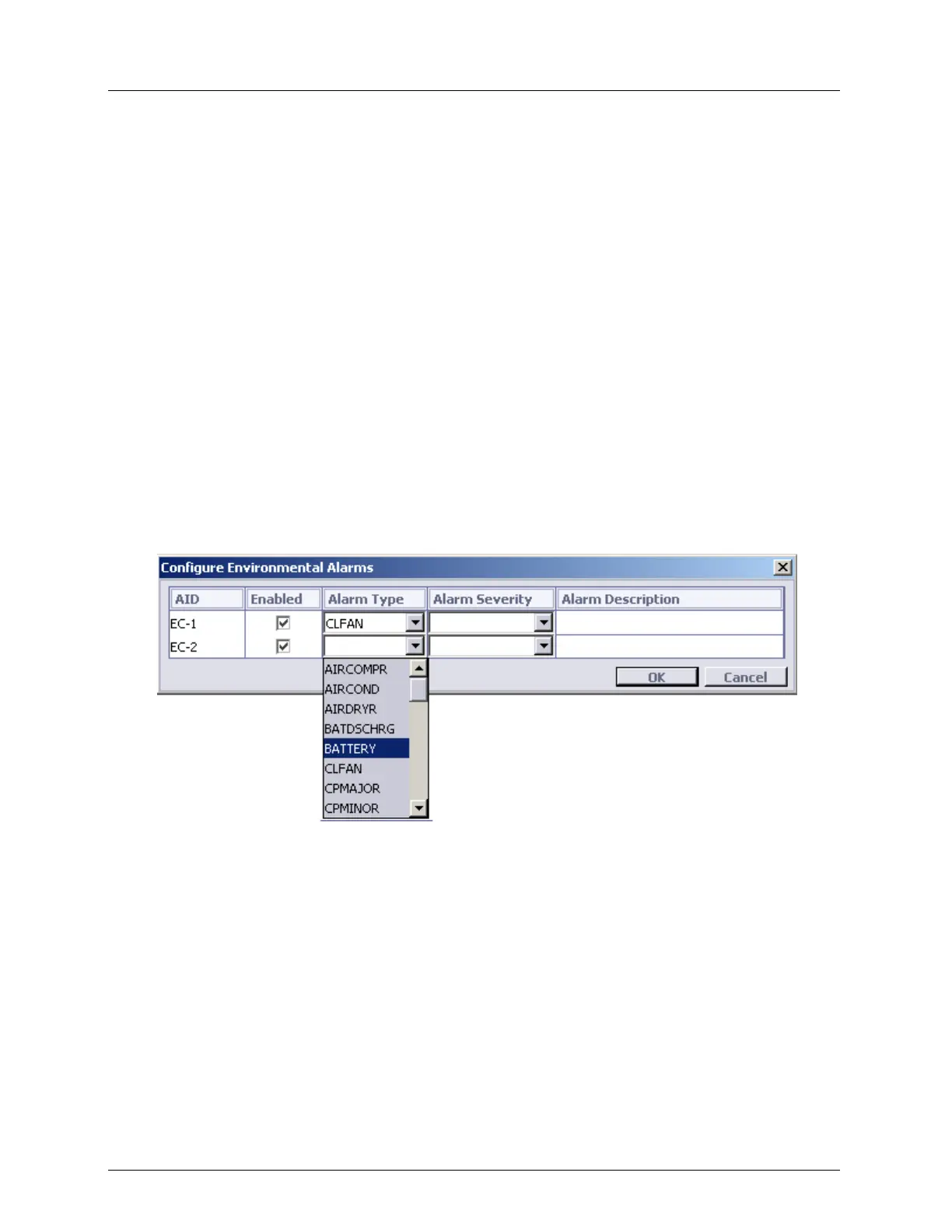
The ML device allows you to configure two environmental alarms via General Purpose
Inputs (GPI)). You can configure each GPI (Environmental Control: EC-{1-2}) by
associating Alarm Type, Alarm Severity and Alarm Description. GPI reports as follows:
Reported by EC-{1-2} AID as environmental alarm in TL1 alarm format;
Indicated by the Alarm LED according to the configured severity;
Reported via GPO available on ML device (when connected and configured for External
Alarm purposes).
To configure Environmental Alarms:
1. In the Network Element tree, open System.
2. Open Environmental Alarms. The Environmental Alarms pane opens in the work
area.
3. Click Configure. The Configure Environmental Alarms dialog appears.
4. To enable an alarm:
In the appropriate row, select the Enabled check box.
From the Alarm Type list box, select the alarm type that fits the connected detector.
(See Environmental Alarm Condition Types (on page 1) for details).
From the Alarm Severity list box, select the required alarm severity.
In the Alarm Description box, type a short description of the alarm.
Click OK.



 To Next Page