Configuring Templates Modem Profiles Management Model
Configuring Templates
The HSL calibration templates consist of a predefined set of profile types, where not all
profile types are relevant to each template. Each profile type supports a pool of previously
defined profiles. To generate a template, simply choose the relevant predefined profile for
each type that is relevant to the required template.
To configure HSL Calibration templates
1. In the Network Element Tree under Modem Profiles, click Templates. A summery
view of the defined templates and their profiles appears.
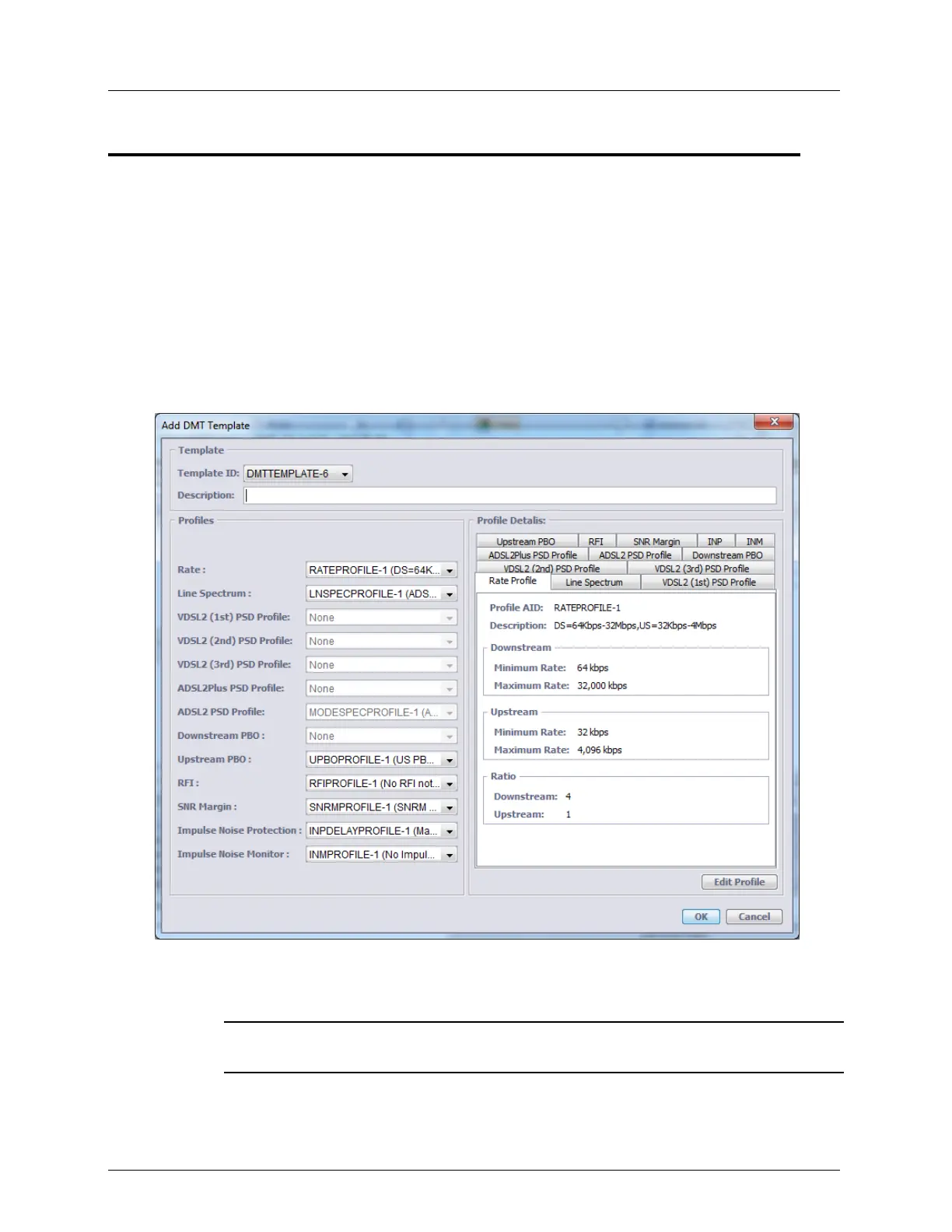
2. Click Add Template. The following dialog appears.
3. Choose the Template ID from the list and assign the new template a description.
4. For each relevant Profile, select from the available pool. (Note that not all profile types
are accessible for all templates).
NOTE: the content of each selected profile may be seen in the right pane by selecting the
required tab.
5. Click OK.



 To Next Page