Management Configuration SNMP Agent and Trap Parameters
SNMP Trap Filtering
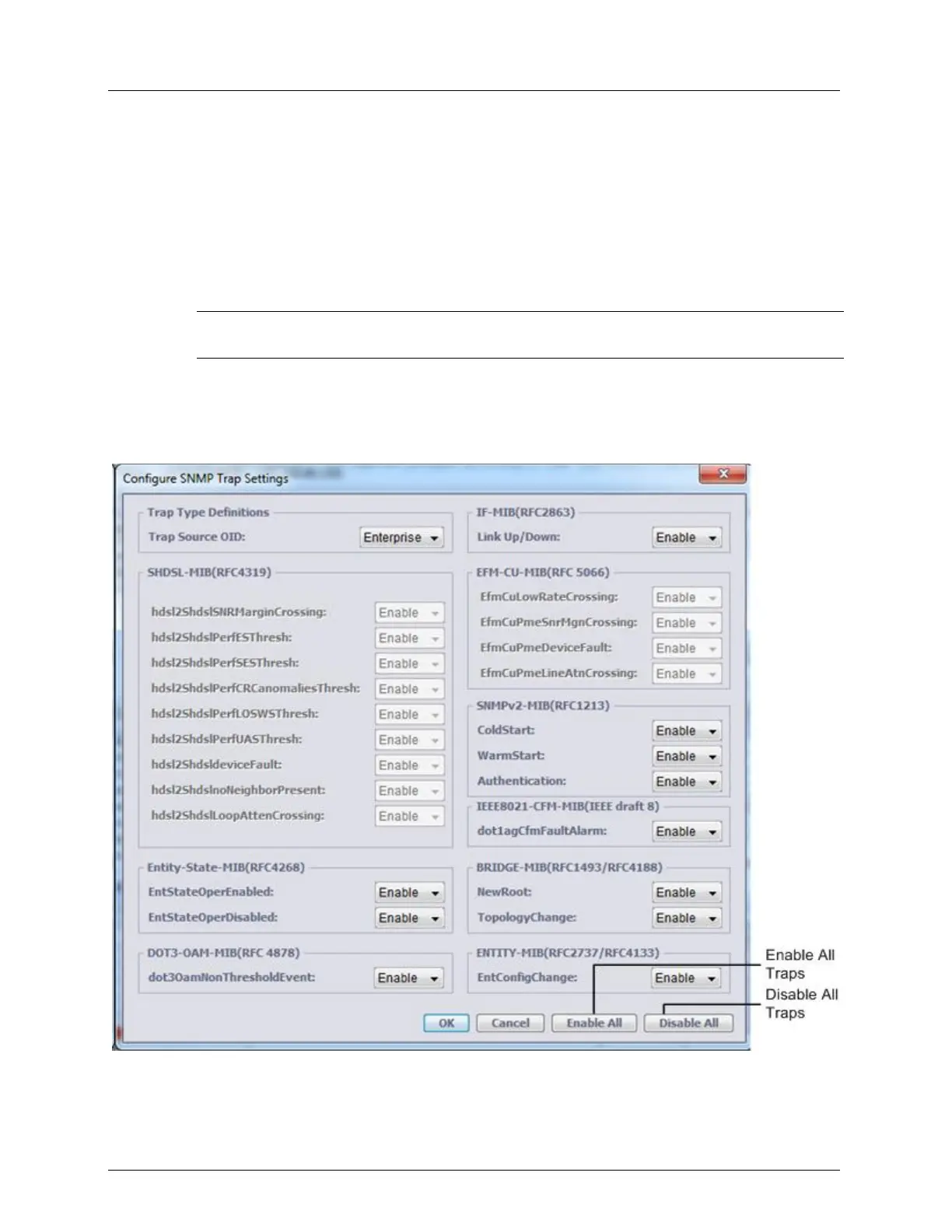
Use this dialog to filter out irrelevant traps. Note that all traps can be simultaneously disabled
or enabled (according to your needs) and only allow relevant traps.
Trap Source OID parameter is applicable for Standard MIBs, allowing to mark
Traps/Notifications either by ACTELIS ENTERPRISE OID or by OID of the STANDARD
MIB where these Traps/Notifications are defined.
NOTE: Irrelevant for ML700 DMT model traps (from SHDSL-MIB and EFM-CU-MIB) are grayed-
out as unsupported.
To filter out SNMP traps for a selected ML system
1. In the Network Element tree, under Management Access choose SNMP and in the
displayed pane, Trap Configuration area, click Configure. The Trap filter dialog appears.
The traps are grouped within MIBs where are defined.



 To Next Page