L2CP Processing Deployment Considerations
Deployment Considerations
Special traffic (IEEE reserved multicast MAC addresses, Cisco management MAC
addresses) from the customer's LAN can be tunneled through the service provider WAN
without triggering L2 features (like STP) on service provider devices. This section provides
several examples to illustrate the issue.
Table 40: Examples of Deployment Considerations
Customer LAN uses Cisco equipment and Cisco's STP (but not
PVST+), Provider WAN does not use STP
Customer LAN uses Cisco PVST+, Provider WAN does not
use STP
Customer uses Cisco PVST+, Provider uses IEEE 802.1
STP/RSTP or Cisco PVST+
Customer uses Cisco PVST+, Provider uses IEEE 802.1
STP/RSTP
Case 1
CASE1. Customer LAN uses Cisco equipment and Cisco's STP (but not PVST+),
Provider WAN does not use STP
In most cases, Cisco equipment can be used in the customer's LAN without requiring
complex configuration of the ML - ML default L2CP configuration is sufficient.
By default, each ML NE forwards all Cisco traffic (0x01-00-0C-**-**-** reserved for
proprietary Cisco protocols such as ISL, CDP, VTP, PVST+) as regular traffic (according to
VLANs membership rules configured on the NE).
To restore the default setting:
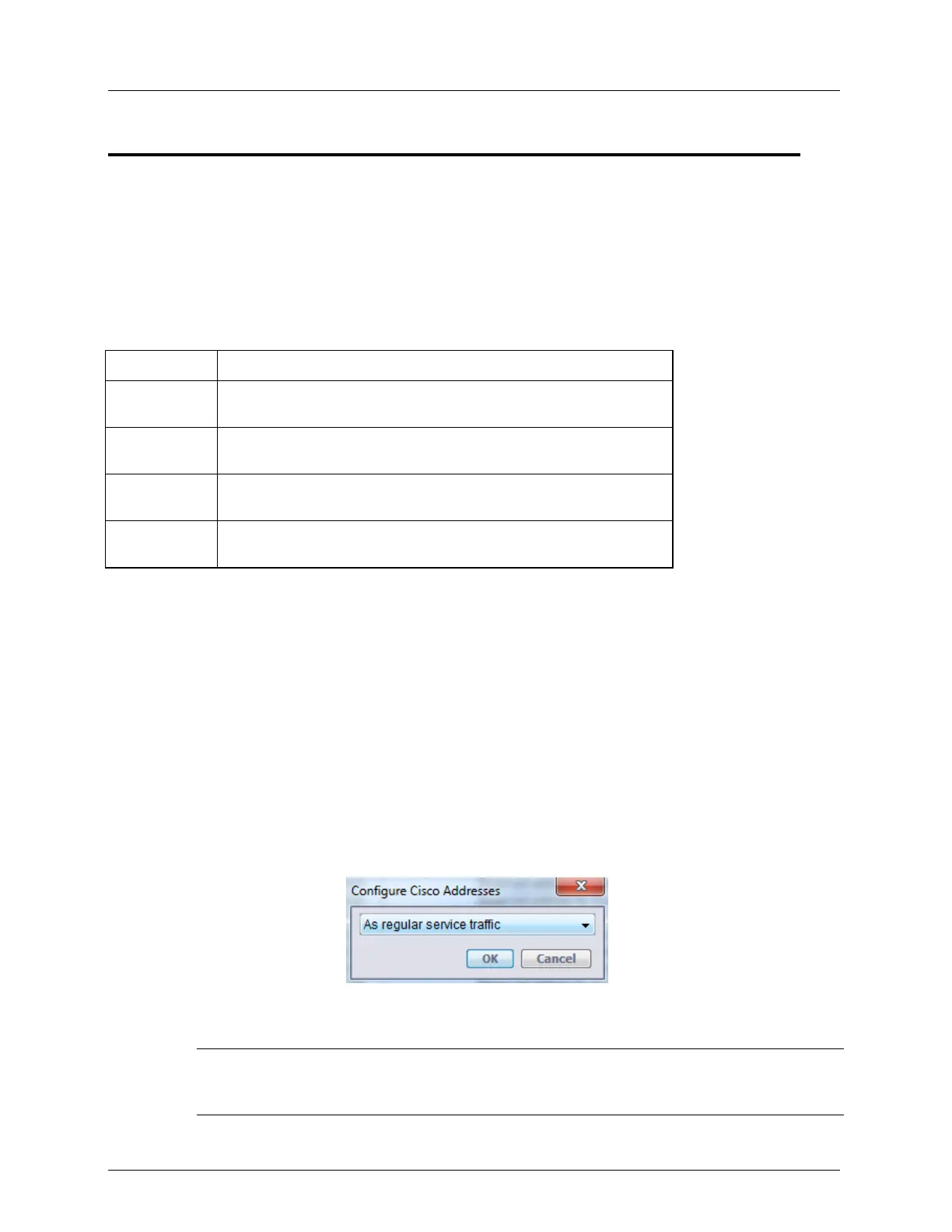
1. In the MetaASSIST View, L2CP pane (on page 9-3), click the Configure Cisco
Addresses button
2. Select as Regular Service Traffic, and click OK.
3. Repeat on all ML NEs participating in the forwarding.
NOTE: Cisco frames can be also enforcedly forwarded ignoring regular traffic VLAN rules, and using
another VID dedicated for this purpose. For such deployment, use transparent tunnel (see below) on
CPE and tunnel by TAG on CO.


 To Next Page