Spectral Profiles Modem Profiles Management Model
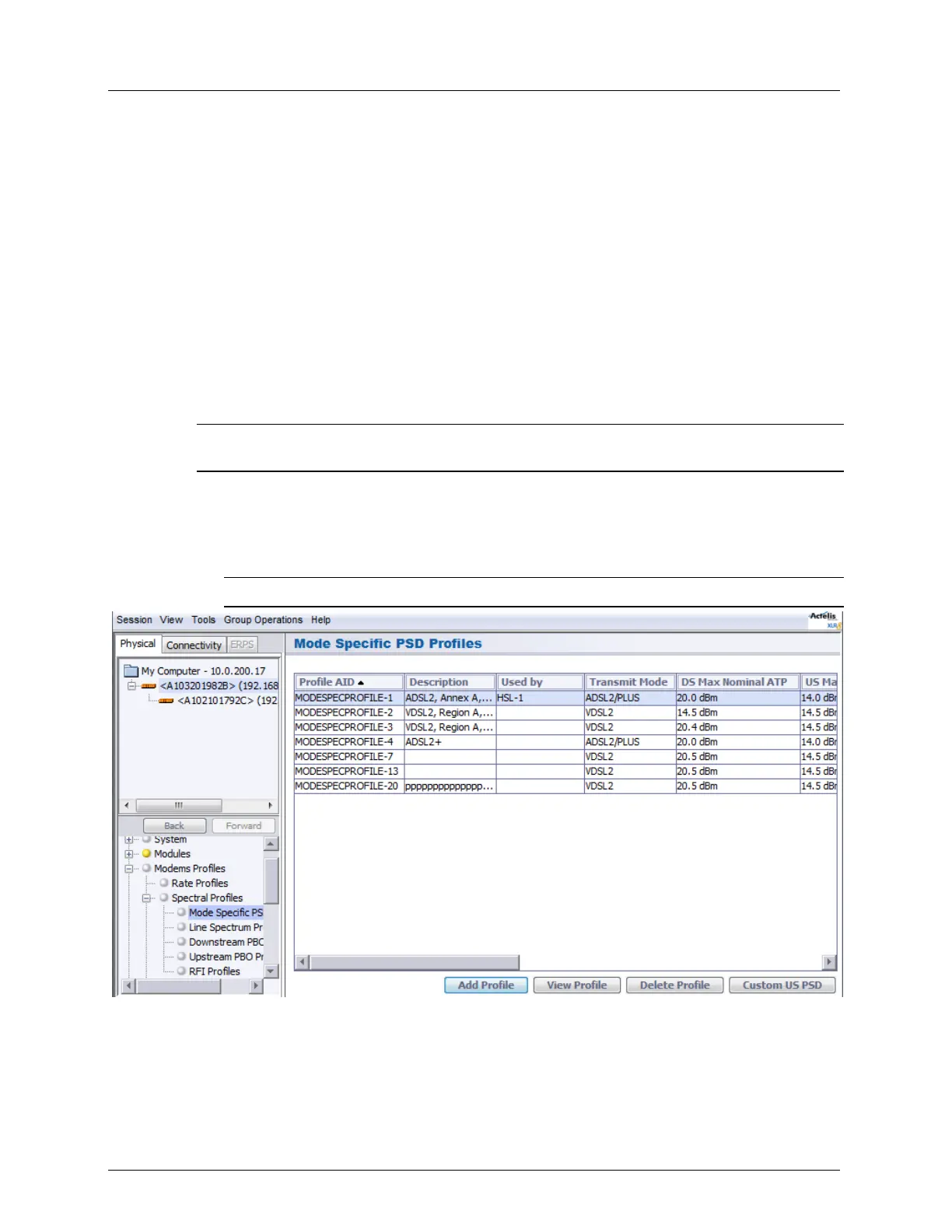
Mode Specific Power Spectral Density Profile
This dialog is used to create a pool of PSD (Power Spectral Density) profiles according to the
transmission Mode ADSL2+, VDSL), region, existing underlying infrastructure (i.e. ISDN,
POTS), specific upstream mask required of a site and other criteria relevant to the site
conditions.
The PSD profiles are used when configuring the Line Spectrum Profiles (on page 6-14).
Each Mode Specific PSD Profile is associated with a specific Line Spectrum Profile. When
the vector of profiles refers to a Line Spectrum Profile it also implicitly refers to all Mode
Specific PSD Profiles associated with it. Each transmission mode enabled in a Line Spectrum
Profile is covered by one and only one of the Mode Specific PSD Profiles contained in that
Line Spectrum Profile.
NOTE: Instead of defining each profile, you can download an existing file to use as a reference,
customize to your needs by making the desired changes and save under another name.
To configure the Mode Specific Spectral Density Profile
1. In the Network Elements tree, under Modem Profiles and under Spectral Profiles,
select Mode Specific PSD Profiles. The defined profiles are listed in the pane according
to their user assigned description and characteristics.
NOTE: Use the Add/View/Delete Profile buttons to define and manage the profiles.



 To Next Page