ML700 Front and Rear Panel Descriptions Introduction
Table 3: Front Panel LED Description
Each Ethernet port has two LEDs:
LNK (LINK) - status of connectivity with opposite port: UP (Green) - logically blocked
, i.e. by STP (Yellow); DOWN (Off).
ACT (ACTIVITY) - status of activity on port (sending or receiving frames). LED is OFF
if Activity is not detected.
See ML700 LED Fault Indications (on page 15-3).
Power, Status,
Alarm, Unit
Level LEDs
Unit level LEDs:
Power – Input power detection.
Status – Indicates general status of unit.
Alarm – The alarm criteria of this LED are configurable according to System
Configurable Attributes.
See ML700 LED Fault Indications (on page 15-3).
Indicate status of the copper-pair ports located on the device rear panel. Each LED
indicates the synchronization status of corresponding modem.
ML700 Rear Panel Description
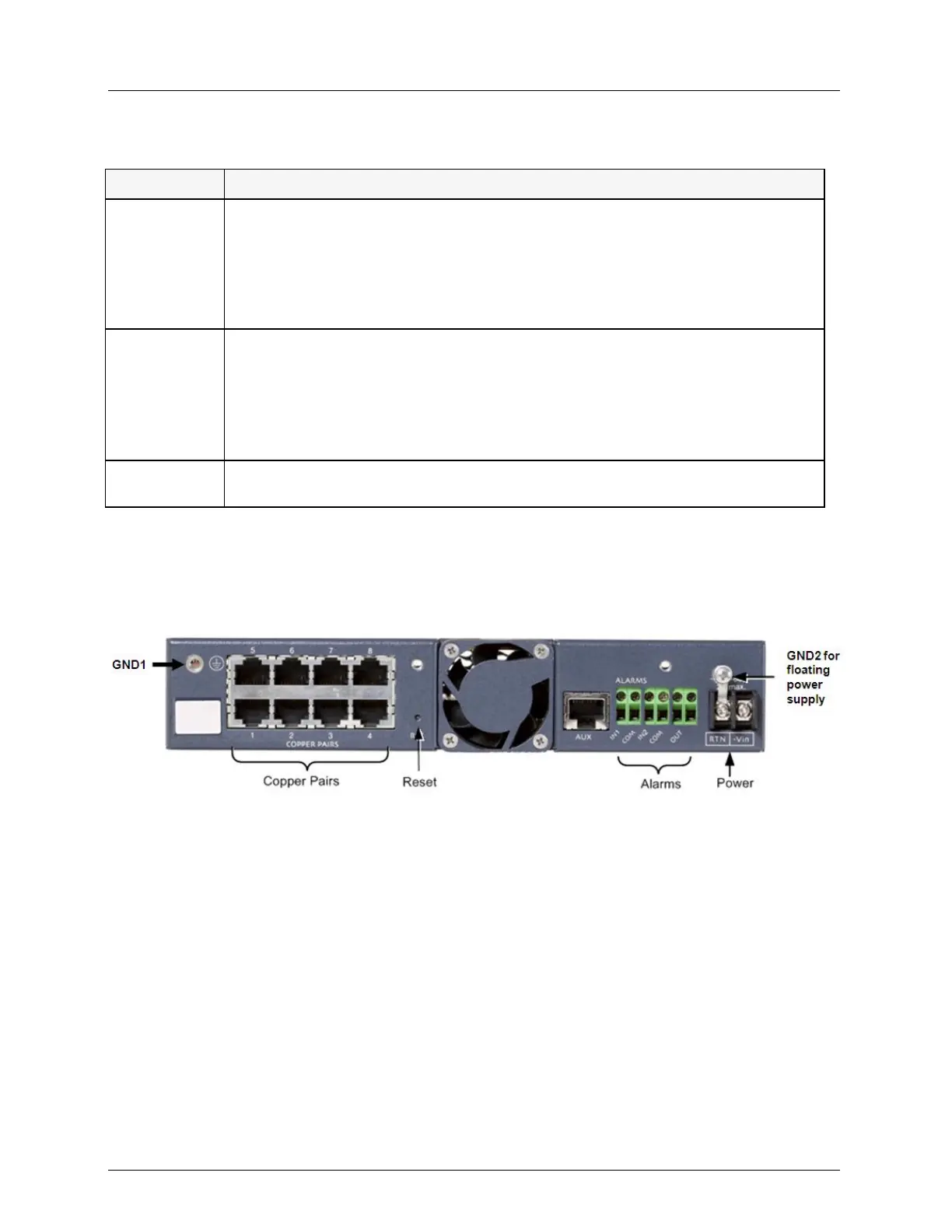
The ML700 rear panel contains the copper-pair connections, power, alarms and reset switch.
Figure 8: Rear Panel of ML-700 Model



 To Next Page