System-wide Settings Equipment and Port Configuration
Table 10: System Pane
Displays and provides access to configurable system attributes. The following
buttons are available:
Configure - accesses the System Configurable Attributes.
Set system ID (on page 3-20) - used to assign the system a recognizable name.
Used to monitor and set system level alarms (Configure Alarms button)
Used to control unit and monitor resources. The following buttons are available:
Restart - restarts the unit
Monitor CPU/RAM - shows percentage of CPU and RAM usage.
System Configurable Attributes
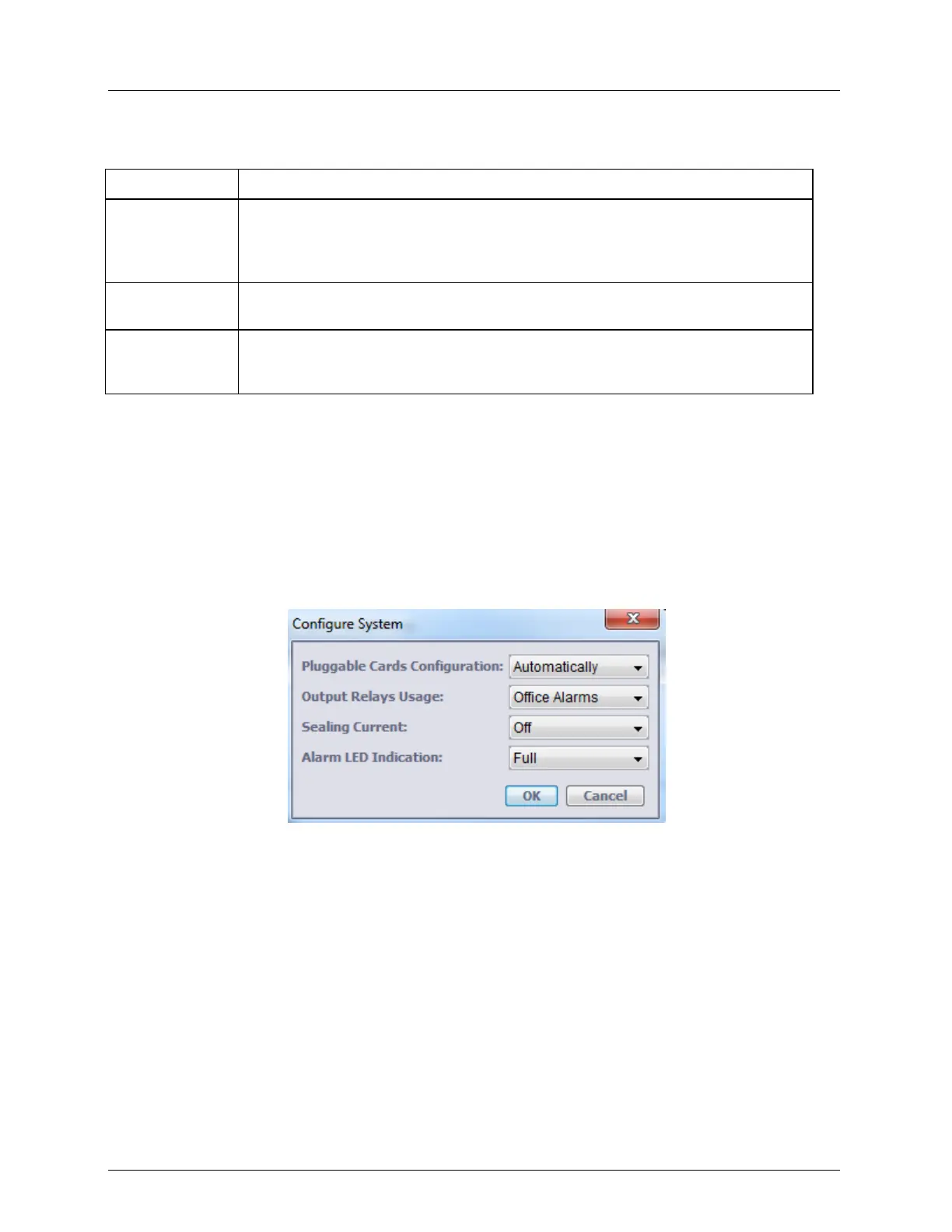
The Configure System dialog provides options for setting general parameters that affect the
operation of the modems, output relays, cards, module configuration and other system level
operations.
To configure the System equipment resource parameters
1. In the Network Element tree, select System. The System pane opens in the work area.
2. In the Configuration section, click Configure. The Configure System dialog appears.
3. Set the Pluggable Cards Configuration method - determines if external cards/modules
(SFP) are enabled automatically (default). The external card/module is always identified.
However, in order for it to be monitored, the appropriate option has to be enabled as well.
Automatically - enables the installed SFP for monitoring.
Manual - the identified external module is not enabled automatically. In order to be
monitored, enable the SFP according to SFP Module Manual Control.
4. Set the Output Relays (on page 4-5) according to the installation: External Controls or
Office Alarms.



 To Next Page