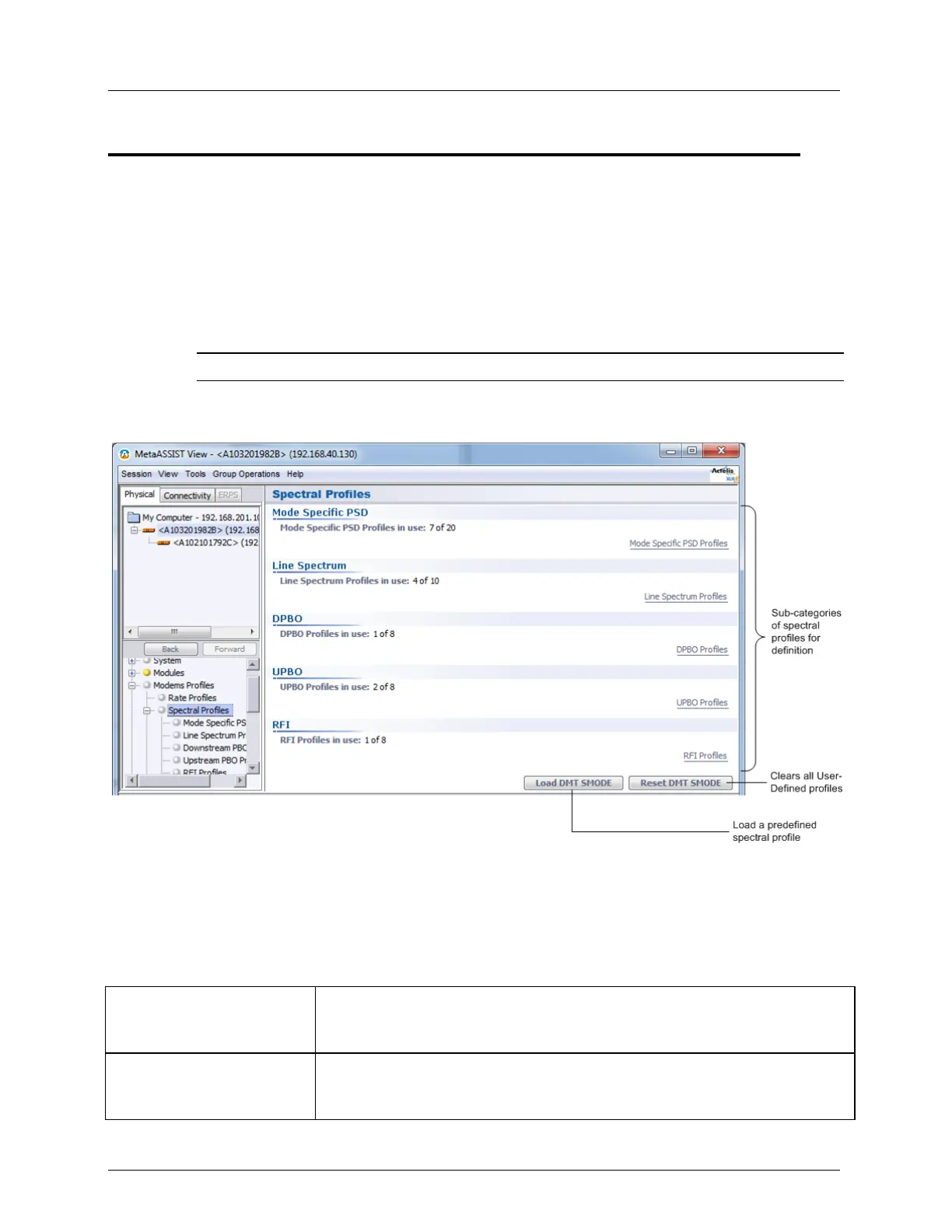
Spectral Profiles Modem Profiles Management Model
Spectral Profiles
The Spectral Profile enables you to define the power spectrum according to the xDSL
supported on your site, your region's spectrum requirements and the quality of your line. You
may define spectrum profiles by either:
Loading a predefined spectral profile (on page 6-8) or
Configuring the spectral files
NOTE: You may also reset all spectral files definitions. (on page 6-9)
To configure a Spectral Profile
1. In the Network Elements tree, under Modem Profiles, select Spectral Profiles.
2. For each type of Profile, the number of available profiles to define, out of the maximum
available, is specified.
3. To configure the Spectral Profiles, several Profile groups are available, allowing a range
of customization levels:
Table 24: Spectral Profile Glance View
Define the Power Spectral Density profiles per mode: ADSL2, ADSL2 Plus
or VDSL2, where the relevant parameters and Annexes are available
according to the selected mode.
Define single or multiple allowed transmission modes. Each of the
transmission modes is combined with the selected Mode Specific PSD
profile.



 To Next Page