HSL Link Monitoring Monitoring
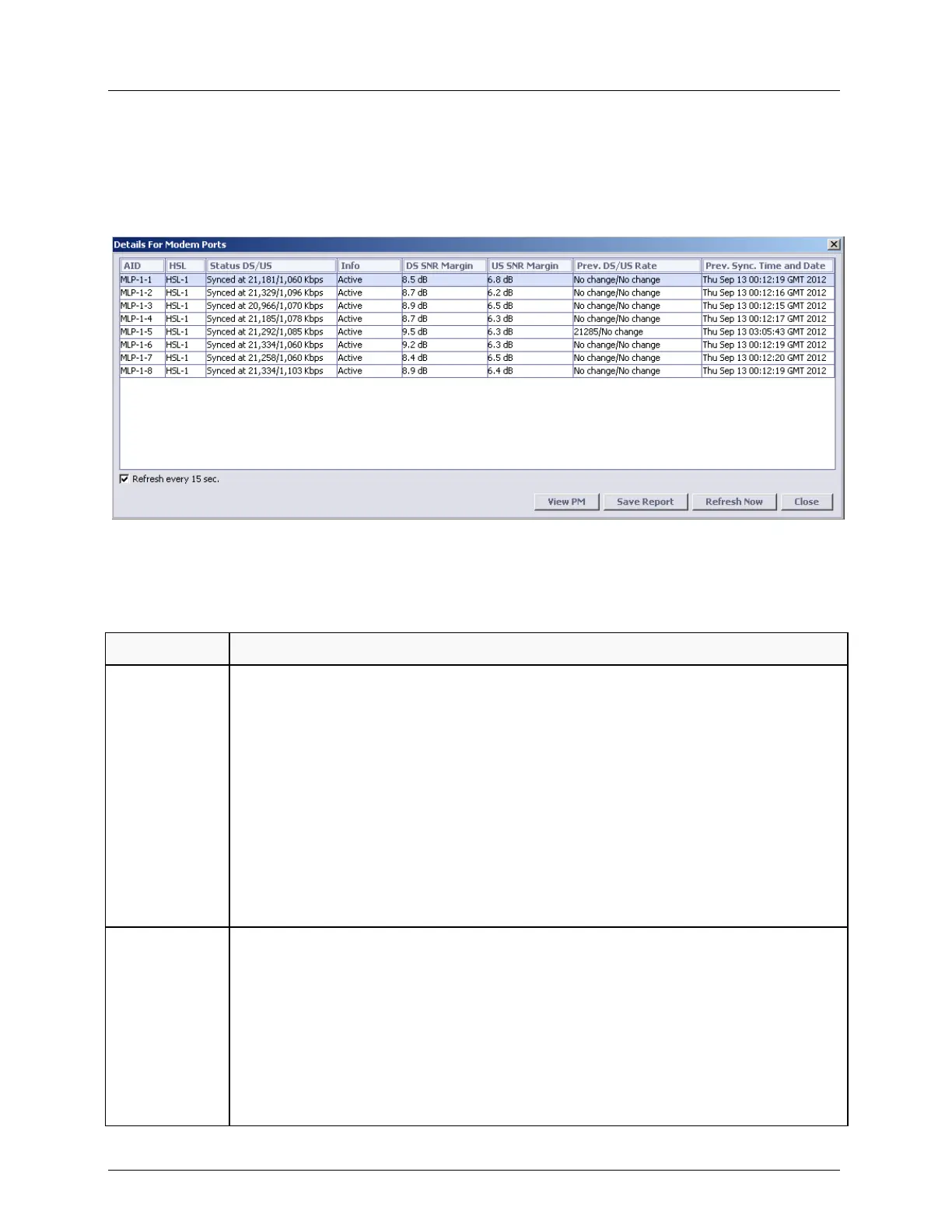
Modem Ports (MLP) Details
The Modem Glance pane (on page 4-14) Details button provides traffic, status and other
information for all the modems.
The following table describes the Modem Port Details parameters that can assist you in
monitoring the Modem Ports.
Table 79: MLP Details pane parameter list
The modem operational status value.
Synched at - Modem is synchronized on the current DS/US rate.
Trying - Modem is trying to synchronize on the current rate.
Not Used - Modem failed during qualification.
Deactivated - Modem is removed from service.
Quarantine – modem with errors during several seconds is quarantined to prevent
the errors from the HSL. Modem is restored to normal operation automatically after
one minute free of errors.
BADRATIO – HSL is limited to the modems rate ratio (slowest modem to fastest
modem) of 1:4. In case that the ratio is not supported the HSL during calibration
truncates higher modem(s) rate or disqualify lower modem(s) rate to achieve best
performance. In case the modems rate decreases after calibration, the modem is
placed in quarantine (i.e. not delivering traffic) instead of being disqualified.
Modem Information status.
Init - Modems are initializing.
No Signal - Loss of signal. See Modem Ports Alarms Troubleshooting.
Loss of Sync - Modem is out of synchronization. See Modem Ports Alarms
Troubleshooting.
Active - Modem is in use by the High Speed Link.
Failure - Indicates a fault on the modem.
<Empty> - Transient status.



 To Next Page