Getting Started MetaASSIST View Workplace
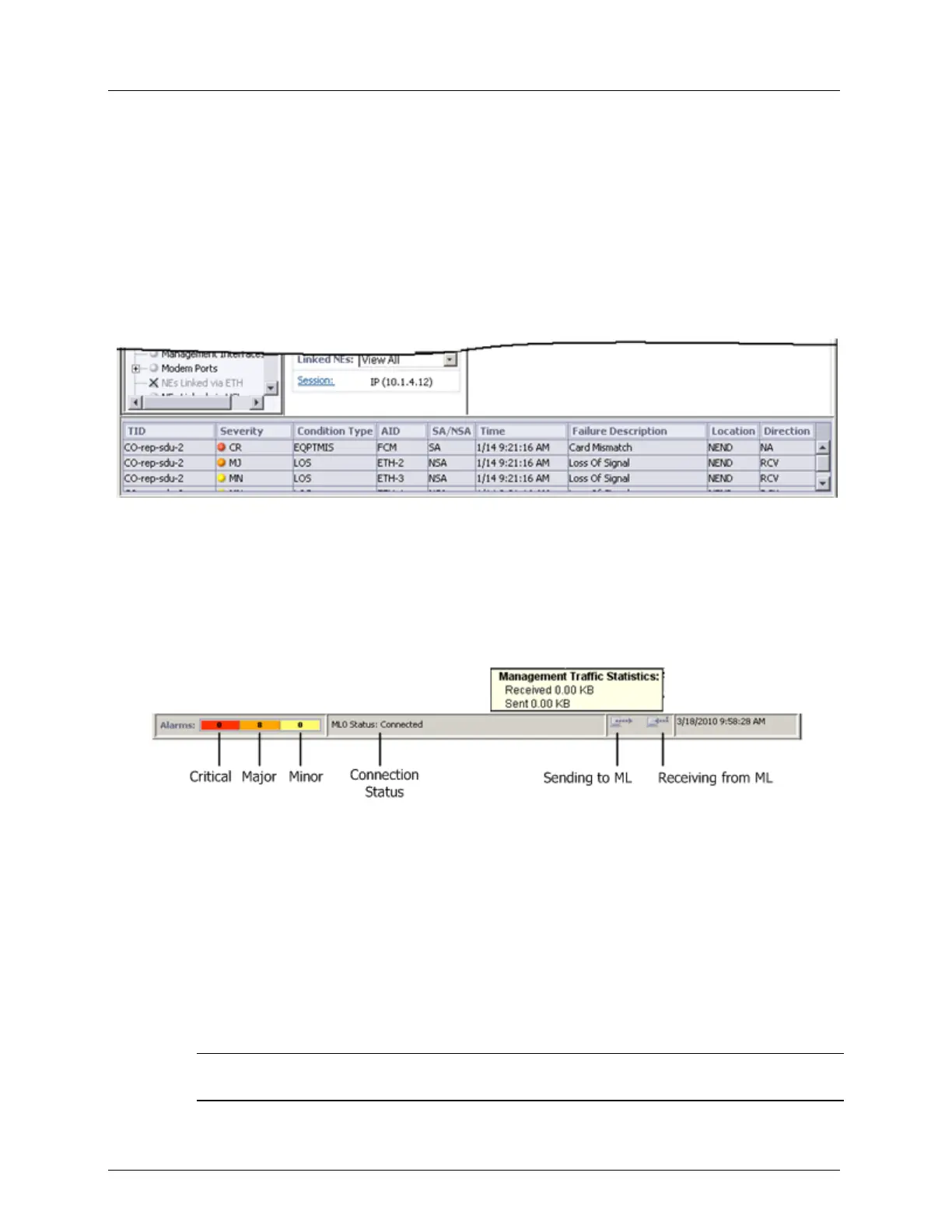
Current Alarms Area
The Alarms Area displays all the current alarms of the Monitored NE alarms. If the NE is
CO, alarms of its CPE are also displayed. Alarms are sorted according to severity, starting
with the critical alarms, and then by date-and-time.
You can scroll through the table to view additional existing alarms. Clicking on any of the
alarms navigates to the appropriate pane.
The Status bar displays the total number of Critical, Major and Minor alarms in the
Monitored NE, management (TL1) traffic direction and Monitored NE date-and-time. In
addition, when the cursor is placed over the management traffic direction area, a pop-up
displaying management traffic statistics appears. It includes the received and sent bytes
between the MetaASSIST View application and the Monitored NE.
Refer to NE Connection Status (on page 13-3) for a description of the connection status
indications.
Figure 10: Alarms Area and Status Bar
Multi-lingual Support
All labels in the MetaASSIST View are in English. Any printable 8-bit ASCII-extended
characters are valid for all configurable "free string" parameters (i.e. User Name, Password,
System, Port ID, etc.).
Typically used ISO 8859-1, also called as ISO Latin1, refines ASCII-extended (8-bit) codes
and is sufficient for the most common European languages, including characters such as ß
(German), ñ (Spanish), å (Swedish and other Nordic languages) and Ö(Hungarian).
NOTE: MetaASSIST View and MetaASSIST EMS ignore the following: ? (0x3F ASCII code), "
(0x22 ASCII code) and /n line feed (0x0A ASCII code) characters.



 To Next Page