Equipment and Port Configuration SFP Pluggable Modules
SFP Pluggable Modules
This section is relevant for ML units that support pluggable SFP modules (can be ordered
from Actelis).
Supported SFP modules must comply with SFP MSA standard agreement and must be inter-
operable with 100Full-duplex, 1000Full-duplex or 100/1000Full-duplex multi-rate SFP
socket ports provided on the ML. Actelis provides support for a wide range of optical and
copper SFP modules for pure Ethernet, CWDM, T3/E3 over Ethernet (PWE), MiTOP-E3/T3,
Ethernet over T3/E3 (GFP or HDLC), etc. (see SFP Modules (on page 2).)
The ML unit is set by default to auto-provision SFP modules, allowing automatic
configuration on power-up and upon card insertion. Auto-Provisioning can be disabled,
enabling manual provisioning.
Note the following:
If unknown SFP card or module is inserted, the UNKNOWN alarm is generated and auto-
provisioning is not performed.
MiTOP-E3/T3 SFP (on page 4-10) modules support “TDM over PSN” technology and
require comprehensive configuration of PWE data path. For such modules, ML NE
allows to configure management connection attributes (IP, GW, Net Mask and VLAN).
SFP View Provisioning Options
The SFP View provides access to SFP analysis and activation options. In the MetaASSIST
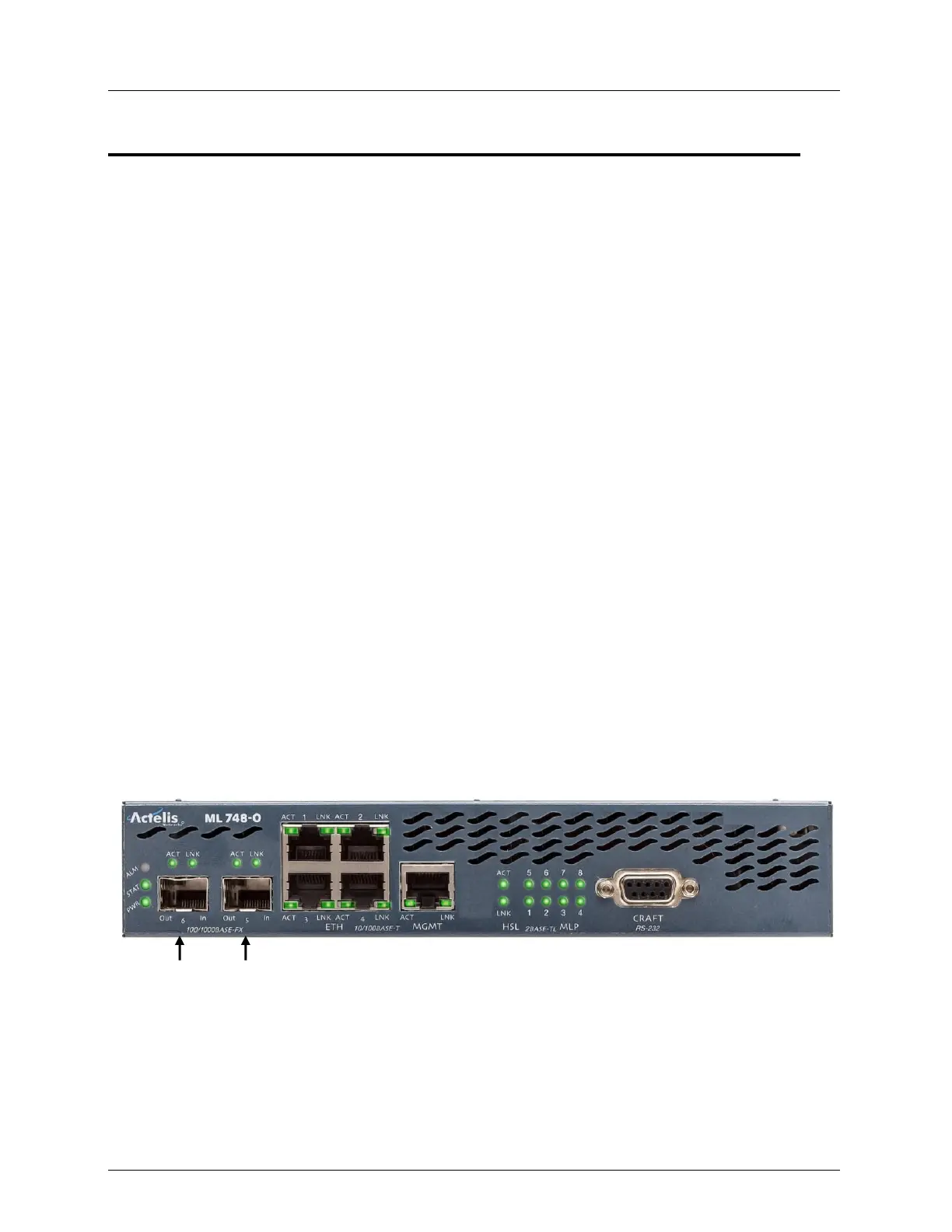
View, the SFP card is labeled according to its location on the front panel. In the example
below of the ML650S that supports two SFP port, SFP-1-1 is the right-most SFP port (Port-
5), SFP-1-2 is the left SFP port (port-6 in the example).
The monitoring and configuration options for each SFP card is provided via a dedicated pane
available from the Network Element tree.
To display the SFP Pane
In the Network Element tree, select one of the following (depending on your system:
For ML230/2300 - select Cards and Modules, SDU-x, SFP-x
For all other units (ML500, ML600, ML700, etc.) - select Modules, SFP-x



 To Next Page