Management Configuration Date and Time Setting
Automatic Date and Time Adjustment
The ML device supports automatic date and time adjustment using SNTP.
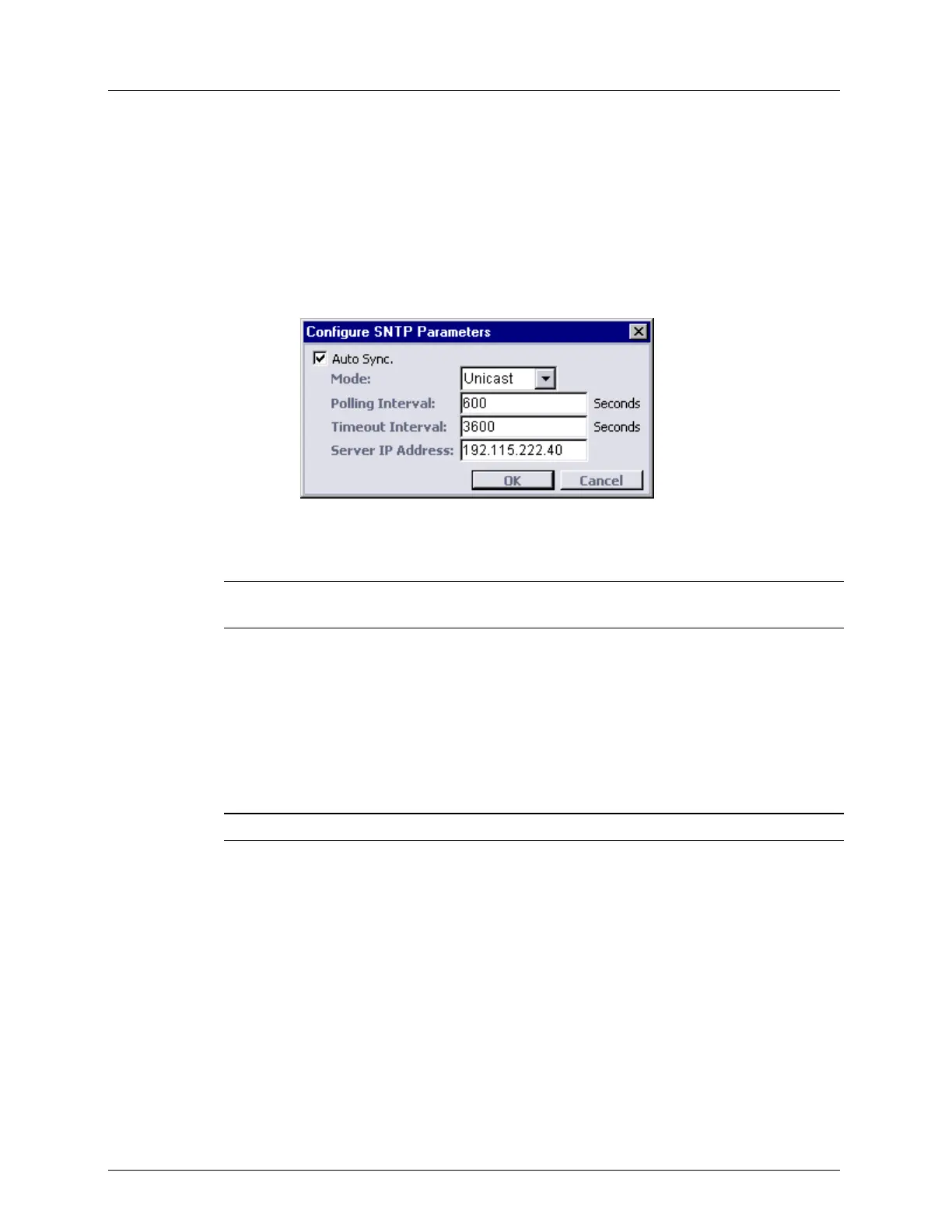
To configure SNTP parameters:
1. In the Network Element tree, expand System Administration.
2. Open Date and Time. The Date and Time pane opens in the work area.
3. In the SNTP area, click Configure. The Configure SNTP Parameters dialog appears.
4. To enable automatic synchronization, select the Auto Sync check box.
5. From the Mode box, select Unicast or Broadcast (determines whether SNTP client listens
to broadcasts or queries the server (polling)).
NOTE: Broadcast mode is unsupported in the current SW release although it appears as a
selectable option.
6. In Unicast mode only, in the Polling Interval box, type in the polling interval in seconds.
This is an interval between SNTP client attempts initiated by the ML device. Default
interval provided by the ML device is 600 seconds. Value is configurable in range from
60 to 10,800 seconds.
7. In Unicast mode only, in the Timeout Interval box, type in the timeout interval in
seconds (the interval of time allowed without synchronization). When this interval is
expired without successful connection to the server, an alert is sent to the user. Default
interval is 3,600 seconds. Value is configurable in range from 60 to 86,400 seconds.
NOTE: Timeout Interval must be greater than the Polling Interval.
8. In Unicast mode only, in the Server IP Address box, type in the server IP address
(default value on factory setup is 0.0.0.0).
9. Click OK.
10. To verify setting the Time Zone, see Configuring Date and Time Manually (on page 3-
21).



 To Next Page