SSH - Secure Shell Security Management
3. From the Key Length list box, select the key length.
4. Click OK. A warning opens “New server key will be generated. Do you want to
continue”. Click Yes. A progress bar appears and the Key Generation Status is In
Progress.
SSH Server/Client Authentication
This chapter describes:
The authentication and flow when SSH Authentication is Enabled/Disabled.
Configuring the Authenticated SSH Client Keys Control.
Enabled SSH Authentication
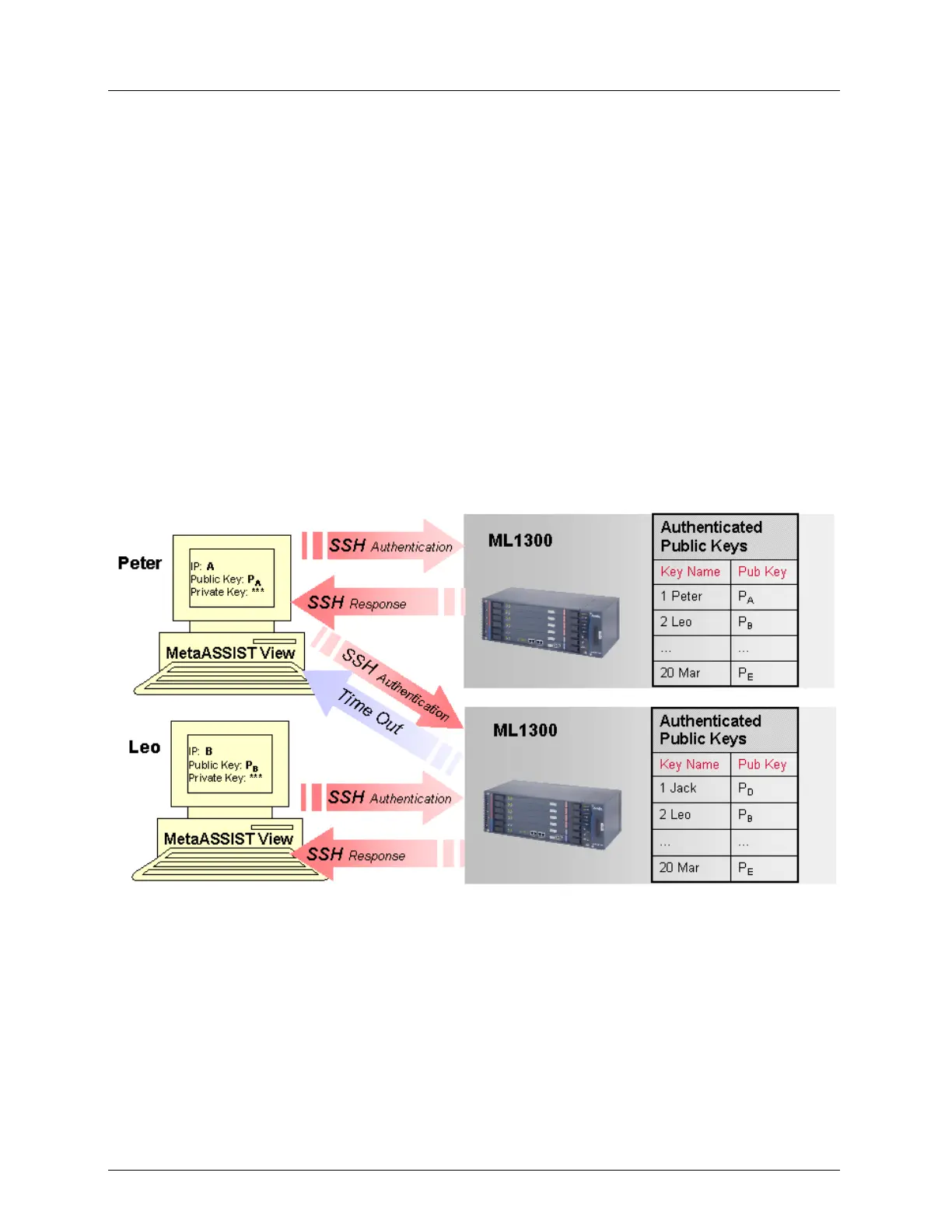
When authentication is enabled then only pre-defined management hosts are authenticated.
As shown in the following figure, if the key name is not defined in the ML130/ML1300
system in the Authenticated Public Keys table for management host (IP) “C”, the connection
will fail after a PC time-out.
Figure 14: Authentication of Public Keys is Enabled



 To Next Page