Ethernet Performance Monitoring Monitoring
To analyze a link
1. The link of interest can be selected using two methods:
From the Physical tab - Network Element tree, expand the Ethernet Port item and
choose the relevant port. For example, HSL <AID>. Select the Connectivity tab.
The selected interface will be displayed along with any other interfaces and the
VLANs relevant to the link.
From the Connectivity tab:
o Under the relevant NE, select the HSL or ETH interface, the corresponding
information will be invoked.
o Under Automatic Link - choose the relevant EVC. The corresponding
connections will be displayed in the NE pane areas.
2. The above figure shows an end-to-end link connection between HSL-1 on the ML700 CO
and ML700 -R. The service is defined by VLAN 3000.
3. Click the relevant tab to show the required link information.
Ethernet Topology (other NE Linked)
If the LLDP option is locally enabled for all the NEs participating in the Ethernet Topology,
each NE is capable of discovering the other attached NEs and display each NE self-
advertised information in the NEs linked via Ethernet pane in a tabular form along with
relevant information on each element. See LLDP Configuration for a description on how to
enable LLDP (LLDP disabled by default).
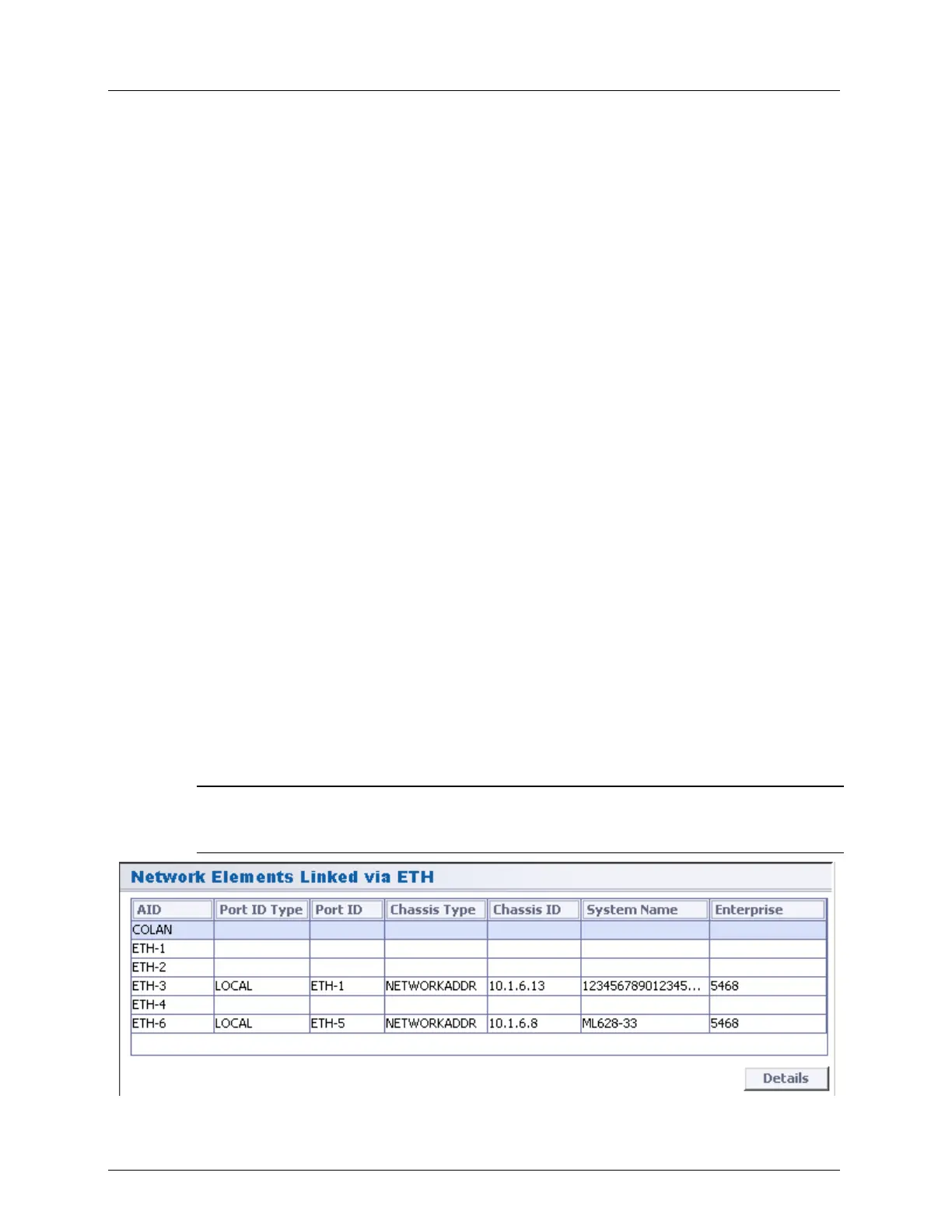
To display a list of the NEs linked via Ethernet
In the Network Element tree, select NEs Linked via Ethernet. The corresponding pane
listing the NEs linked via Ethernet appears.
The parameters describing each NE Ethernet port link are listed in the table following the
figure.
NOTE: The Details button is useful for non-Actelis vendors, where LLDP messages include extra-
parameters (all mandatory parameters are represented in the table). MAV lists the HEX values of
optional TLV (type-length-value) parameters, sent in LLDP.



 To Next Page