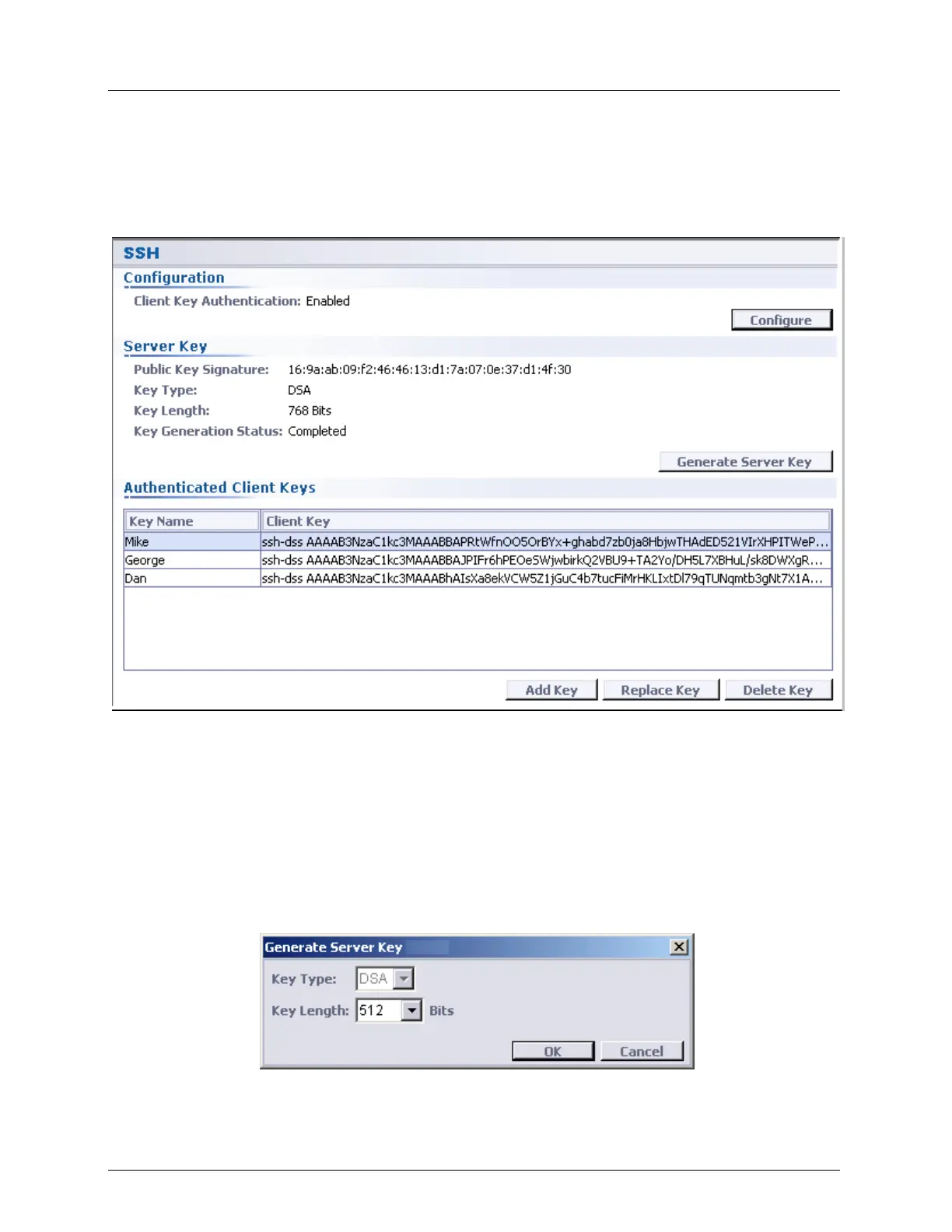
Security Management SSH - Secure Shell
Enabled/Disabled Client Key Authentication feature
To open the SSH pane
1. In the Network Element tree, open Management Access.
2. Open SSH. The SSH pane opens in the work area.
Generating SSH Server Key
After reverting to Factory Setup, the ML device generates the keys automatically. You can
also generate Server Keys (public and private) on the system, using DSA type 512, 768 or
1024 bits key length.
To generate SSH Server Keys:
1. On the SSH review pane, click Generate Server Key. The Generate Server Key dialog
appears.
2. From the Key Type list box, select the key type (currently only keys of type DSA are
supported and the selection box is disabled).



 To Next Page