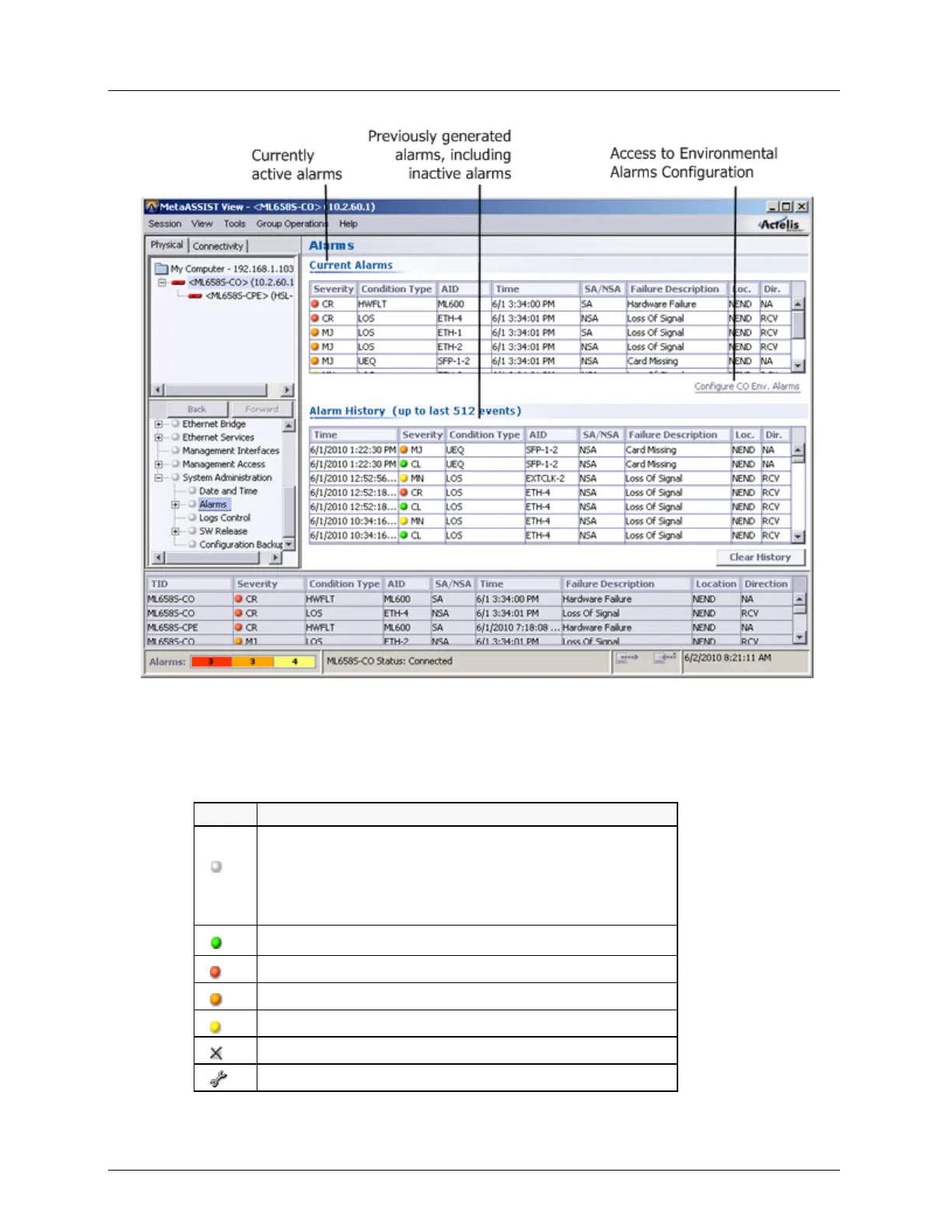
Monitoring Control of Alarmed Conditions
Alarm Icons and Color Map
The following table shows the various icons and the status indicated by the icon colors.
Icon meanings
Gray Icon - for the following cases:
No critical, major or minor alarms;
Entities that have no alarm status (such as Users);
Entities are disabled.
Green icon - Cleared Alarm
Red Icon - Critical Alarm
Orange Icon - Major Alarm
Yellow Icon - Minor Alarm
Icon with an X - Inaccessible element
Tool Icon - Maintenance mode



 To Next Page