MetaASSIST View Workplace Getting Started
The Monitored NE is displayed on the left hand side of the Network Element pane along with
the following detailed System information: System Name (TID), Model, SW Release,
Number of Enabled Modems and IP address. In addition there is a filter, allowing to display
linked NEs (All, Enabled, Disabled, Alarmed).
The linked via HSL NE is displayed by a NE-via-HSL-<ID> link. In addition, placing the
cursor on the NE displays a tool-tip with the following detailed information: System Name
(TID), Model, IP address, ETH BW available on the HSL and highest severity Alarm
condition (if occurs).
The NE-via-HSL-<ID> link behaves as follows:
Switches to the linked NE Network Element pane when HSL up and NE is logged in
Remains on Local NE and switches to NEs Linked via HSL pane when HSL up and NE
is not logged in
Remains on Local NE and switches to HSL-<ID> pane when HSL is operationally down
or disabled
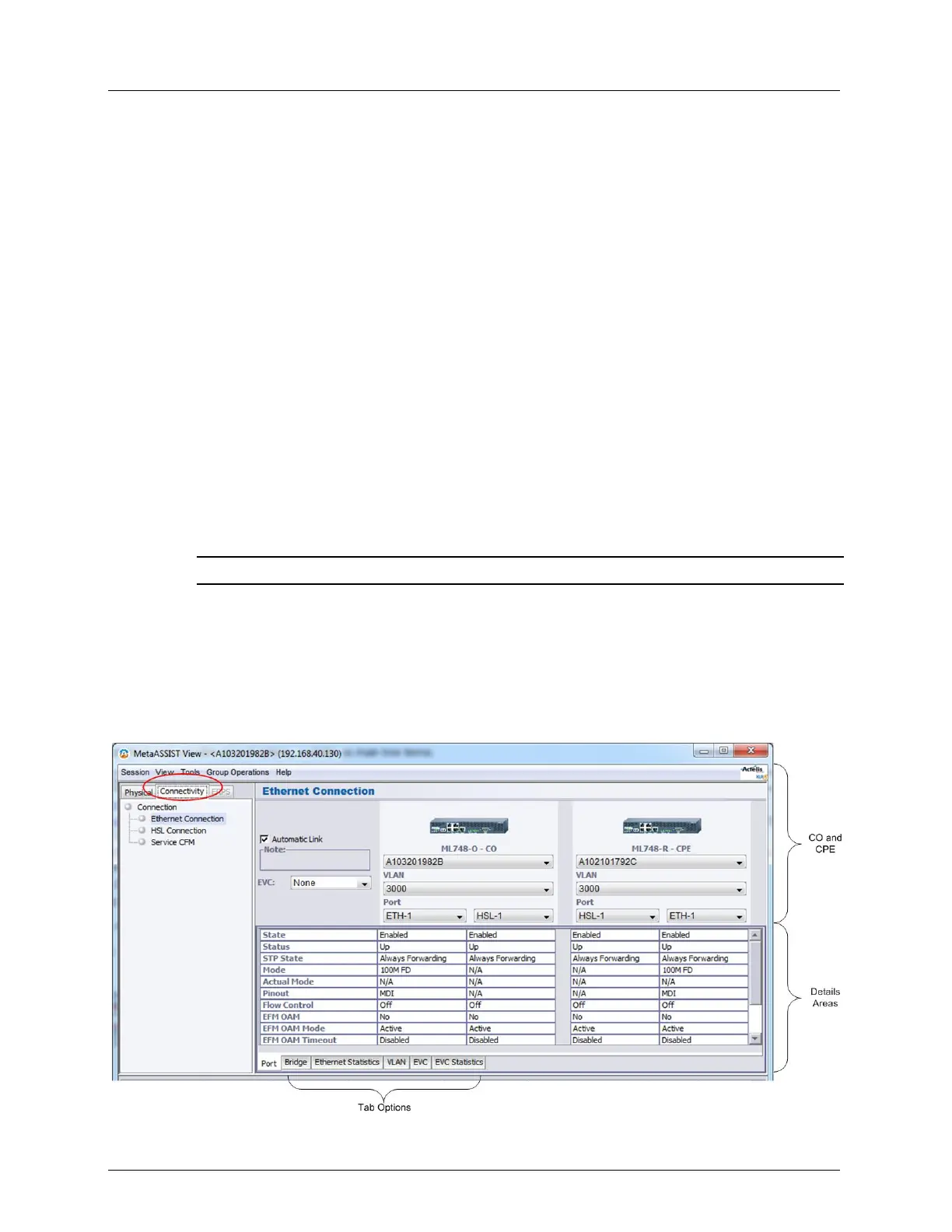
Connectivity Tab
The Connectivity tab provides several options, available as main tree items:
NOTE: The available options may vary depending on your ML700 model.
Ethernet Connection - used to monitor status and setup of the particular Ethernet
Connection (predefined via the Physical tab).
HSL Connection - compares HSL on CO and CPE side (see HSL Connection Glance
View (on page 13-46)).
CFM - The CFM options are now located in the Physical tab under CFM/Y.1731.
Below is an example of the display invoked when the Ethernet Connection option is selected.



 To Next Page