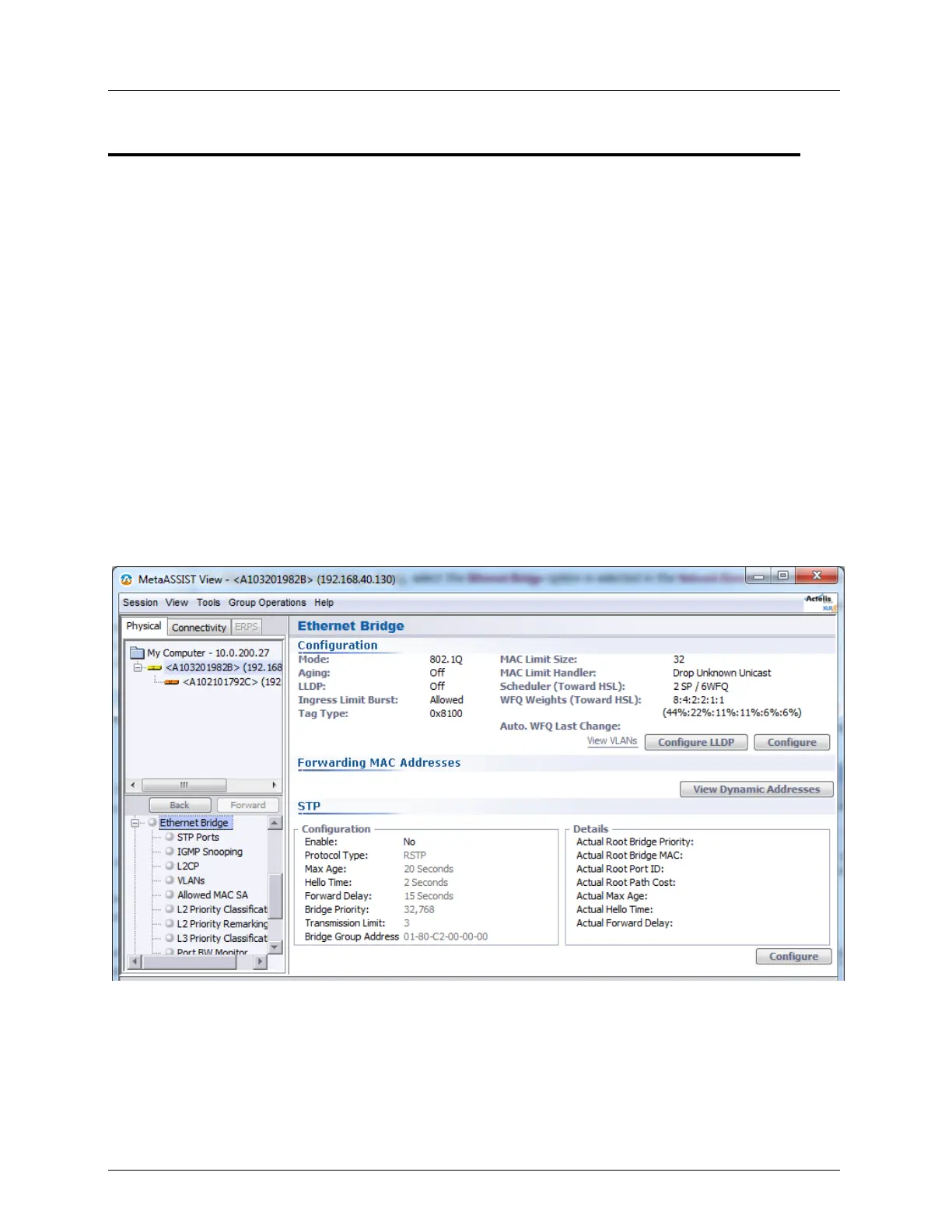
Ethernet Bridge, STP/RSTP Ethernet Bridge Pane
Ethernet Bridge Pane
The Ethernet Bridge view displays the bridge level settings and provides access to the
configuration options.
To display the Ethernet Bridge dialog, select the Ethernet Bridge option is selected in the
Network Element tree. The pane includes the following areas:
Configuration - shows the bridge level configuration settings and provides access to
various configuration options through the corresponding buttons and link:
Configure button - access to Bridge configuration dialog
Configure LLDP (on page 5-7) button - LLDP configuration options
View VLANs (on page 8-7) link - provides access to VLAN management pane
Forwarding MAC Address (on page 13-34) - the View Dynamic Addresses button
invokes a display of the forwarding MAC addresses
STP (on page 5-20) - shows the current STP parameters settings (Configuration area)
versus the actual values (Details), and provides access to the configuration options (via
the Configure button)



 To Next Page