Copper Line Monitoring Monitoring
View Spectral Details
To view Spectral Details
In the Network Element tree, under Modem Ports, select the modem port of interest (i.e.
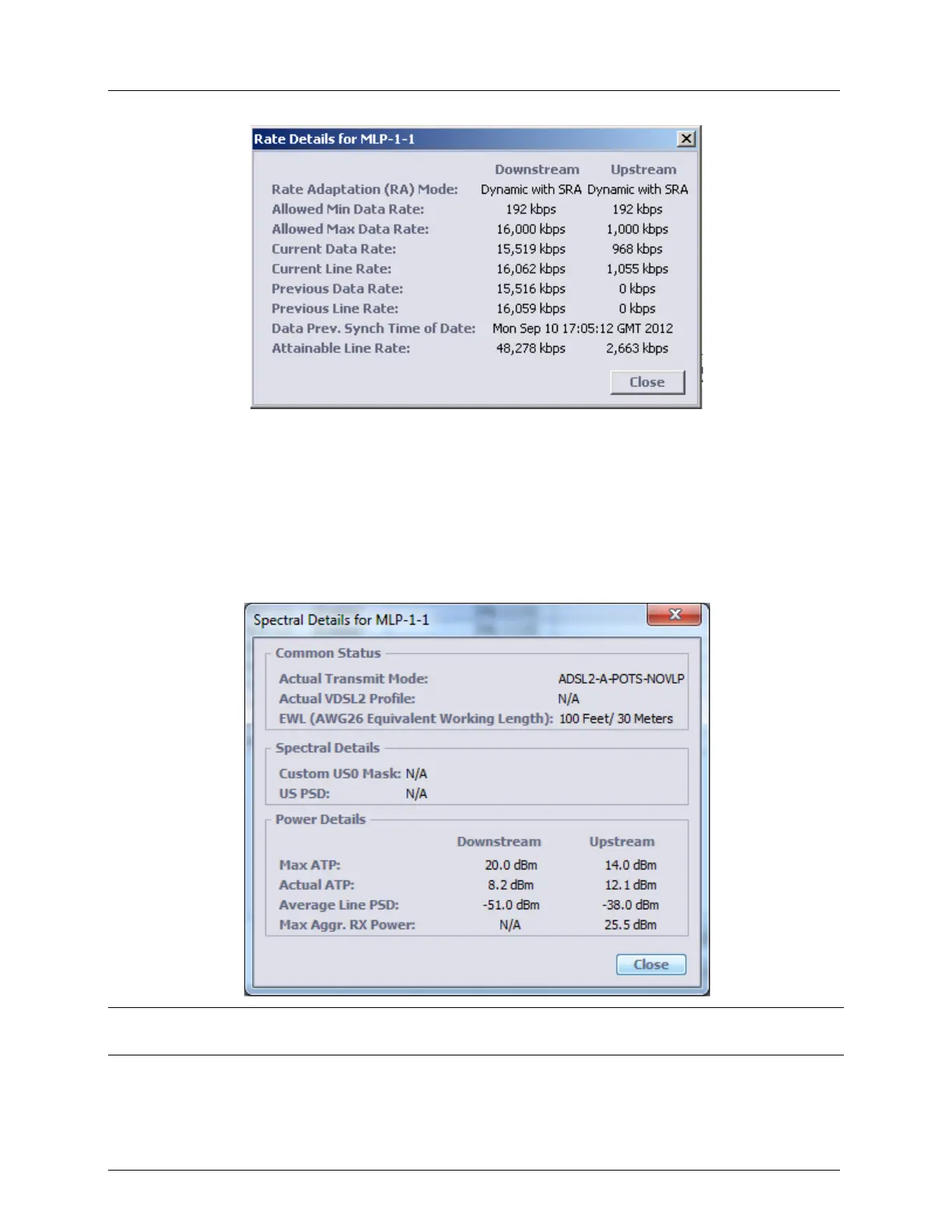
MLP-1-1) and in the displayed pane Details area, click the View Spectral Details button.
The following information appears.
Note: in case of link with BBA the EWL parameter is replaced by DS attenuation at 300 KHz and US
attenuation at 100 KHz. Refer to Table 78: HSL Details for details.



 To Next Page