Modem Profiles Management Model Rate Profiles
Rate Profiles
Rate Profiles are service related profiles that define modem’s data rates. A dedicated data rate
profile can be defined for the upstream and for the downstream channel.
To configure a Rate Profile
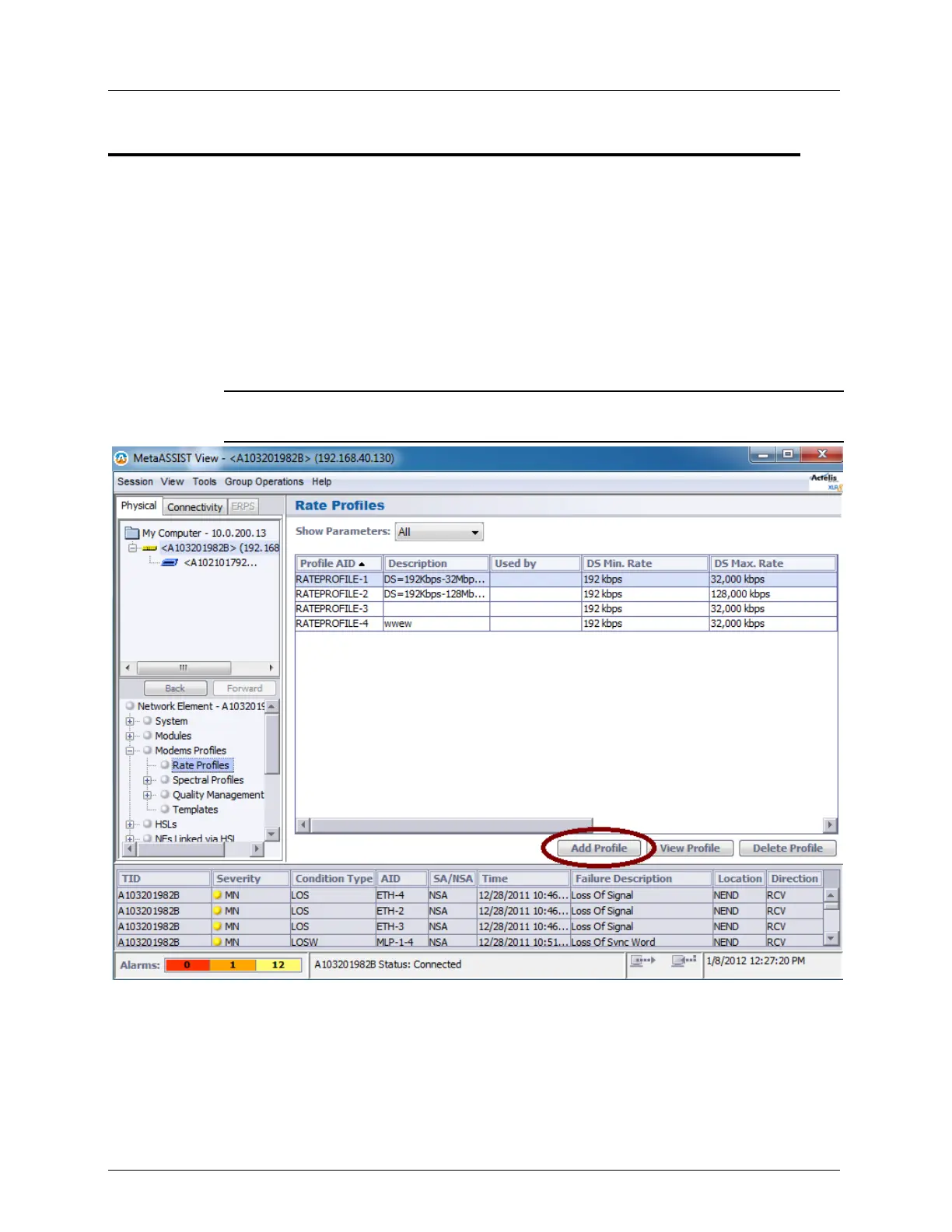
1. In the Network Elements tree, under Modem Profiles, select Rate Profiles. The
available profiles are displayed in a tabular format. Each profile is displayed along with
identifying information for the upstream (US) and downstream (DS) such as data rate
range (Min and Max) and ratio.
NOTE: Use the Scroll bar to view more parameters and the Add/View/Delete Profile
buttons to add a new profile or edit any of the listed defined profiles.


 To Next Page