IGMP Snooping Ethernet Bridge, STP/RSTP
IGMP Bridge Level Configuration
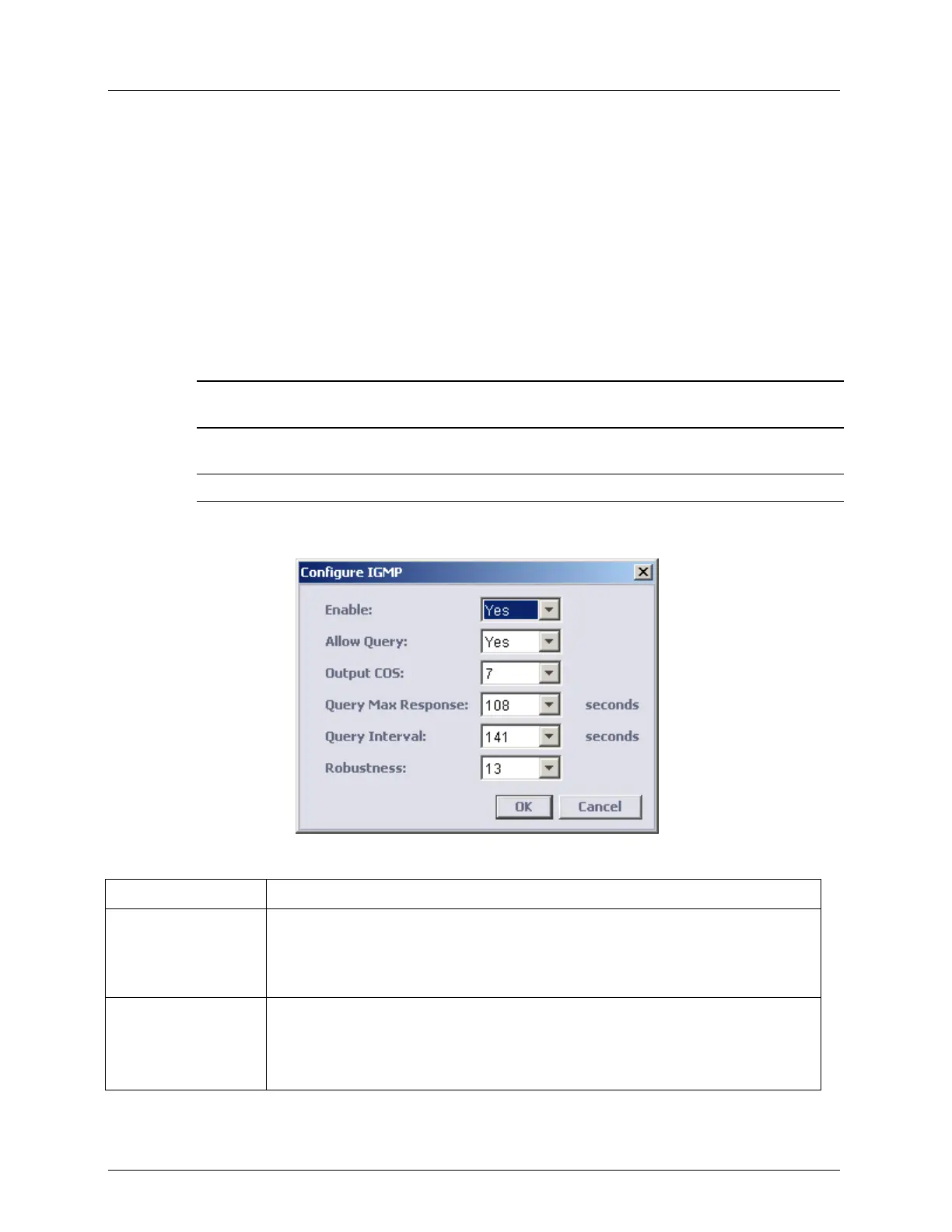
This dialog is used to enable and configure IGMP Snooping on the system level. (It is then
applied to VLANs on which the option is enabled). ML devices perform ONLY snooping and
cannot be used as IGMP server (Querier); however, ML devices can be configured with
IGMP Querier parameters used for fast convergence (after ML reboot, port failure, STP
topology changes).
Note that ML will send a query with IP SA= 0.0.0.0 (as an IGMP proxy). To configure ML
with fast convergence option, enable Allow Query and set Out COS used by Query messages
originated from ML.
NOTE: All IGMP except for Allow Query and Out COS (that are used for fast convergence of IGMP
snooping), should match on all IGMP queries available in the network.
To Configure the IGMP Snooping Bridge Level Parameters
NOTE: Be sure to enable IGMP snooping in the VLAN Configuration dialog.
In the IGMP Pane (on page 5-14), IGMP Settings area, click the Configure button. The
following dialog appears.
Table 17: IGMP Parameters
Yes - Snoop IGMP function is operational on the relevant VLANs.
No - all multicast traffic is forwarded to all ports in VLAN boundaries,
regardless of VLAN setting to snoop IGMP. Clears all dynamically learned
multicast forwarding addresses and keep static multicast IPs configured.
Used to configure ML with fast convergence option.
To set the fast convergence option, enable Allow Query and set Output COS
used by Query messages originated from ML.
ML devices will send query with IP SA= 0.0.0.0 (as an IGMP proxy).



 To Next Page