Modem Profiles Management Model Quality Management
SNR Margin
The SNR is defined as the Signal Power to Noise Power ratio. Noise margin is important for
line robustness. SNR profile parameters may be adjusted to compensate for varying line
conditions and maintain required data rates.
To create an SNR Profile
1. In the Network Element tree, under Modem Profiles and under Quality Management
select SNR Margin Profiles. The defined profiles are listed in the pane according to their
user assigned description and characteristics.
NOTE: Use the Add/View/Delete Profile buttons to define and manage the profiles.
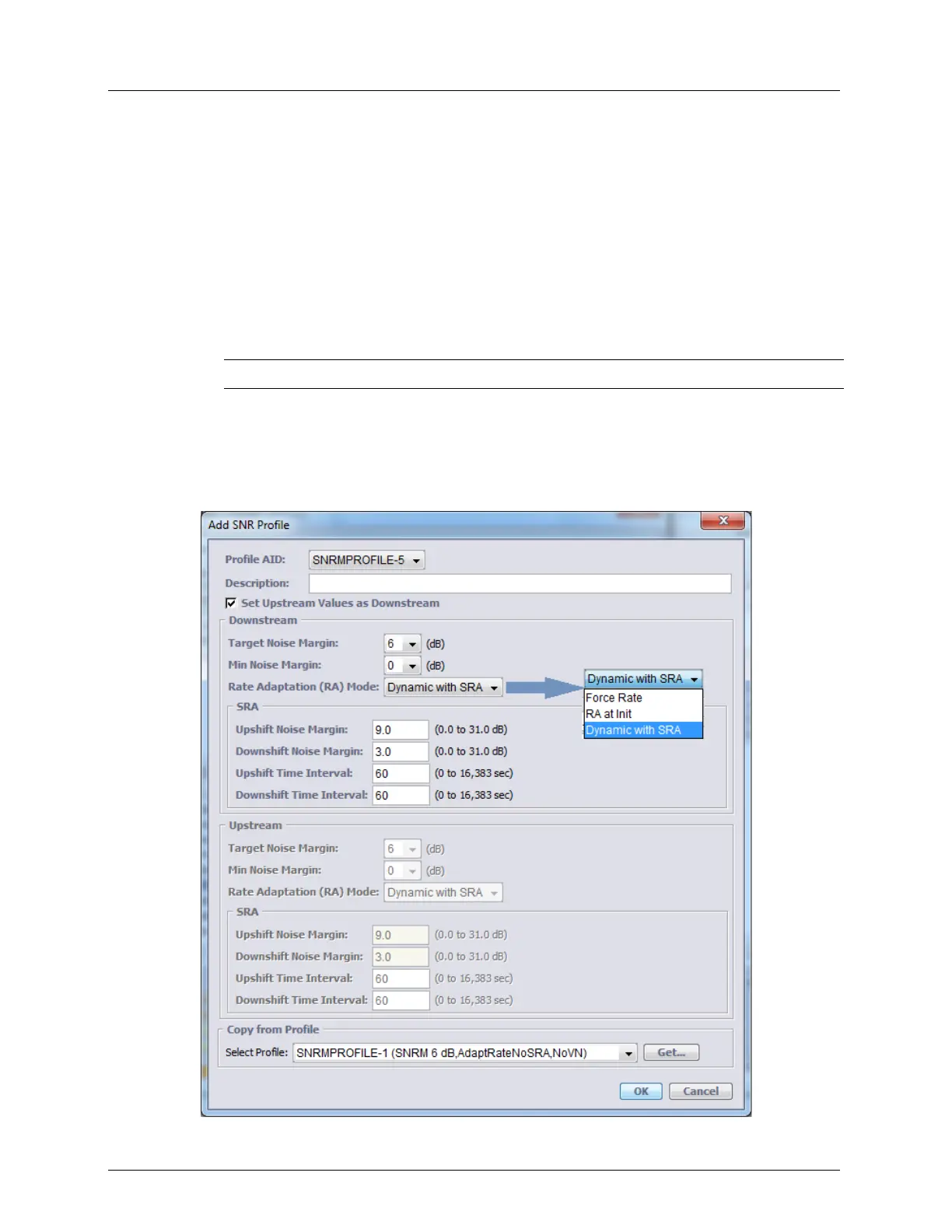
2. In the displayed pane, click Add Profile. The Add SNR profile definition dialog appears:
Note that the dialog is divided into two areas containing the same parameters:
Downstream and Upstream. To facilitate the configuration process, you may set the
Upstream values to equal the defined Downstream values by checkmarking the options
Set Upstream Values as Downstream (or define each set of parameters).



 To Next Page