Configuring Handling of L2CP Frames L2CP Processing
Configuring Handling of L2CP Frames
To configure processing of L2CP frames
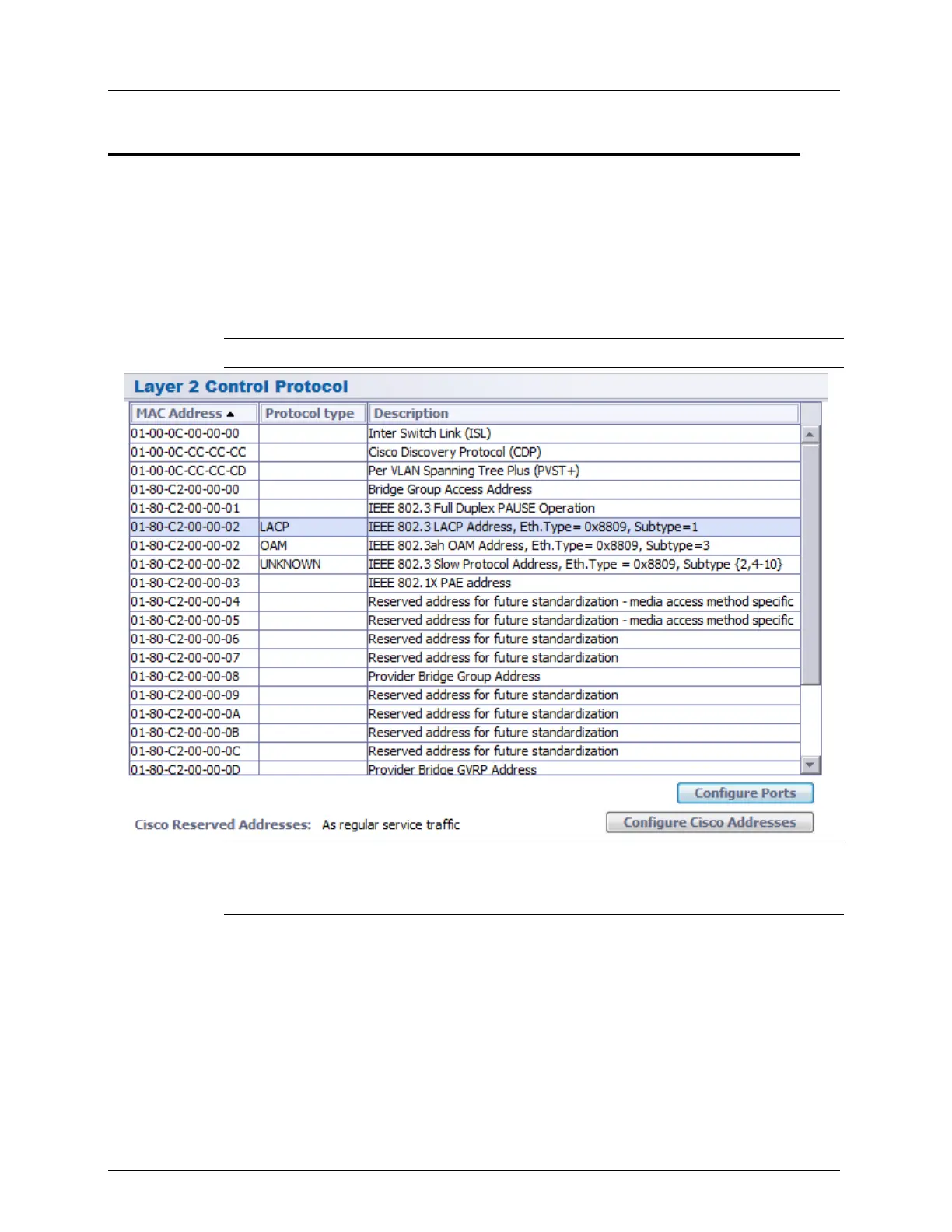
1. In the Network Element tree, under Ethernet Bridge, select L2CP. The L2CP MAC
Addresses pane showing the list of available L2CPs and corresponding MAC addresses
appears. The list includes dedicated rows for specific L2CP MAC applications (e.g.
LACP).
NOTE: Available MAC applications (protocol types) may vary according to ML model.
NOTE: To configure Cisco Frames behavior, click the Configure Cisco Address button.
Choose to either Drop the frames (default) or transparently transfer the frames to
specified multiple ports - regardless of the VLAN membership rules for these ports.
2. Select the MAC address corresponding to the protocol to be applied on the port and click
Configure Ports at the bottom of the pane. The following dialog appears.
The dialog shows all the ports along with the way they will process the corresponding
frames and the egress ports.



 To Next Page