Security Management SSH - Secure Shell
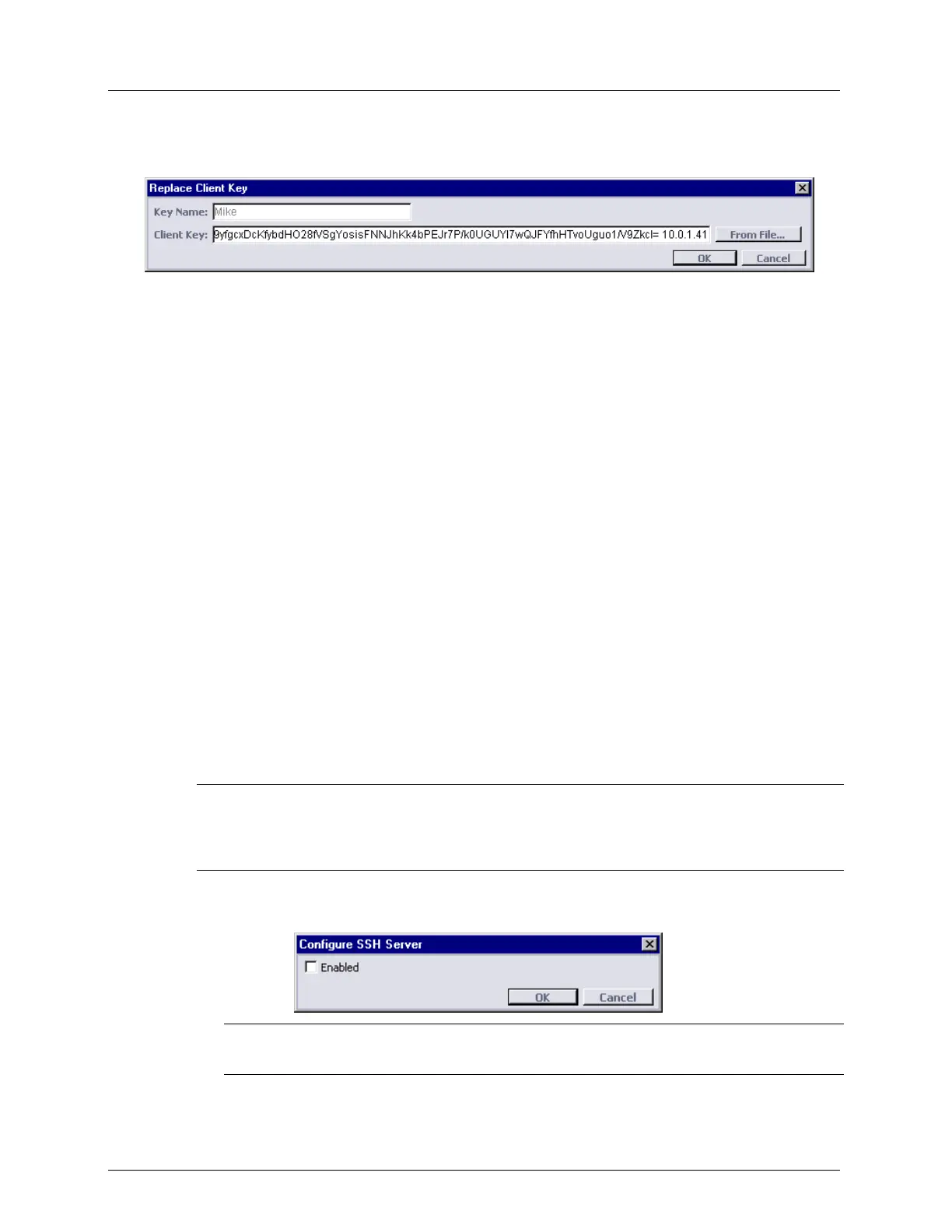
2. On the bottom of the SSH review pane, click Replace Key. The Replace Client Key
dialog appears.
3. In the Key Name box, view the key name.
4. In the Client Key box, type the full new public client key or click the From File button
to locate a file containing the new client public key.
5. Click OK. The Replace Key dialog box closes and the Client Key is replaced in the list
and the client public key is replaced in the server.
Delete Key Procedure
To delete an authenticated Client Key:
1. Select from the list of authenticated client keys a Client Key to delete and click Delete. A
warning message appears: ‘The key <Key Name> will be deleted. Do you want to
continue?’
2. To delete the key, click Yes. The client public key is deleted from the list and from the
server database.
Enable Authentication Control on SSH Server
You can enable or disable Client Key Authentication on the Server using the Configure
button on the SSH pane. When authentication of Client Keys is disabled then access from
any host is allowed. After Factory Setup, SSH Client Key Authentication control on SSH
Server is disabled.
When SSH Client Key Authentication control is enabled, then access is allowed only to those
management hosts that were provisioned in the Server Authenticated Client Keys table.
NOTE: When the Authenticated SSH Client Keys table is empty, the Configure button is disabled. In
addition, you cannot delete the last entry from the table. This prevents users from enabling or having
an enabled SSH Client Key Authentication without any Authenticated SSH Client Keys that will lock
out SSH access.
To configure the authentication of SSH Client Keys
1. Click Configure. The Configure SSH Server dialog appears.
NOTE: For group operations, open the Configure SSH Server dialog box via the menu
bar: Group Operations, SSH, Configure.
2. To enable SSH Client Key Authentication, select the Enabled check box.
3. Click OK.


 To Next Page