VLAN Configuration Management VLAN Configuration
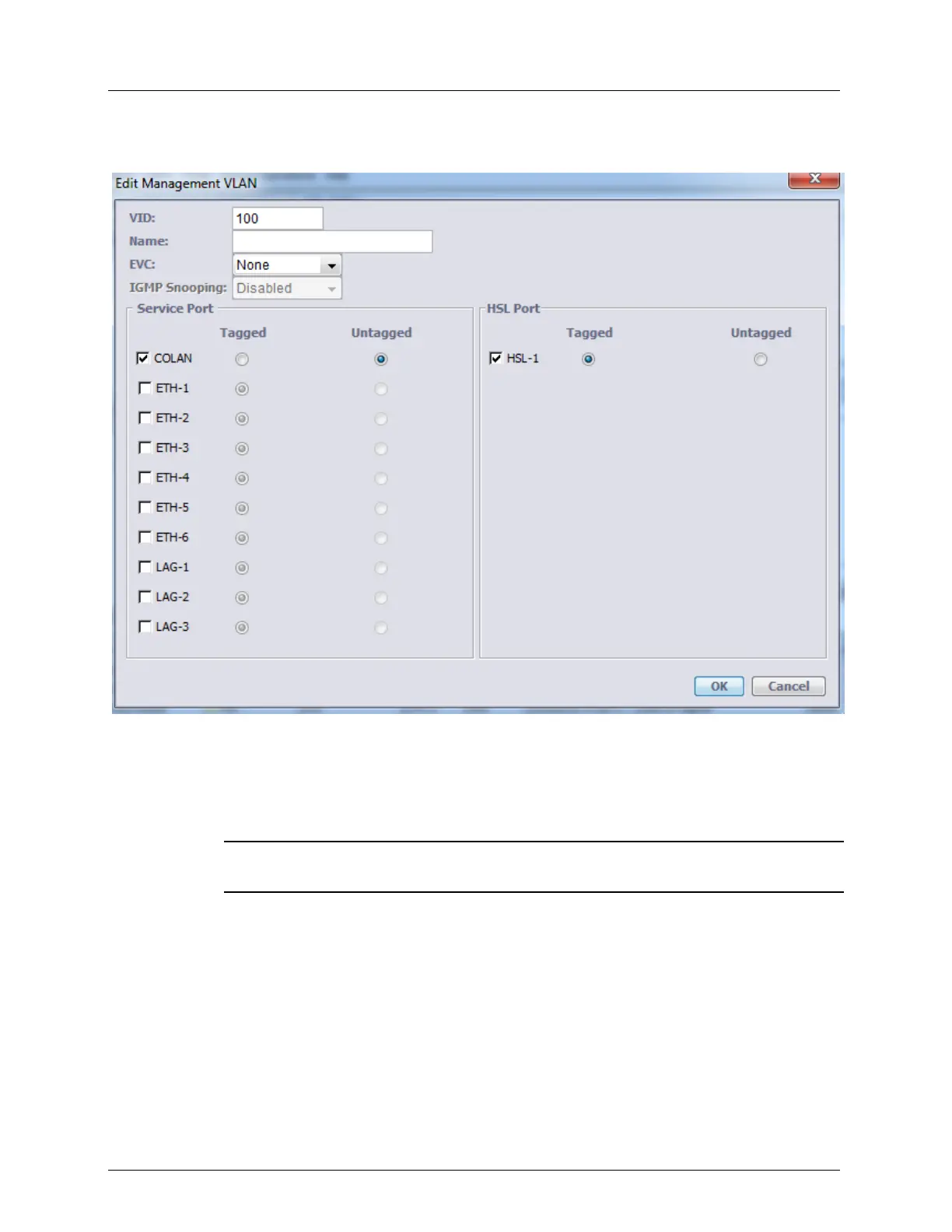
4. Click View VLAN. The Edit Management VLAN dialog appears (dialog may vary
depending on the ML model).
5. In the VID box, type the VLAN number.
6. For VLAN name, in the Name box, enter the VLAN name (up to 16 characters).
7. In the Service Port area, select either COLAN or ETH <ID> check box. Also select the
VLAN membership option (Untagged, Tagged or Stacked) for this port according to
Provider/Customer network requirements.
NOTE: ETH <AID> as a regular Ethernet port, can be assigned as member of
management VLAN, providing in-band management.
8. In the HSL Port area, select the HSL check box (only Tagged membership option is
available for HSL).
9. Click OK.



 To Next Page