802.1ag CFM Ethernet Operation, Administration and Management
2. In the Maintenance Association (MA) pane, Associated MEPs area, click Add MEPs.
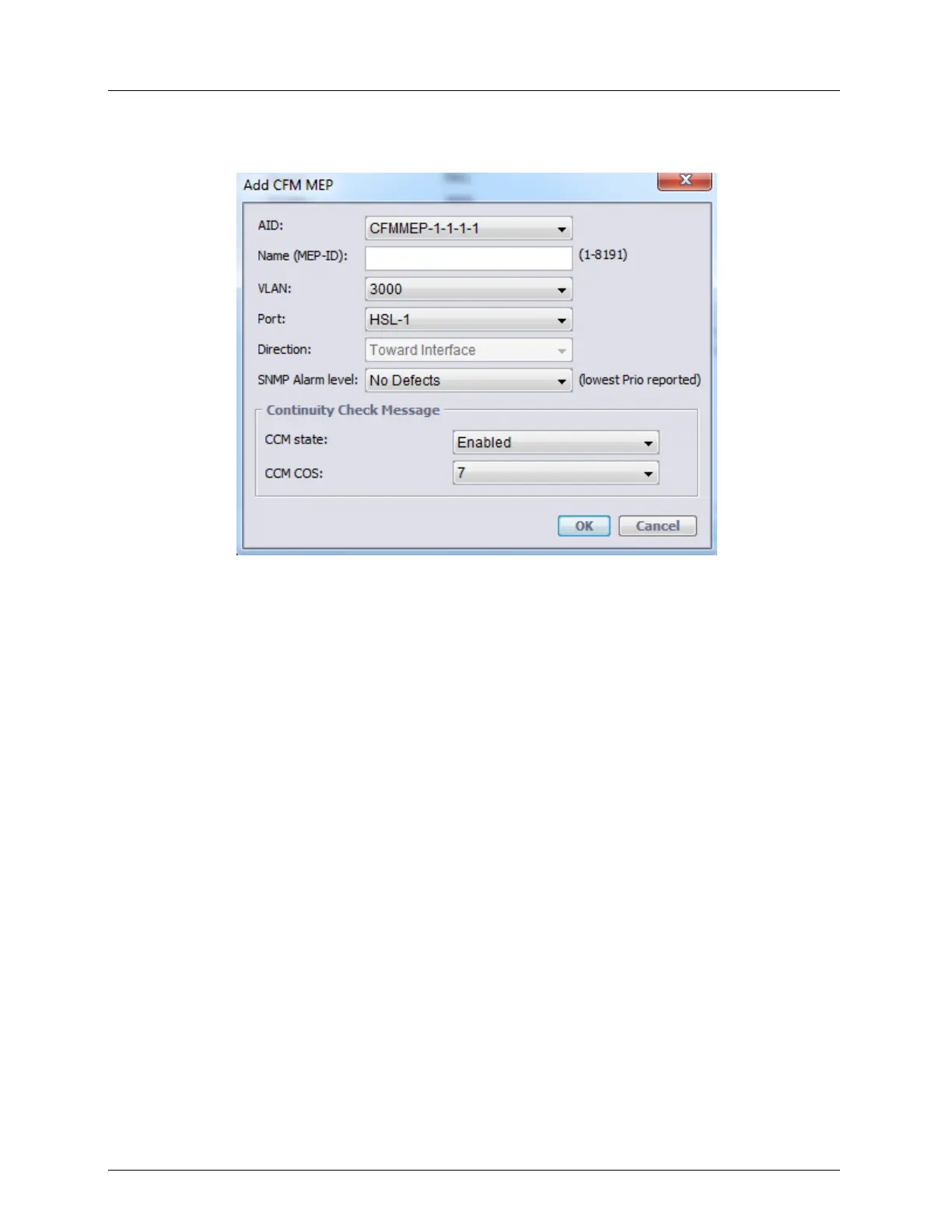
The Add CFM MEP dialog appears.
3. Assign the MEP ID: Range = 1 to 8191
4. Specify the MEP as follows:
Select the relevant VLAN from the Primary VID drop-down list. The ports
associated with the selected VLAN will be listed in the Port drop-down list.
Select the port (on the wired - external side) to be associated with the defined MEP.
The Direction will be displayed.
5. Select the Lowest Priority Alarms - the lowest priority level that will be assigned to a
message processed by this MEP. Default: No defects
6. To enable Continuity Check Messages for the MEP:
Set the CCM (Continuity Check) State to Active.
Select the CCM COS Priority (0 to 7) assigned to CCM packets in the MEP.
7. Click OK to end the procedure.



 To Next Page