Security Management Managing Sessions
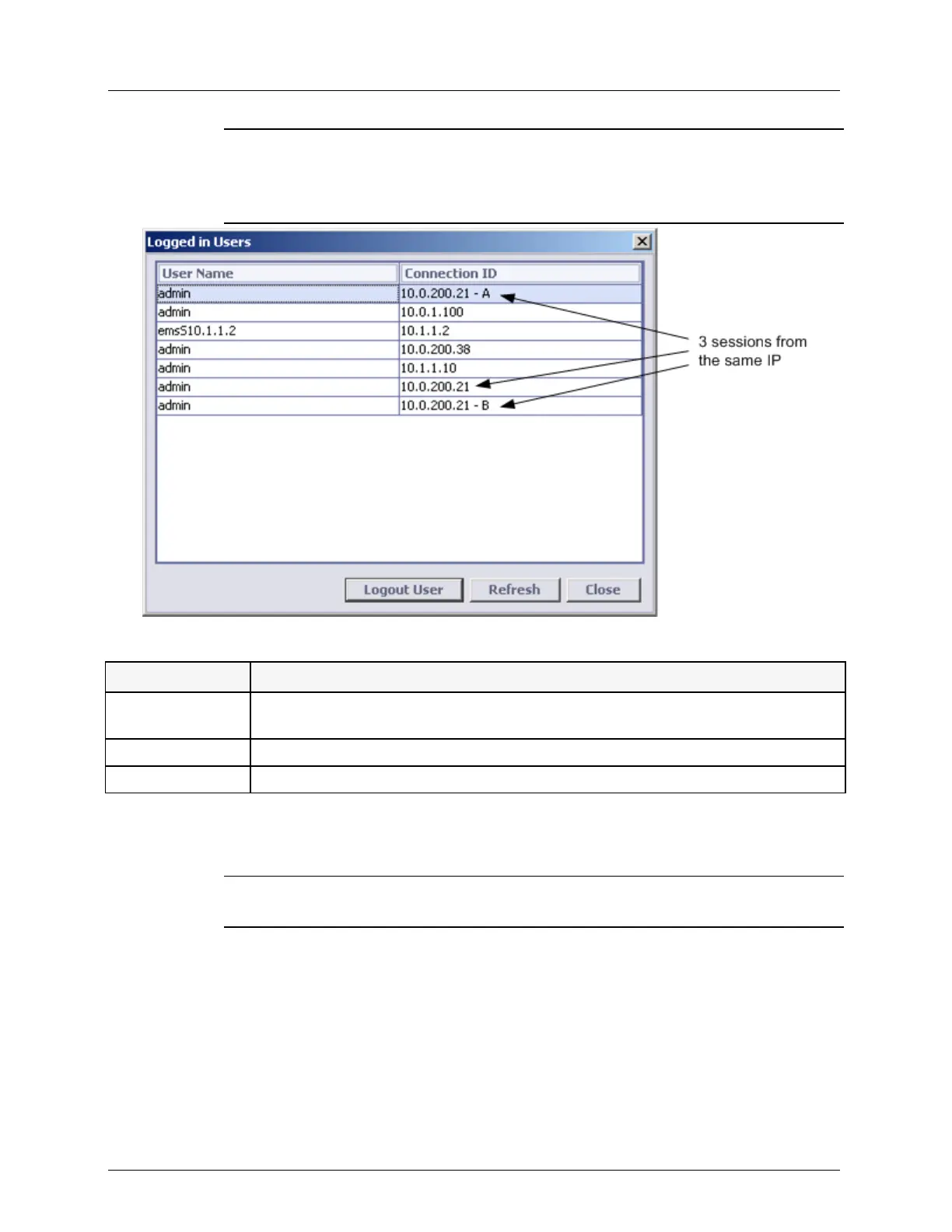
NOTE: If more than one session is opened from the same IP, each additional session is
indicated by a letter. The example below shows three sessions opened from the same IP:
the first session is not marked by a letter, while each of the other sessions is assigned a
letter (A, B, etc.).
Table 55: Additional operations
Forcible logout a selected user according to characteristics defined in System Wide
Lockout Behavior (on page 12-11). (Only for Admin level users).
Refresh the display readings.
To return to the User's pane.
3. To refresh the display, click Refresh.
4. To logout a user,
5. To close the dialog box, click Close.
NOTE: Sessions aborted due to Access Control enabling may be listed for a few minutes
after they were disconnected.
You can forcibly logout a selected user from the users accounts to terminate the user ongoing
session.
To log out a user:
1. From the table, select a user to log out.
2. Click Logout User. A warning message appears.
3. Click Yes.
4. The user status is displayed as logged out in the list.



 To Next Page