Monitoring Ethernet Performance Monitoring
For Y.1731 OAM - the CFM MEP statistics pane is also available. The pane is described
below.
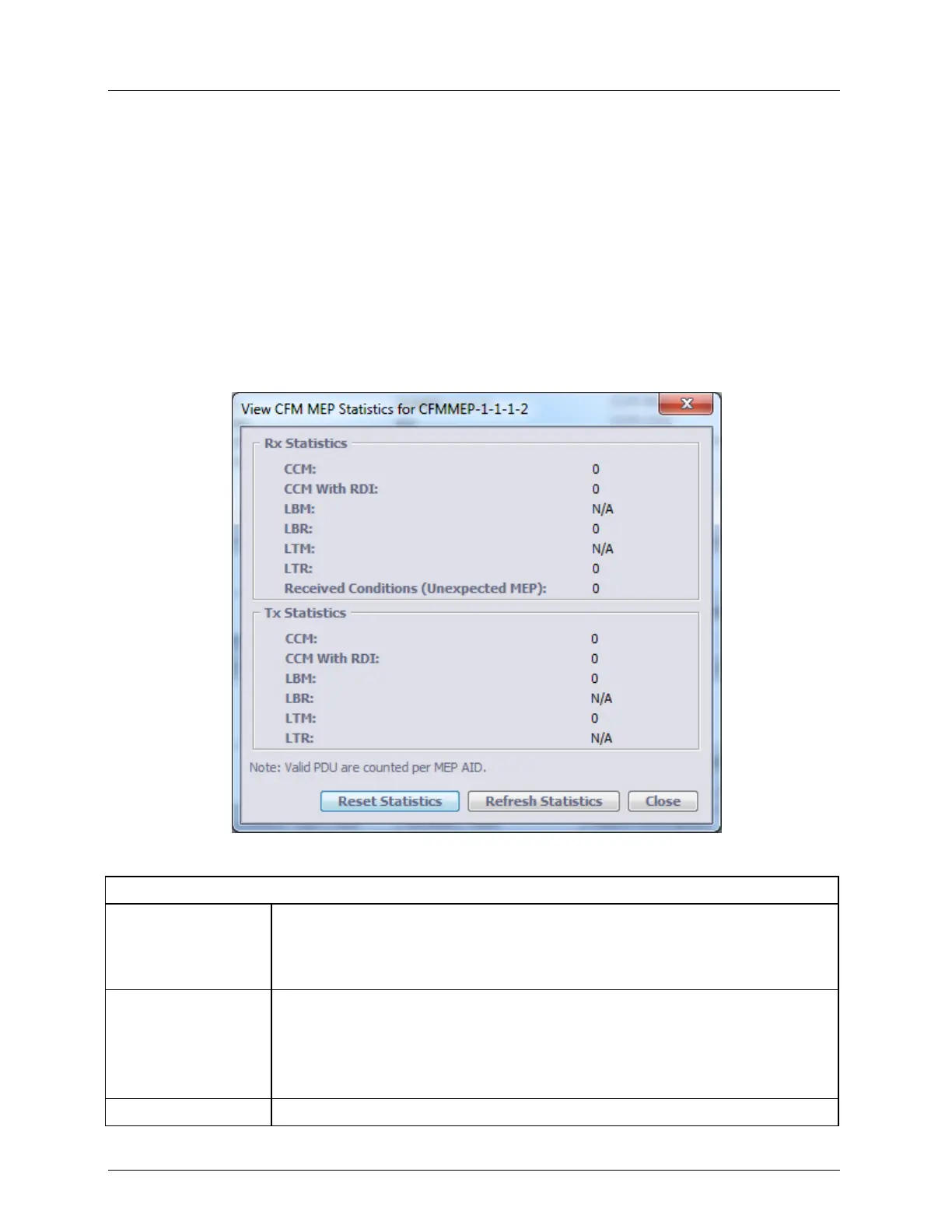
The pane displays the CFM and Y.1731 PDU messages for the relevant MEP, in the Tx
and Rx direction. CFM PDU counters enhance Ethernet OAM interoperability
management. Legal, Illegal Supported and unsupported CFM PDUs are counted per MEP
or system and allows isolating configuration mismatches and possible vendor
incompatibility.
CFM MEP Statistics Pane
To invoke the MEP Statistics pane, select the relevant MEP in the Network Element tree
(under Service/MEG) and in the invoked MEP pane, click View Statistics. The statistics are
described in the table.
Table 73: MEP Statistics Descriptions
Received Continuity Check Messages counter.
When a MEP is enabled on ML and it’s Remote MEPs (RMEPs) are manually
registered, all valid and not alarmed CCM received from the RMEPs are
counted.
Received Continuity Check Messages with Remote Defect Indication counter.
When MEP is enabled on ML and it’s Remote MEPs (RMEP) are manually
registered, all valid CCM received from the RMEP with indication of RDI
(RMEP reports on a problem to see ML MEP) are counted separately from
valid non alarmed CCM.
Received Loop Back Messages counter. Unsupported per MEP



 To Next Page