Administration Using Web Browser
Backup ML Device Configuration
To enable rapid reconfiguration of the ML device after replacing it, it is recommended to
retrieve the Configuration file from the ML device, and save it into a backup directory.
It is recommended to give the backup file indicative name in the following order:
<prod name>-<file type>-<SW revision>-<Node IP address>-<TID>.dat
For example:
ML700-setup-6_1_12-10_1_9_49-CO_49.dat
To backup the Configuration file from the system:
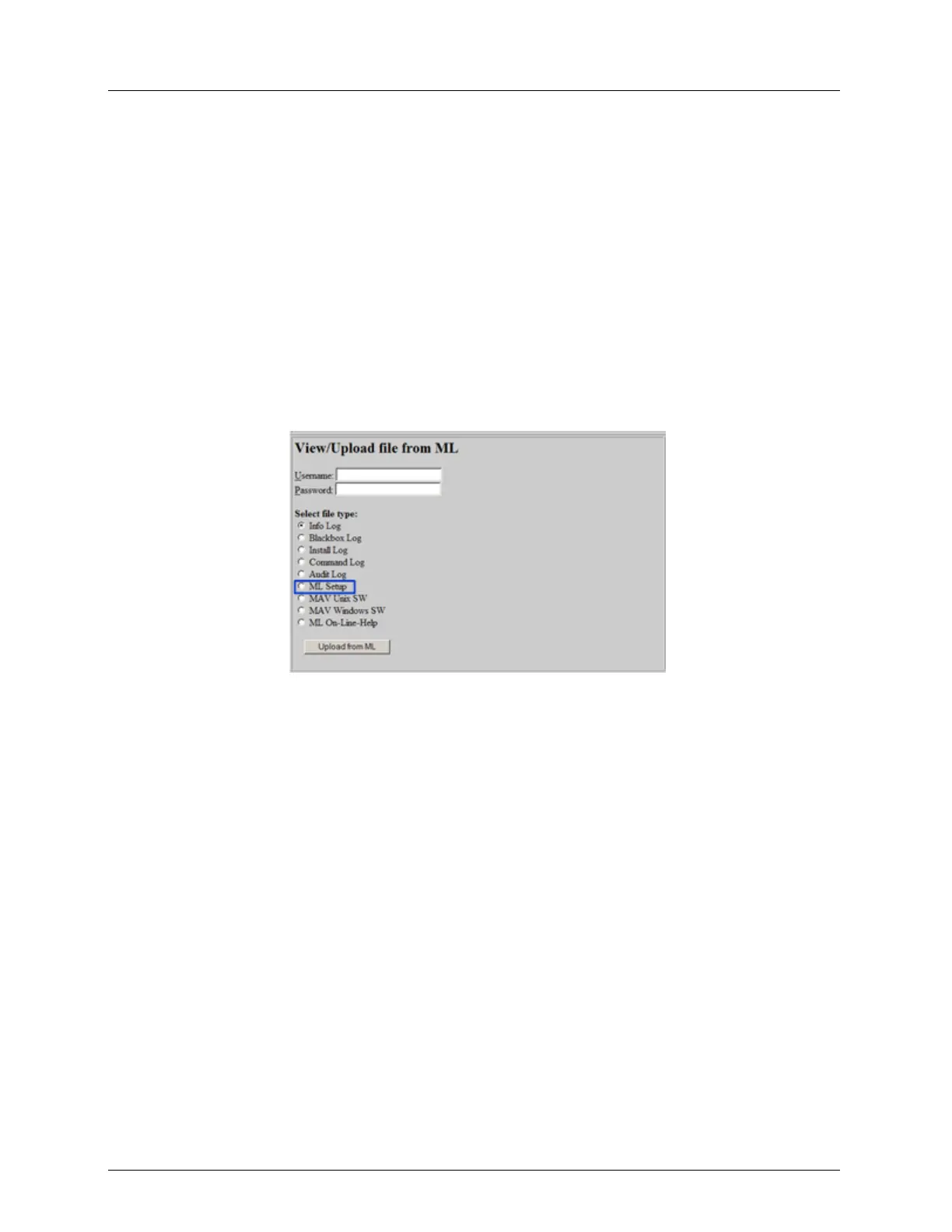
1. In the Actelis System Support page, under View / Upload file from ML, type the
Username and Password.
2. Select ML Setup.
3. Click the Upload from ML button. A File Download dialog appears.
4. Click the Save button. A Save As dialog appears.
5. Choose the directory in which the file will be saved.
6. Type the file name as proposed or rename it if required and then click Save. The
Configuration file is saved in the directory.
Download ML Device Backup File
When downloading a setup file to an ML, make sure that the Configuration setup file was
previously captured from the same (or the same model) ML device and is stored in your PC.
To download the Configuration setup file:
1. In the Actelis System Support page, under Download file from ML, type the
Username and Password.



 To Next Page