Getting Started MetaASSIST View Workplace
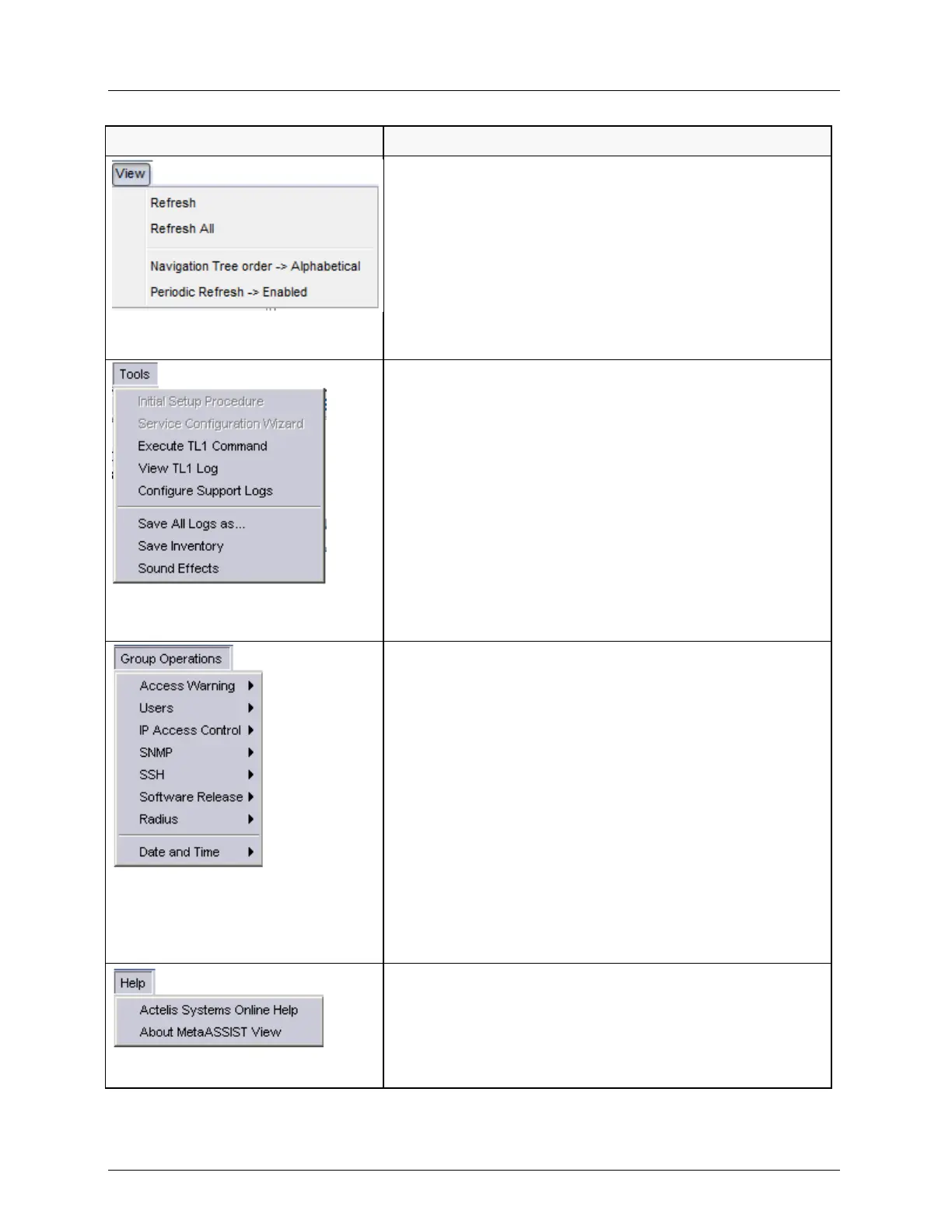
View Menu. Provides options that determine how the
information is displayed and refreshing options:
Refresh - updates information of the currently displayed
pane.
Refresh All - updates information on all panes.
Navigation Tree Order - Alphabetical - use to sort the
Topology tree elements alphabetically. (Option is available
only when the MetaASSIST View session is disconnected.)
Periodic Refresh - when enabled, information periodically
refreshed.
Tools menu. Provides TL1 command and log options, in
addition to other application response options.
Execute TL1 Command - accesses TL1 Command dialog.
View TL1 Log - shows TL1 Command history and
autonomous messages log.
Configure Support Logs - enables field engineers to save,
configure and initialize the Info, Install and Blackbox log
files
Save All Logs as - used to save all log files to a specified
location.
Save Inventory - saves the inventory report on the local
disk.
Sound Effects - used to configure audible alarm report
indications.
Group Operations. Provides a range of configuration options
that can be applied to a selected Group of NEs and is
implemented on all NEs belonging to that group.
Users - user account management options.
IP Access Control - Access Control List management
options applied to the selected NEs.
SNMP - SNMP configuration options for selected NE or
Group.
SSH - SSH (on page 12-25) configuration and activation.
Software Release - provides S/W download, activation and
SW commit options. Used for downloading new SW to the
selected NEs.
Radius - sets Radius (on page 12-15) options for selected
MLs.
Date and Time - Set Local Time - used to set the date and
time to the selected NEs.
Help. Provides help and MetaASSIST View version
information.
Actelis Systems Online Help - contains full user manual
with advanced search capabilities.
About MetaASSIST View - MetaASSIST View version
information.



 To Next Page