Management Configuration Opening a MetaASSIST View Session
NOTE: For basic information on navigating the MetaASSIST Main window, refer to The
MetaASSIST View Workplace. To resolve unsuccessful connections, see Resolving
Management Connection Problems.
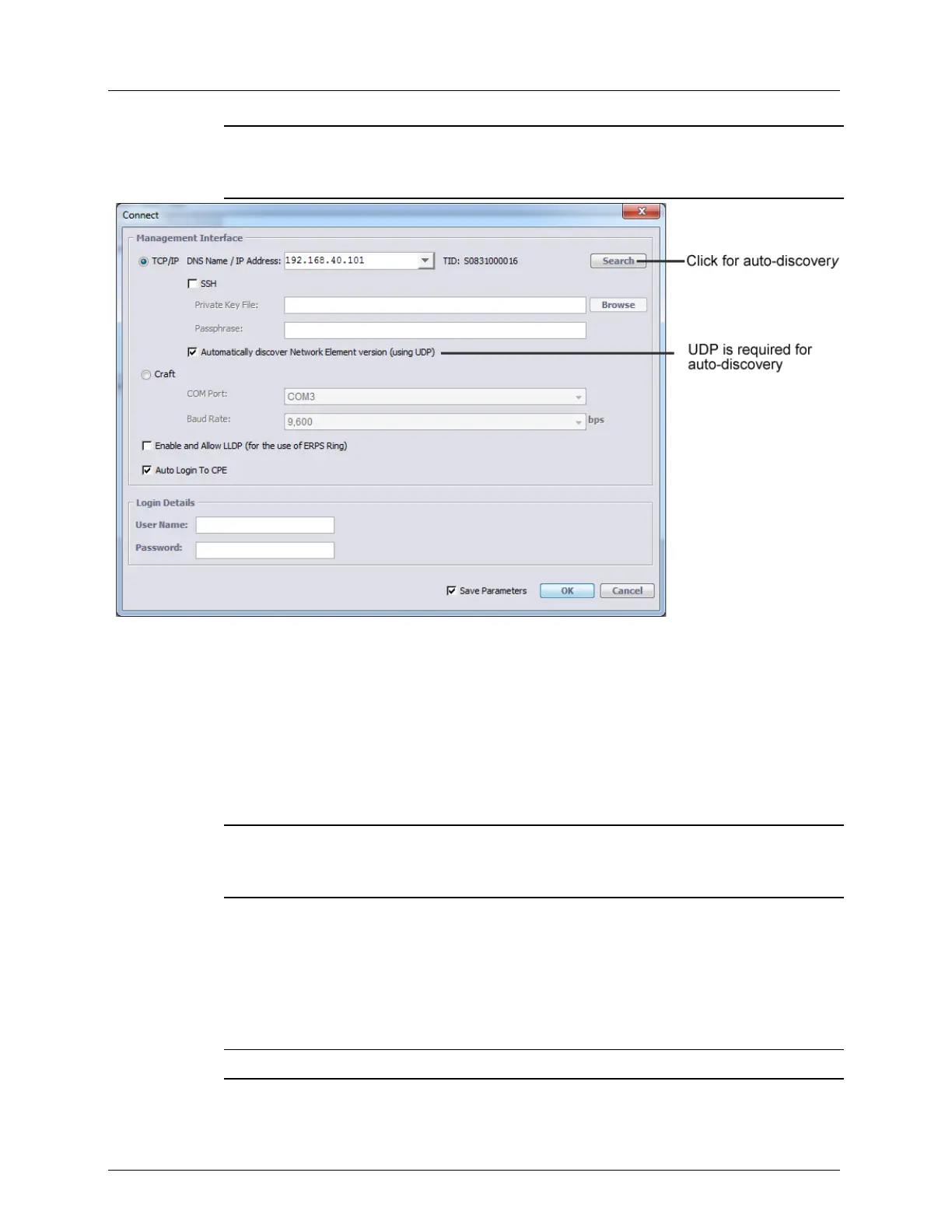
2. Under Management Interface, enable the TCP/IP option.
3. The IP of the desired ML can be determined or input using he following options:
Entering the required IP
Selecting the IP from the pull-down list of successfully accessed IPs
Using Auto-discovery (on page 3-7) - verify that UDP is enabled (and UDP traffic is
not blocked by a Firewall in your network), and then click the Search button. Will
discover ML elements in the same management segment (with IP address and
connected via HUB or BRIDGE NOT via ROUTER).
NOTE: For Management Network in which UDP traffic is blocked by Firewall, uncheck
the check-box Automatically discover Network Element version (using UDP). This
will allow communication.
4. Determine how sessions will be available to the hosted CPEs displayed under the CO:
Auto Login to CPE enabled - default setting. All the hosted CPEs will be
accessible.
Auto Login to CPE disabled - hosted CPEs will be displayed under the CO but will
not be accessible by default. Selected CPEs can be accessed by right-clicking on the
CPE of interest and selecting Auto-connect.
NOTE: If Save Parameters is enabled, the Auto-login settings are saved.
5. LLDP - this option is relevant to ERPS. In order to configure ERPS (at a later phase), it
is required to enable LLDP.



 To Next Page