Opening a MetaASSIST View Session Management Configuration
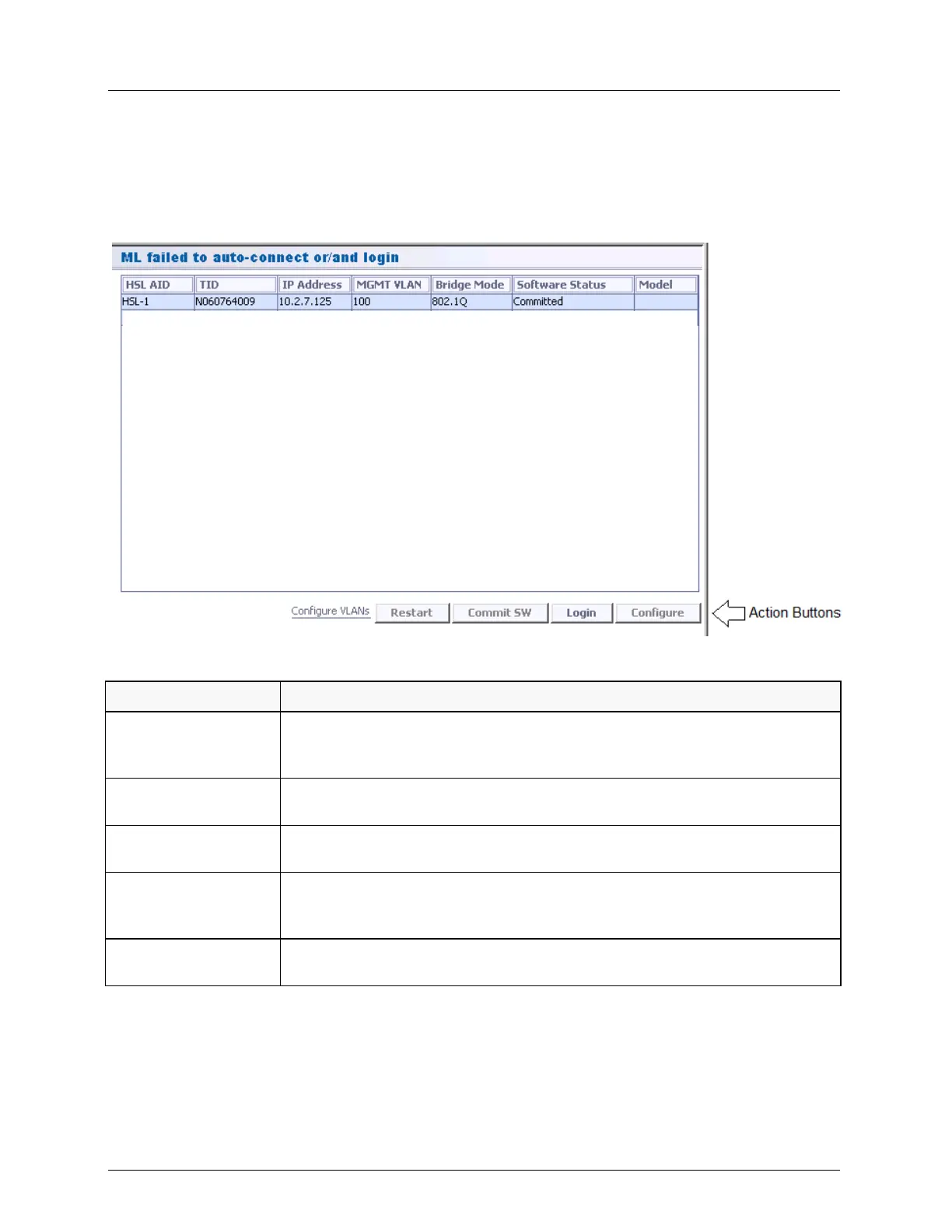
The corresponding pane appears in the work area. The pane shows all the ML devices
that failed to auto-connect, according to their HSL, along with general information on
each device. The operation buttons are described after the figure.
2. Once finished troubleshooting the connection problem, you may attempt to login to the
remote NE by selecting the desired HSL-AID and click Login.
Table 9: Operation buttons
Restarts the selected device in the pane.
Warm (Preserving Setup) or Cold (with Factory Setup) CPE reboot is invoked
remotely.
Commit a new SW version (already located on the device). For more details
about this procedure, see Updating the System Software (on page 14-13).
Initiates a reconnect attempt (it is recommended to use this button after
changing the configuration). This may be done on a group of selected NEs.
Accesses the L2/L3 setting configuration options. Used to change IP, subnet
mask, Gateway configuration mismatch or MGMT VLAN configuration
mismatch.
Accesses the VLAN configurations options of the selected device. For more
details about this procedure, see VLAN Configuration (on page 8-1).



 To Next Page