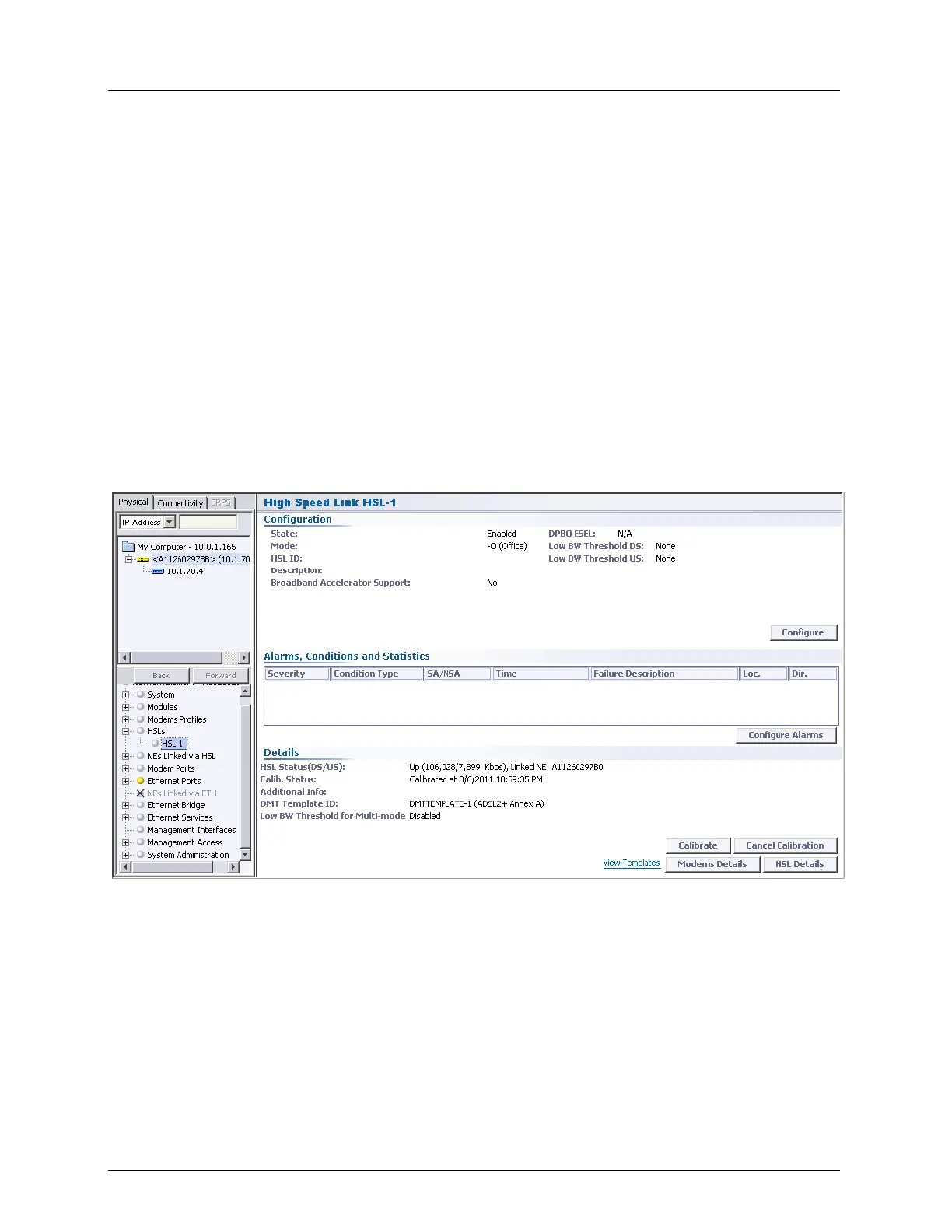
Equipment and Port Configuration High Speed Link (HSL)
HSL specific pane - provides additional information on HSL configuration settings and
access to alarm configuration and HSL calibration options. The pane contains the
following areas:
Configuration - shows the current configuration and provides access to the HSL
configuration options (Configure button)
Alarms, Conditions and Statistics - shows any current alarms along with fault
sourcing information and provides access to the alarm configuration options via the
Configure Alarms button.
Details - provides HSL control and analysis options. The following buttons and links
are available:
o Calibration buttons - used to calibrate the HSL link and cancel the calibration
o View Templates (on page 6-3) - link to DMT template management pane.
o Modem Details (on page 13-45) - tabular list of modems allocated to HSL and
their details
o HSL Details - detailed information on specific HSL



 To Next Page