Running a Script in Null Packet Mode Testing in Null Packet Mode
MT8852B Operation Manual PN: 13000-00205 Rev. N 9-11
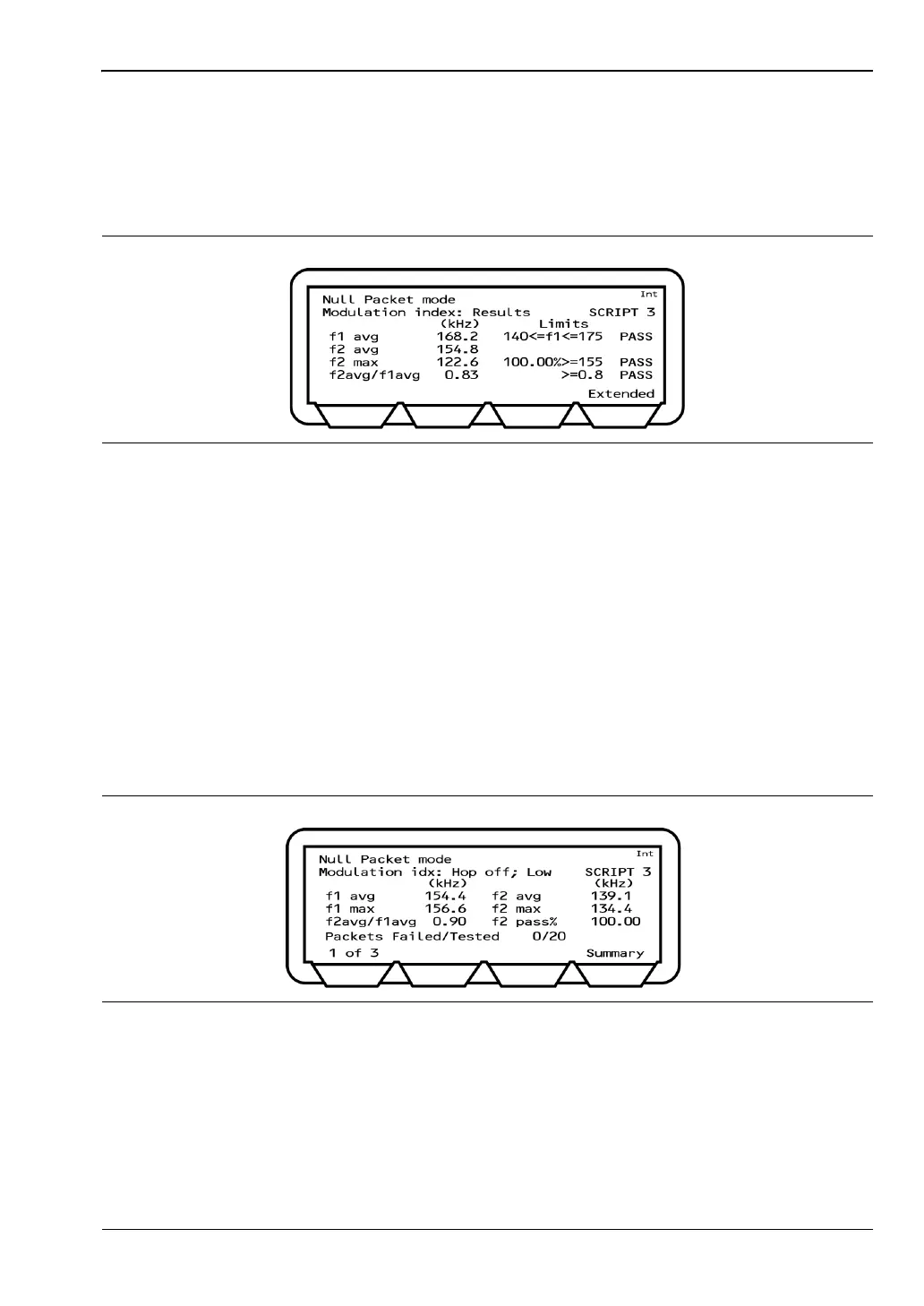
Results
1. Position the cursor at "Modulation index" in the Script menu.
2. Press the [Results] soft key.
The results page displays.
F1 avg: The average value of all f1 deviations for the packet. The displayed value
on the MT8852B is the highest F1 avg value of all the packets that have
been measured.
F2 avg: The average value of all f2 deviations for the packet. The displayed value
on the MT8852B is the highest F1 avg value of all the packets that have
been measured.
F2 max: The displayed value of F2max is the single bit measured in a test that has
the lowest recorded deviation. The percentage of F2max values that are
greater than the limit of 115 kHz is also displayed. The pass/fail criteria is
made relative to the percentage value passed, and should exceed 99.9%.
3. Press the [Extended] soft key to display more detailed test results. An example of the
first extended page for the modulation index test is shown below.
4. Page through the extended screens with the soft key in the normal manner, or press the
[Summary] soft key to revert to the initial summary page.
Figure 9-14. Modulation Index Results
Figure 9-15. Modulation Index Extended Results














 To Next Page