Test Scripts Configuring a Script
MT8852B Operation Manual PN: 13000-00205 Rev. N 5-3
5-3 Configuring a Script
There are seven steps to configuring a script:
1. Selecting the test groups to be included in the script.
2. Selecting the tests to be run from each of the available test groups.
3. Configuring the test conditions.
4. Configuring the test limits.
5. Configuring the script specific settings.
6. Configuring instrument-wide script settings.
7. Selecting what displays while tests are running.
Selecting Test Groups
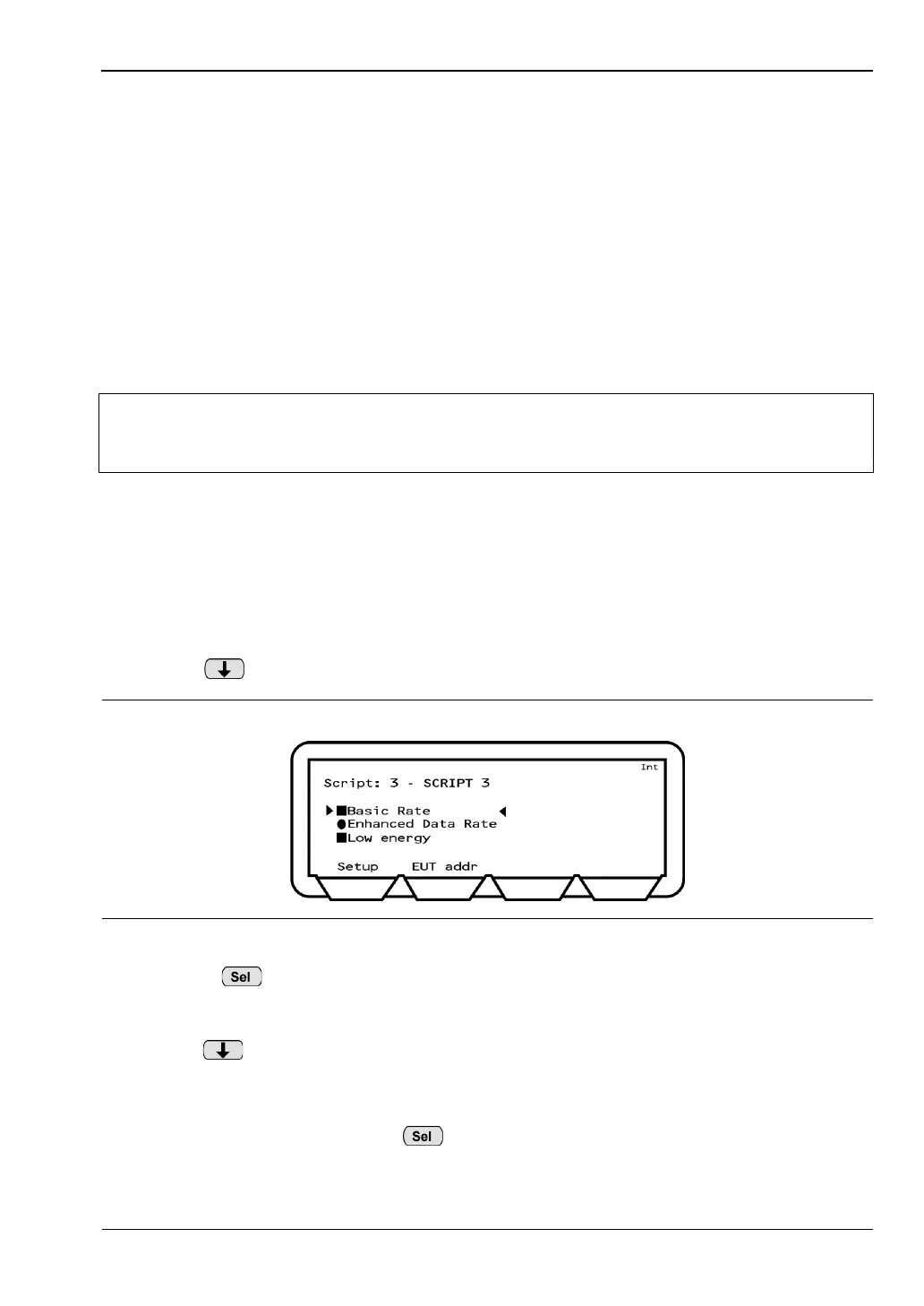
The first step in configuring a script is to select which of the available test groups (“Basic
Rate”, “Enhanced Data Rate”, and “Low energy”) are to be included. As explained in the
previous chapter, the available test groups are determined by the MT8852B model type and
the options installed.
1. Select the script as detailed on the previous page.
2. Press to move the cursor to “Basic Rate”.
3. Use the key to select or deselect the “Basic Rate” test group as required. A solid
square indicates that the group is selected for inclusion in the script; a hollow square
indicates that the group is not included in the script.
4. Press to move the cursor to the next available test group and repeat the procedure
as required. As explained earlier in this chapter, the availability of the “Enhanced
Data Rate” and “Low energy” test groups depends on the MT8852B model type and the
installed options. Unavailable test groups are indicated by a hollow circle that cannot
be made solid by pressing the key.
Note
Once configured as required it is not necessary to repeat these steps each time
the script is run. Users are however recommended to read through these steps
now to familiarize themselves with all settings relating to script configuration.
Figure 5-3. Tes t Gro ups














 To Next Page