Front Panel Layout Instrument Overview
4-2 PN: 13000-00205 Rev. N MT8852B Operation Manual
Keypad
Data Entry and Selection
The keypad on the front of the MT8852B is used to select and enter data such as test
conditions, script names, and Bluetooth addresses.
Data Selection
Follow the procedure below to select a single setting from the predefined choices available.
1. Use the or keys to position the cursor at the required item.
2. Press to toggle through the settings available. The setting changes each time
is pressed.
Numeric Entry
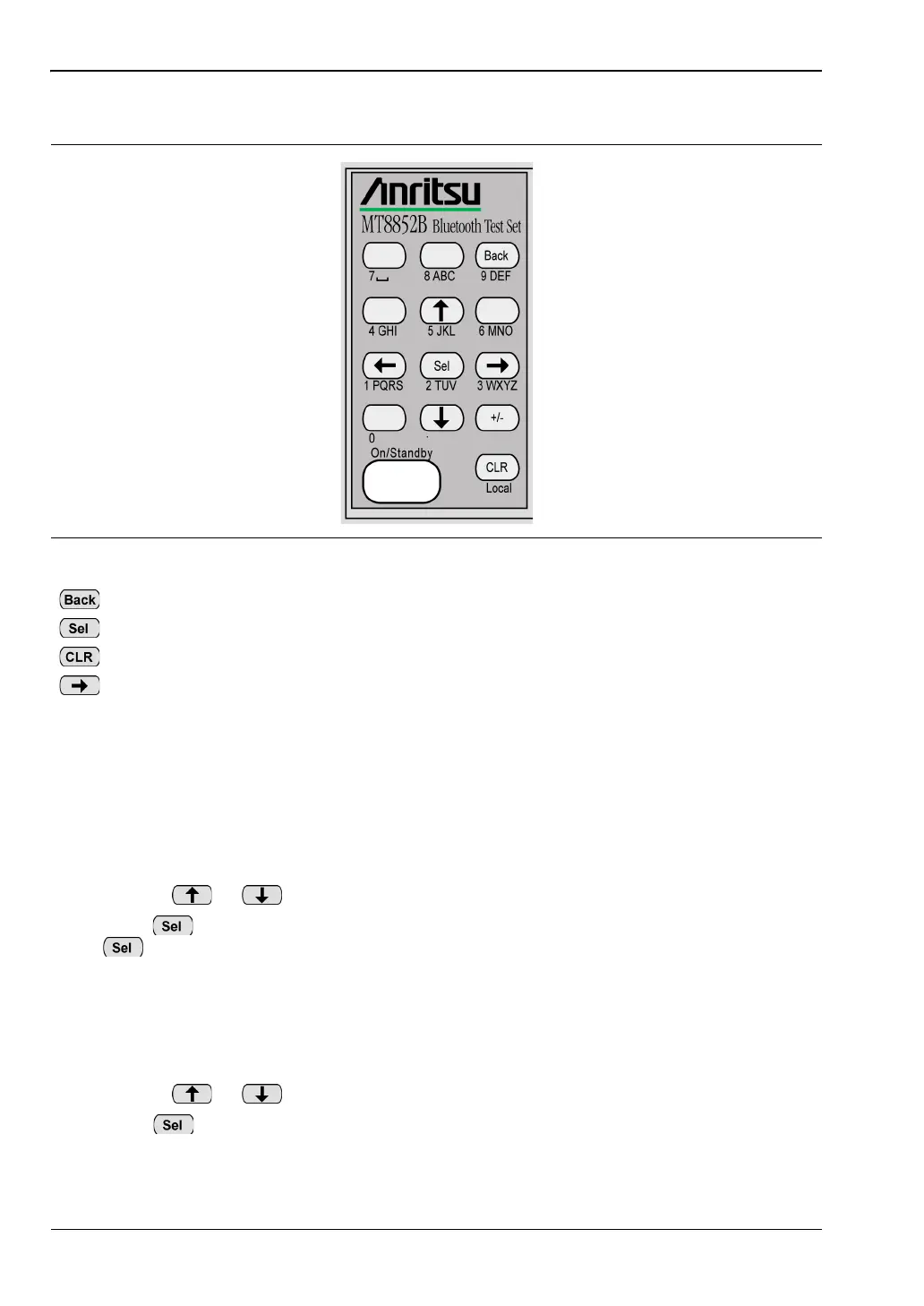
As can be seen in figure 4-2, most of the keys on the keypad have text beneath them showing
the number and letters that can be entered when the key is pressed. Follow the procedure
below to enter a numeric value.
1. Use the or keys to position the cursor at the required item.
2. Press to clear the current setting and enable data entry.
3. Enter a new value from the keypad. One entry of the number displays on screen with
each press of the key.
Figure 4-2.
Returns the display to the previous page or level.
Selects or enters the selected function.
Clears the last character entered or aborts an operation.
Moves the cursor in the direction of the arrow.














 To Next Page