Configuration Reference Configuring the MT8852B
MT8852B Operation Manual PN: 13000-00205 Rev. N 11-5
11-2 Configuring the MT8852B
Identity
Press > “MT8852B” > “Identity”
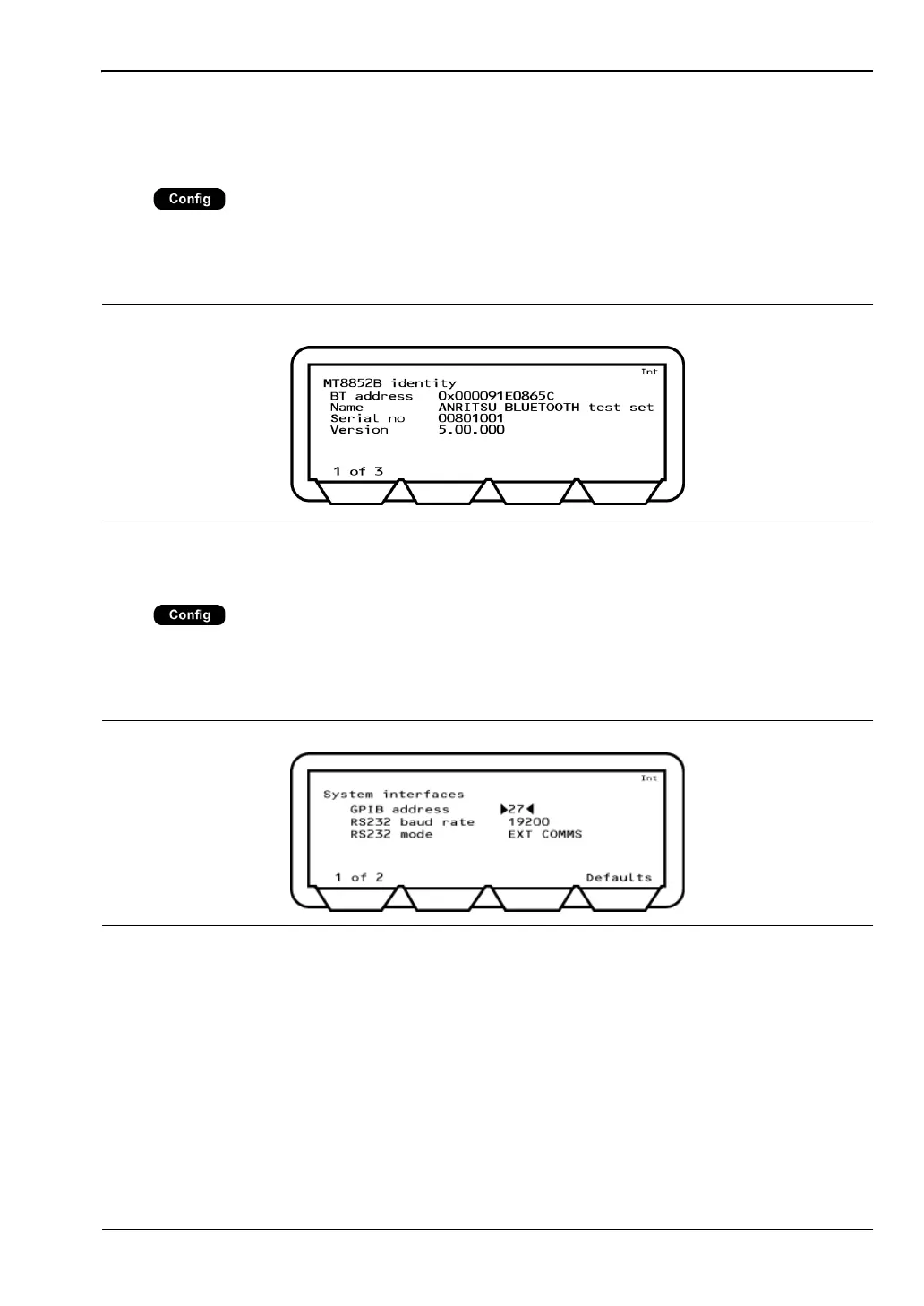
This menu allows the user to display MT8852B Bluetooth address, name, serial number, and
software versions. Press the [1 of 3], [2 of 3] soft keys to page through the available
information as listed in table 11-1.
System Interface
Press > “MT8852B” > “System interfaces”
The MT8852B can be controlled remotely from a PC by use of the GPIB or RS232 serial
connecting ports on the rear of the instrument. This menu configures the settings of these
two interfaces.
GPIB address: The address used by the remote computer to communicate with the
MT8852B.
RS232 baud rate: When the MT8852B is controlled using the RS232 interface from a
remote computer, the baud rate setting of the MT8852B must match
the setting of the PC. Available rates are; 1200, 2400, 4800, 9600,
19200, 38400, and 57600.
Figure 11-2. MT8852B Identity
Figure 11-3. System Interfaces 1














 To Next Page