Configuring the MT8852B Configuration Reference
11-10 PN: 13000-00205 Rev. N MT8852B Operation Manual
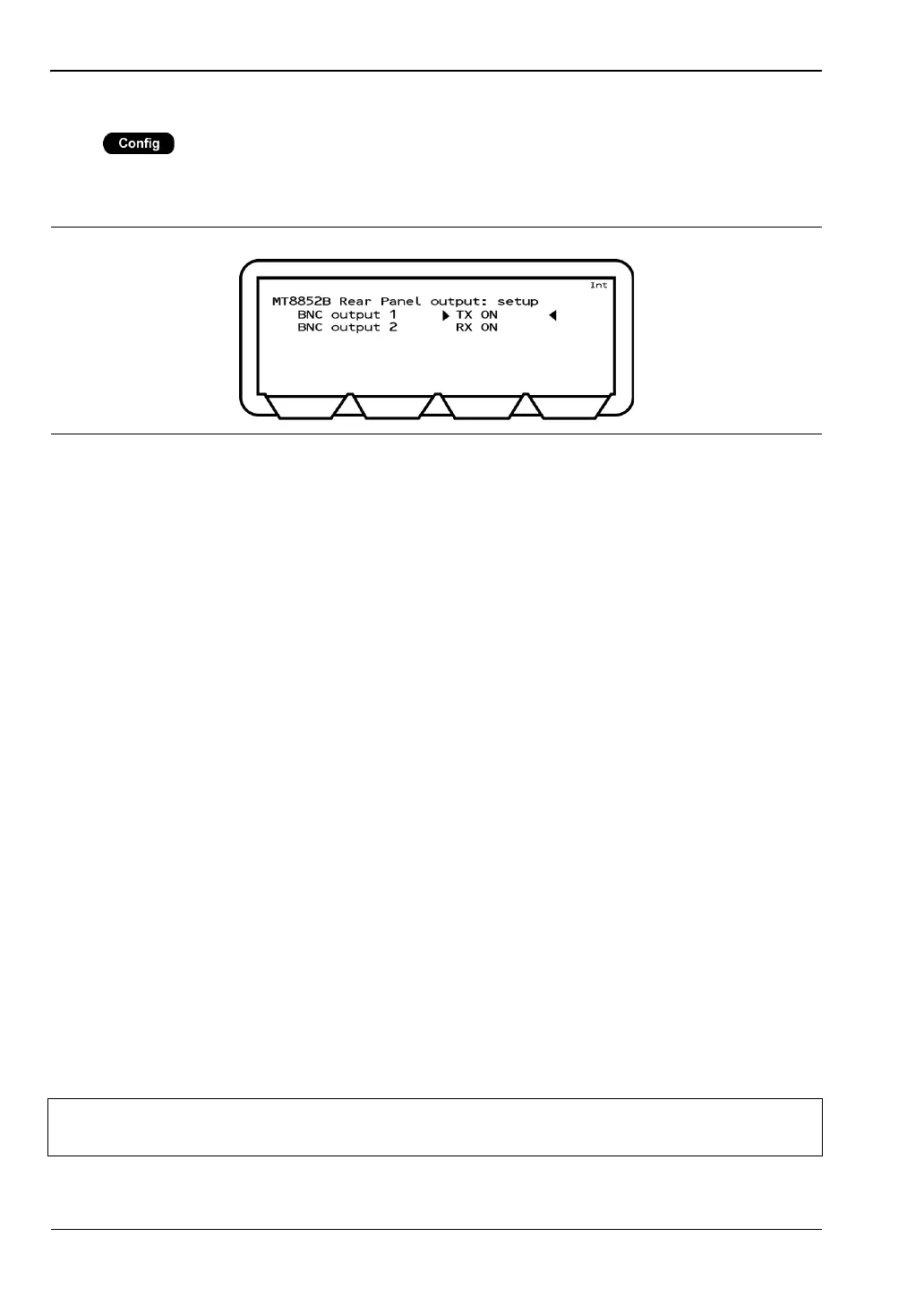
Rear Panel Outputs
Press > “MT8852B” > “Rear panel output”
This menu allows the user to configure the TX and RX signals that are routed to the rear
panel BNC connectors.
BNC output 1: The available settings are:
TX ON: MT8852B TX on.
RX DATA: MT8852B received data, provides a TTL output of all the
received packet bits, including preamble, header and
payload.
TX DATA: MT8852B transmitted data, provides a TTL output of all
the transmitted packet bits including preamble, header,
and payload. TX DATA is only applicable in signal
generator mode with GFSK modulation.
CORR FIRED: MT8852B correlator fired, provides a TTL pulse when the
MT8852B correlator fires, giving an indication of the flow
of good received packets.
BNC output 2: The available settings are:
RXON: MT8852B RX on.
RX DATA: MT8852B received data, provides a TTL output of all the
received packet bits, including preamble, header and
payload.
TX DATA: MT8852B transmitted data, provides a TTL output of all
the transmitted packet bits including preamble, header,
and payload. TX DATA is only applicable in signal
generator mode with GFSK modulation.
CORR FIRED: MT8852B correlator fired, provides a TTL pulse when the
MT8852B correlator fires, giving an indication of the flow
of good received packets.
Figure 11-10. MT8852B Rear Panel
Note
If Output 1 is TXON, output 2 can be any value. If Output 2 is RXON, output 1 can
be any value. Otherwise Output 1 and Output 2 must be set to the same value.














 To Next Page