Configuration Reference Configuring the MT8852B
MT8852B Operation Manual PN: 13000-00205 Rev. N 11-9
CW Measurements
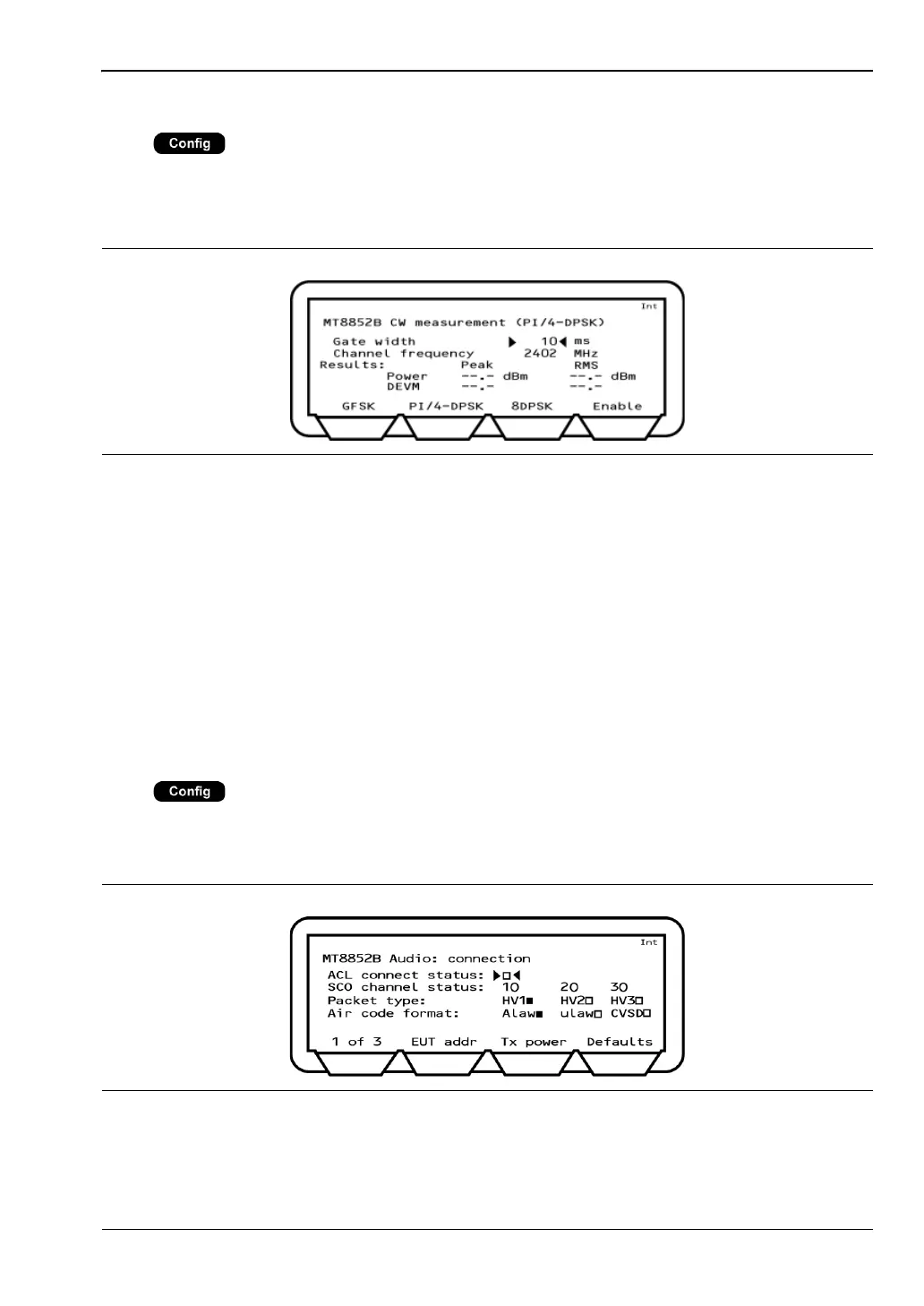
Press > “MT8852B” > “CW measurement”
This menu allows the user to measure a fixed frequency signal to calibrate power, frequency,
and modulation. The CW measurement mode is intended only for the measurement of
continuous non-packetized signals; it does not support triggering.
Gate width: Defines the measurement window. Settings can be made between
0.1 ms and the default value of 3 ms.
Channel frequency: Displays the channel frequency. This item is replaced with “Channel
number” if “Display frequency as” is set to “Number” on the “All
Script setup” page.
Results: Displays the power and DEVM results. No results display in the
modulation field if the received packet level drops below -40 dBm.
Soft keys: Sets the modulation of the signal under test. For CW measurements
select “GFSK”.
Audio (MT8852B, MT8852B-041 only)
Press > “MT8852B” > “Audio”
This menu allows users the user to configure audio measurements.
Refer to chapter 14 for a detailed description of audio features.
Figure 11-8. MT8852B CW Measurement
Figure 11-9. MT8852B Audio














 To Next Page