Configuration Reference Configuring the MT8852B
MT8852B Operation Manual PN: 13000-00205 Rev. N 11-11
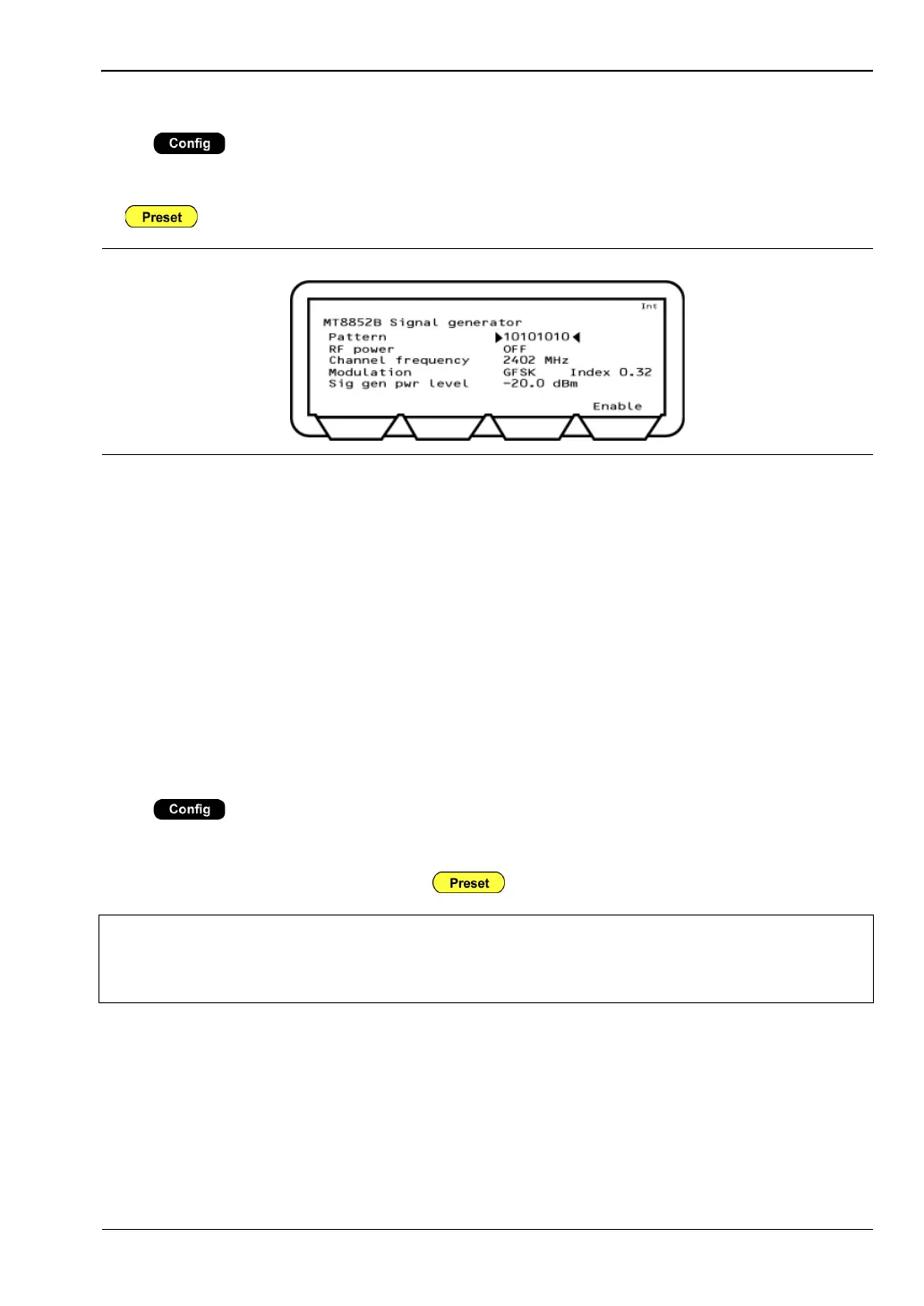
Signal Generator
Press > “MT8852B” > “Signal generator”
This menu allows the user to define and generate a continuously modulated Bluetooth signal.
The signal is switched on using the [Enable] soft key and switched off using the [Exit] soft key
or key.
Pattern: The payload data can be selected from; 10101010, 11110000, PRBS9,
PRBS15. If CW is selected, no modulation is applied to the signal output.
RF power: Turns the signal generator ON and OFF.
Channel freq: Select the channel frequency. This item is replaced with “Channel
number” if “Display frequency as” is set to “Number” on the “All Script
setup” page.
Modulation: Select the modulation pattern.
Modulation index: Can be set in the range of 0.2 to 0.4.
Sig gen pwr level: Can be set in the range of 0 to -90 dBm.
BLE Pkt Generator
Press > “MT8852B” > “BLE Pkt generator”
This menu allows the user to generate Bluetooth low energy reference packets in accordance
with the low energy specification. The signal is switched on using the [Enable] soft key and
switched off using the [Exit] soft key or key.
Figure 11-11. MT8852B Signal Generator
Note
Path loss compensation settings (table or fixed offset) are not applied to the BLE
Packet Generator output.
To compensate for path loss, adjust the Power setting.














 To Next Page