Test Scripts Configuring a Script
MT8852B Operation Manual PN: 13000-00205 Rev. N 5-5
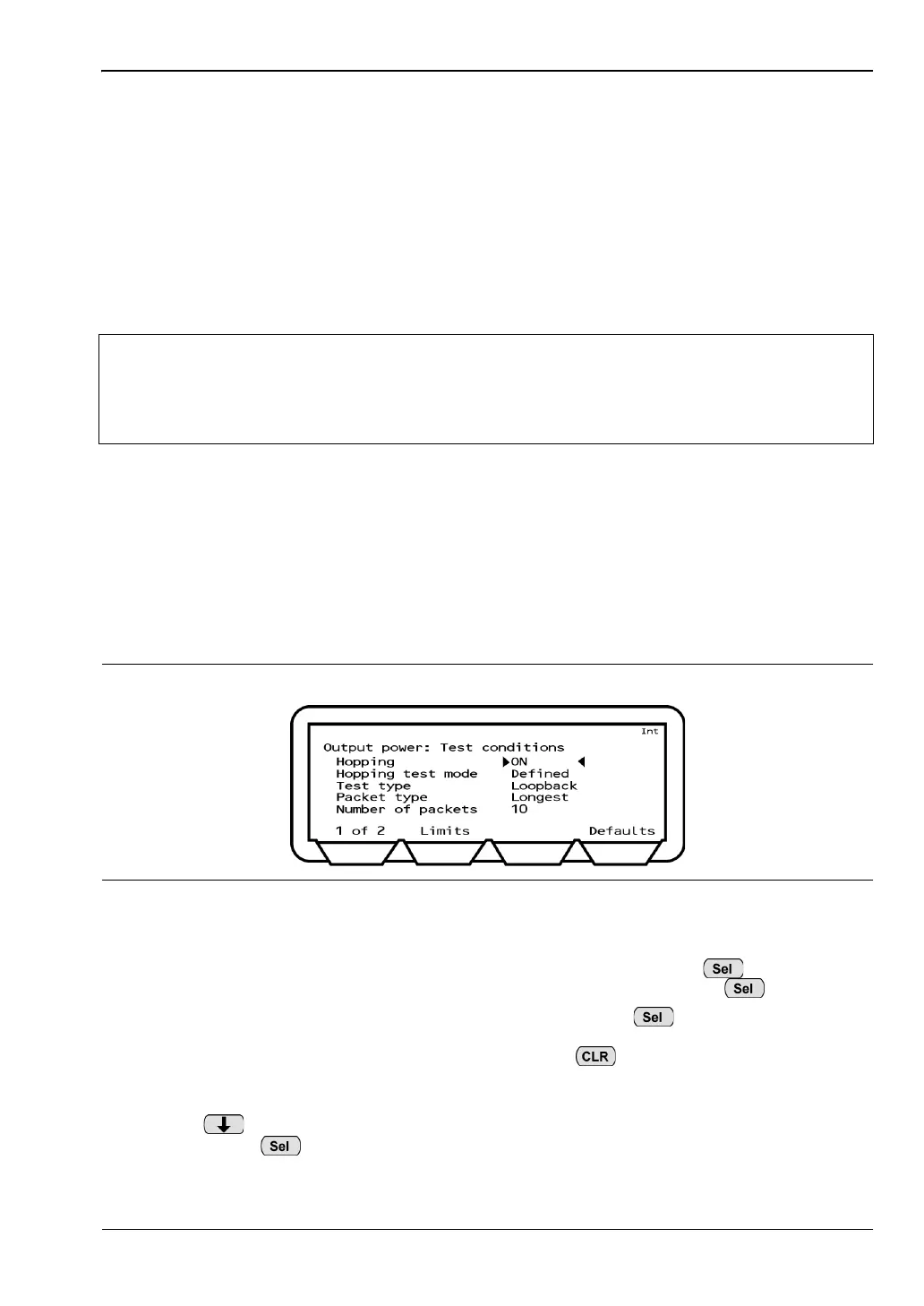
Configuring Test Conditions
Each of the tests have a number of test conditions that determine exactly how the test is
performed. The test conditions vary depending on the test in question but are typically used
to define items such as the hopping mode, the number of packets to be transmitted, and
whether the test will be performed in loopback or Tx mode. In all cases, the test conditions
include setting items for the EUT Tx and Rx low, medium, and high frequencies.
The test conditions are set by default to match the requirements for the test as defined in the
Bluetooth specification. Users may wish to perform tests under other conditions and to
enable this, scripts 3 to 10 allow the user to change the settings if required.
1. Use the arrow keys to move the cursor to one of the test groups selected for inclusion in
the script.
2. Press the [Setup] soft key to display a page showing the tests within the selected test
group.
3. Use the arrow keys to move the cursor to one of the tests selected for inclusion in the
script.
4. Press the [Setup] soft key to display the test conditions.
5. Position the cursor on the uppermost test condition.
• If the test condition requires selection of a parameter, press to toggle
through the settings available. The setting changes each time is pressed.
• If the test condition requires entry of a value, press to clear the current
setting and enable data entry. Enter a new value from the keypad and press the
[Enter] soft key. If a mistake is made, press to delete the last value
entered, or press the [Defaults] soft key to revert to the original setting as defined
in the Bluetooth specification.
6. Press to navigate down the list of test conditions, making changes as required by
pressing the key as described above.
Note
The default settings for test script 1 (QUICKTEST) are slightly different to those of
scripts 2 to 10. Refer to section 5-1 for an explanation of script types.
Refer to Appendix B for an alphabetic listing of all test conditions and their
meanings.
Figure 5-5. Test Conditions














 To Next Page