Test Scripts Naming a Script
MT8852B Operation Manual PN: 13000-00205 Rev. N 5-13
5-4 Naming a Script
Scripts 3 to 10 can be renamed for ease of recognition. Script names can be up to nine
characters long using any combination of letters or numbers.
1. Press the key.
2. Press the key to position the cursor next to the script number.
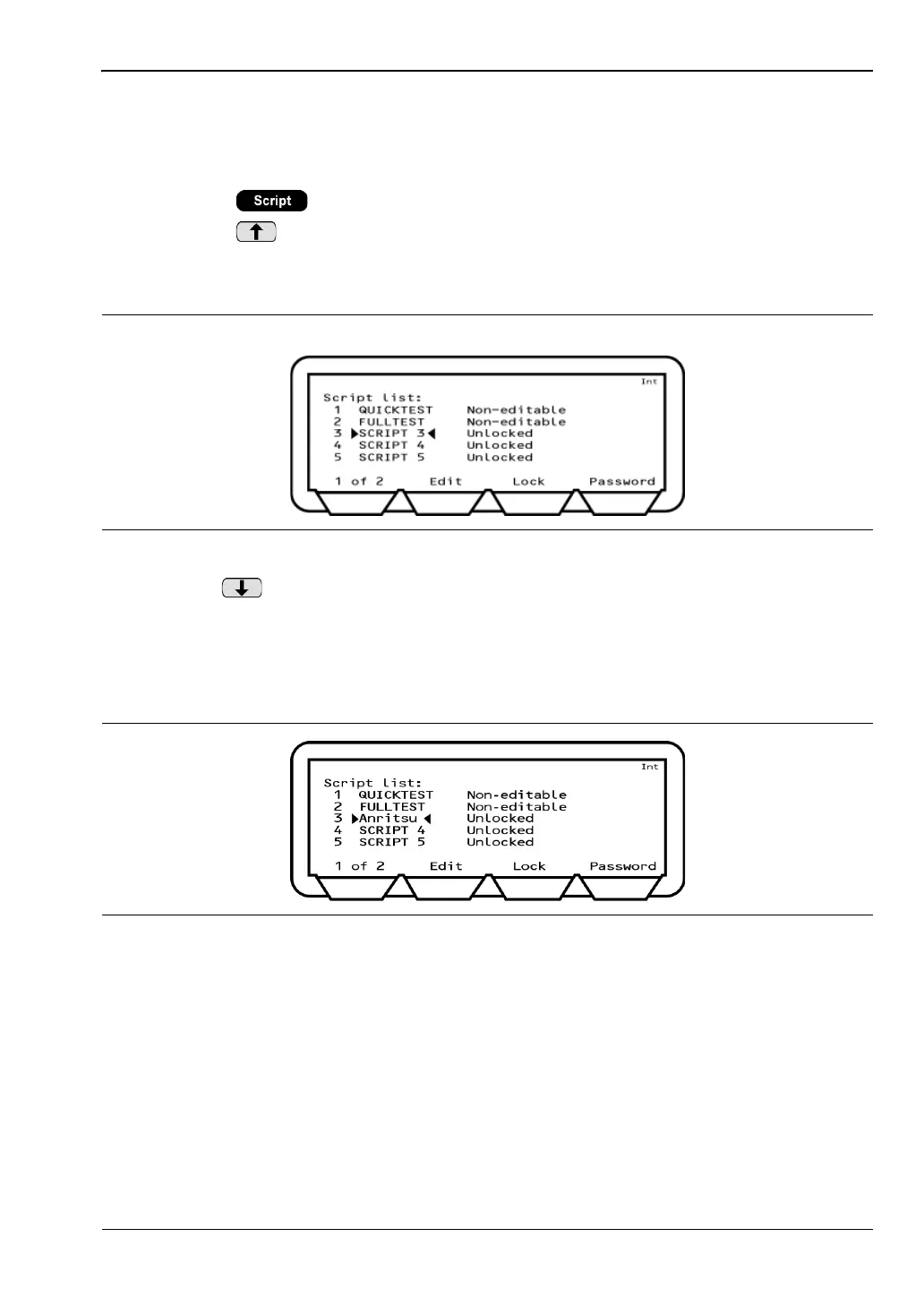
3. Press the [List] soft key. The list that displays shows the names of each script and
whether they are locked or unlocked.
4. Use the key to move the cursor to the script to be named. Scripts 6 to 10 are
accessed by pressing the [1 of 2] soft key.
5. Press the [Edit] soft key and use the keypad to enter a name for the script (as outlined
in chapter 4).
6. Press [Enter] when the required name has been entered.
Figure 5-14. Script List
Figure 5-15. Renamed Script














 To Next Page