Basic Rate and EDR Testing Preparing the EUT for Testing
6-4 PN: 13000-00205 Rev. N MT8852B Operation Manual
Acquiring the Bluetooth Address over an RS232 HCI Interface
Select “RS232” if using an RS232 cable connection between the MT8852B and the EUT. Use
of an HCI cable connection, such as RS232, automatically configures the EUT for testing: test
mode is enabled and page scanning is turned on.
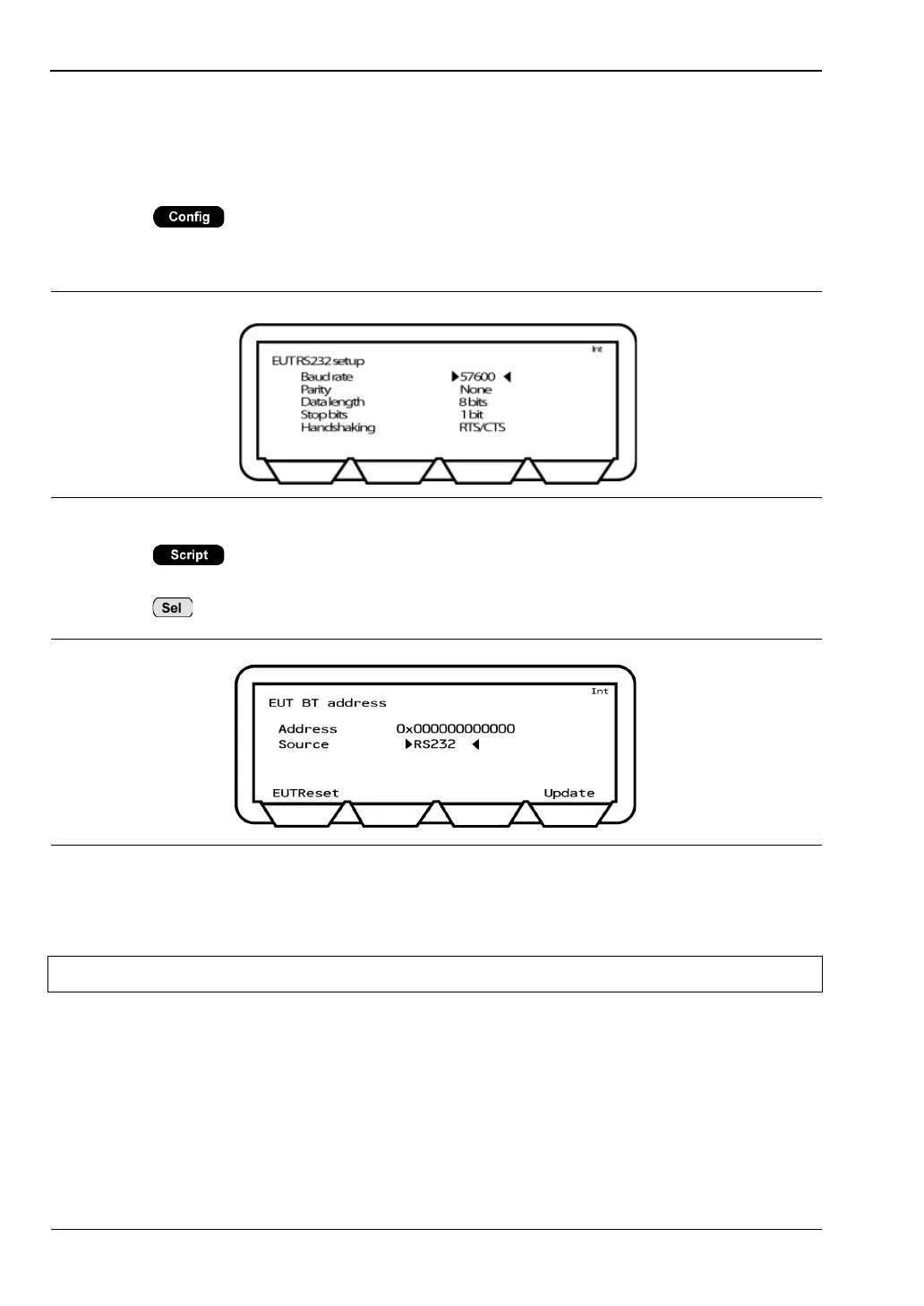
1. Press > “Equipment Under Test (EUT)” > “EUT RS232 setup”. Enter the
Baud rate used during RS232 communication. The specified baud rate must match the
EUT HCI interface setting.
2. Press > [EUT addr] to display the page at which the Bluetooth connection
settings are made.
3. Press to toggle the “Source” setting to “RS232”.
4. Press the [Update] soft key. The Bluetooth address is acquired over the RS232 cable
and the EUT is configured for testing.
Figure 6-4. EUT RS232 Setup
Figure 6-5. Acquiring the Bluetooth Address over RS232
Note The [EUTReset] softkey sends an HCI reset to the EUT via the “EUT Control” port.














 To Next Page