Configuration Reference Configuring System Features
MT8852B Operation Manual PN: 13000-00205 Rev. N 11-19
11-5 Configuring System Features
Connection Control
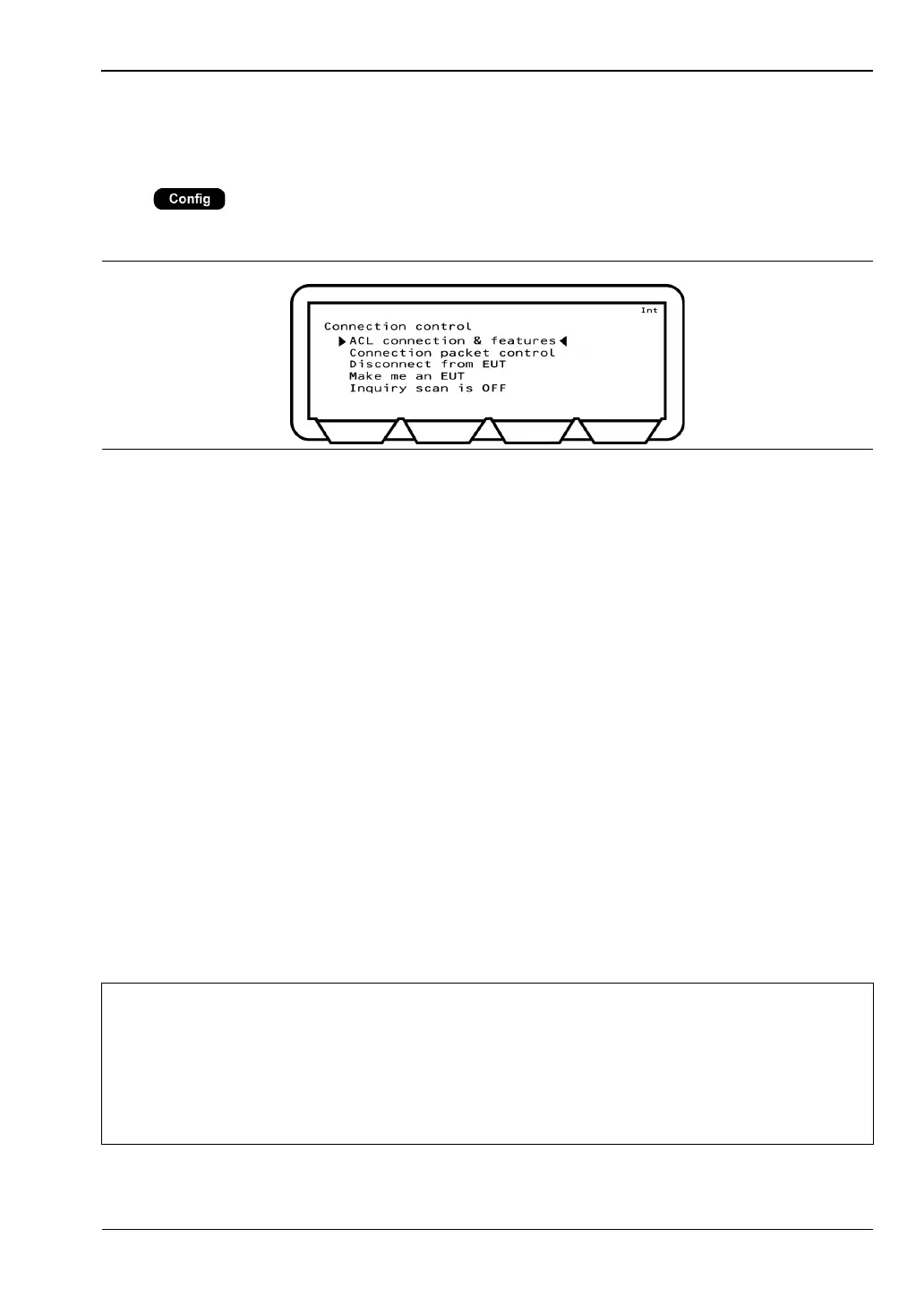
Press > “System features” > “Connection control”
This menu allows the user to specify how the asynchronous link (ACL) operates.
ACL connection & features: Initiates a baseband connection to the EUT using the
currently selected “EUT addr” settings. The EUT features are
read but the EUT is not put into test mode. This can be used
to verify that a basic connection to the EUT is possible.
Connection packet control: Some Bluetooth EUTs may not complete standard rate and
EDR measurements if the Bluetooth connection was
established with all packet types enabled. The "Connection
packet control" settings can be used to exclude individual
packets from the connection process. Testing is still completed
with all standard rate and EDR packets selected in the
measurement setup pages.
Disconnect from EUT: Forces the MT8852B to disconnect from the EUT.
Make me an EUT: This setting is used to make the MT8852B behave as the
equipment under test. This means that it is page scanning
with test mode enabled.
Inquiry scan is ON/OFF: The Inquiry feature allows the instrument to respond to an
inquiry from another device. This is useful for synchronizing
with some Bluetooth protocol analyzers. The protocol analyzer
can then monitor the messages between the MT8852B and the
EUT.
Figure 11-20. Connection Control
Note
If option 15 (AFH) is enabled, the time taken to establish a connection displays on
the top line of the screen. An example of the display is shown below.
Connection made (1: 1054 ms)
The digit prior to the colon represents the number of attempts required to establish
the connection. The figure following the colon represents the time in milliseconds
taken to establish the connection.














 To Next Page