Configuring the Equipment Under Test (EUT) Configuration Reference
11-16 PN: 13000-00205 Rev. N MT8852B Operation Manual
End inquiry after: Specify the number of inquiry responses to be received before the
inquiry is finished.
If the number of inquiry responses is set to "1", the MT8852B
automatically connects to the first device located. Set the number of
responses to 1 if the MT8852B is connected directly to the EUT or there
is known to be only one EUT that will respond to an inquiry.
If the response setting is set to a value other than "1" the user must
select the required device manually when the inquiry is complete.
End paging after: Enter the number of seconds for which the MT8852B will page the EUT
before timing out. A setting at this item may be required to minimize
delay for users who know that a connection will not be established by
waiting if unsuccessful after a given number of seconds.
Read name on inq: Select whether the EUT name is read-in automatically during the
inquiry.
Page scan rep mode: Select either R0, R1, or R2 to match the requirements of the EUT.
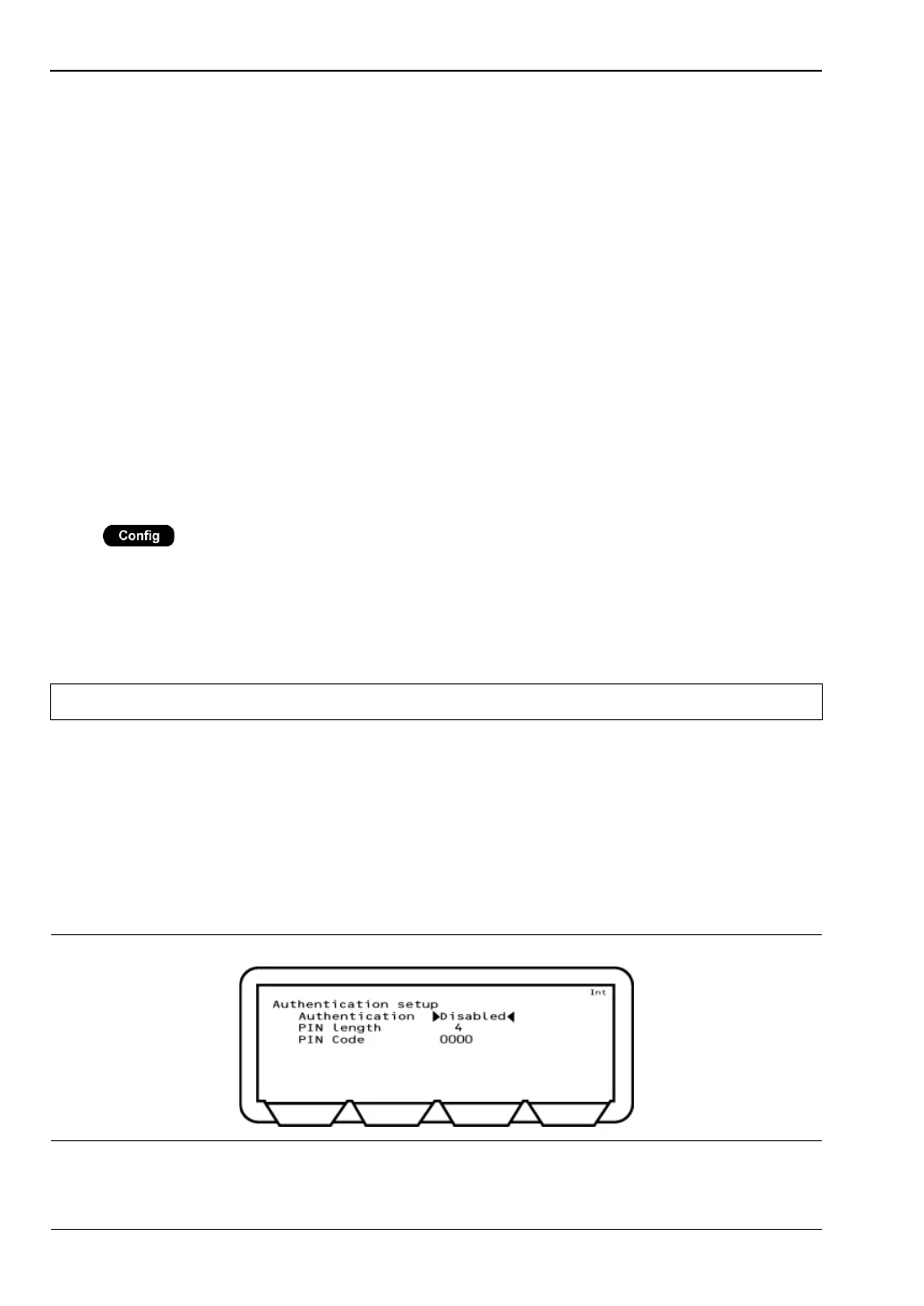
Authentication Setup
Press > “Equipment Under Test (EUT)” > “Authentication setup”
Authentication is the process of configuring a Bluetooth unit to connect only to one specified
device. A headset, for example, can be configured to connect only to a specific mobile phone,
and in this case, verification processing is used to ensure that the correct connections have
been established. The MT8852B can be configured to use authentication during the
establishment of a connection.
The process of authentication involves creating a common key, referred to as the link key,
between the master and slave devices. Security could be compromised if this link key were
sent between devices, so instead, it is generated from a random number and a Personal
Identification Number (PIN) which can be entered into the MT8852B. If authentication is
required but the Bluetooth devices do not have a common link key, the authentication
procedure is completed using the PIN input, and a link key is then created and stored during
the authentication procedure. The link key stored in the Bluetooth device can then be used
during any future connection.
Note The MT8852B does not use authentication by default.
Figure 11-18. Authentication Setup














 To Next Page