Enhanced Data Rate Tests Running a Script in Standard Mode
7-28 PN: 13000-00205 Rev. N MT8852B Operation Manual
Results
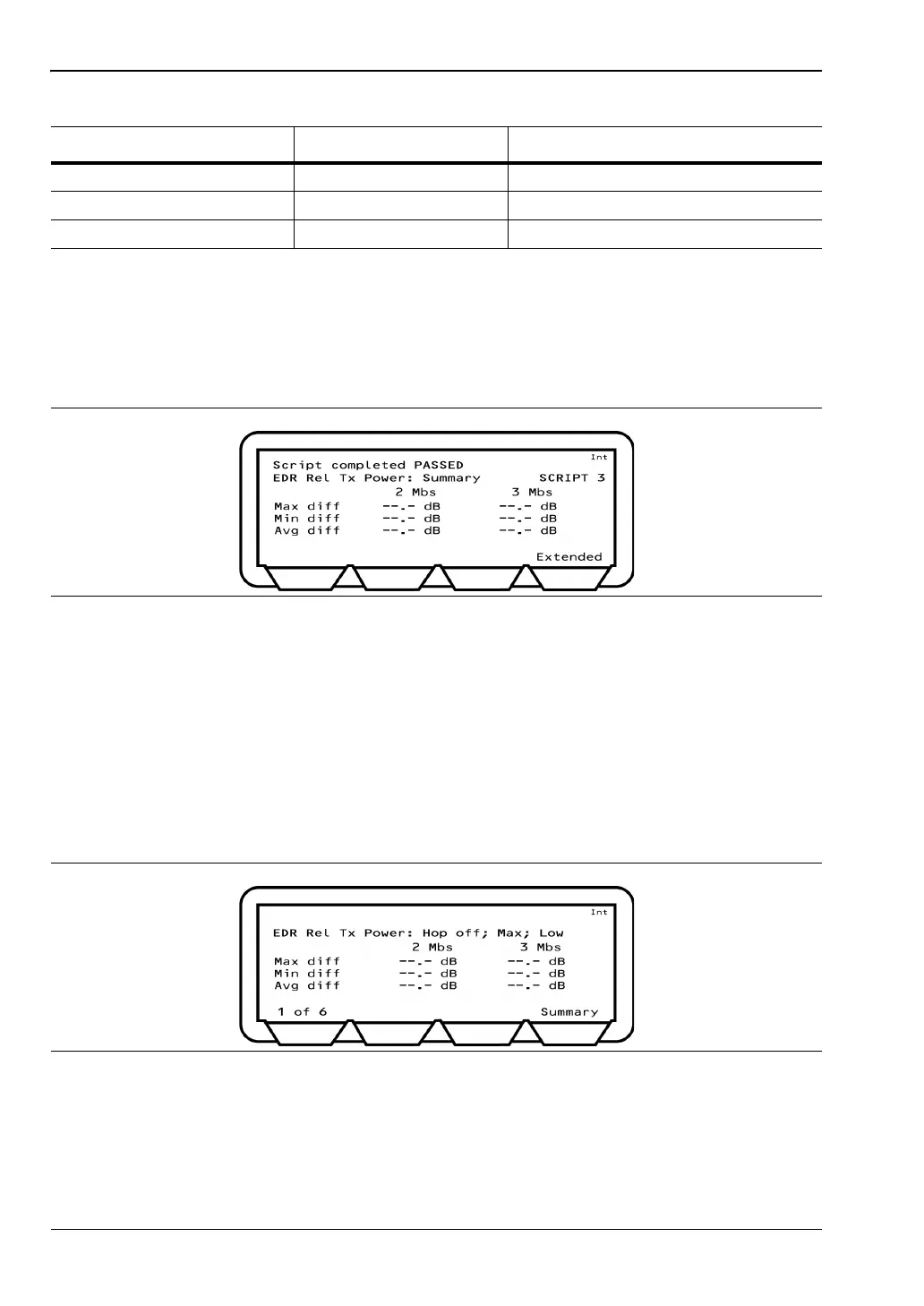
1. Position the cursor at "Rel Tx power" in the EDR Script menu.
2. Press the [Results] soft key.
The Rel Tx power results page displays.
Max diff: Displays the maximum power difference between the GFSK and the PSK
parts of a packet measured for all the packets tested.
Min diff: Displays the minimum power difference between the GFSK and the PSK
parts of a packet measured for all the packets tested.
Avg diff: Displays the average power difference between the GFSK and the PSK
parts of a packet averaged over all the packets tested.
3. Press the [Extended] soft key to display more detailed test results. An example of the
first extended page is shown below.
4. Page through the extended screens with the soft key in the normal manner, or press the
[Summary] soft key to revert to the initial summary page.
Test type Loopback Loopback, Tx Mode
EUT power level Max & Min Min, Max, Max & MIn
Min sensitivity check False False, True
Figure 7-39. EDR Relative Tx Power Results
Figure 7-40. EDR Relative Tx Power Extended Results
Table 7-11. EDR Relative Tx Power Test Conditions
Parameter Default value User Range














 To Next Page