Chapter 9
9.4 Synchronization
– the RJ45 plugs below the BNC plug must be used for connecting the cam-
eras
– EXT.In: input of the external synchronization
2. Check the synchronization settings (software issue):
• Go to Settings → Synccard and double-check the settings (internal or external
synchronization) for the synccard.
• In case of external synchronization, please make sure that the synchronization
signal is being sent by the external source.
How do I guide the synchronization cables correctly in TRACKPACK systems
(discontinued) ?
TRACKPACK systems do not have hardware-based syncgroups. Up to three syncgroups
may be defined within the DTrack2 software: Settings → Cameras → ’syncgroup’
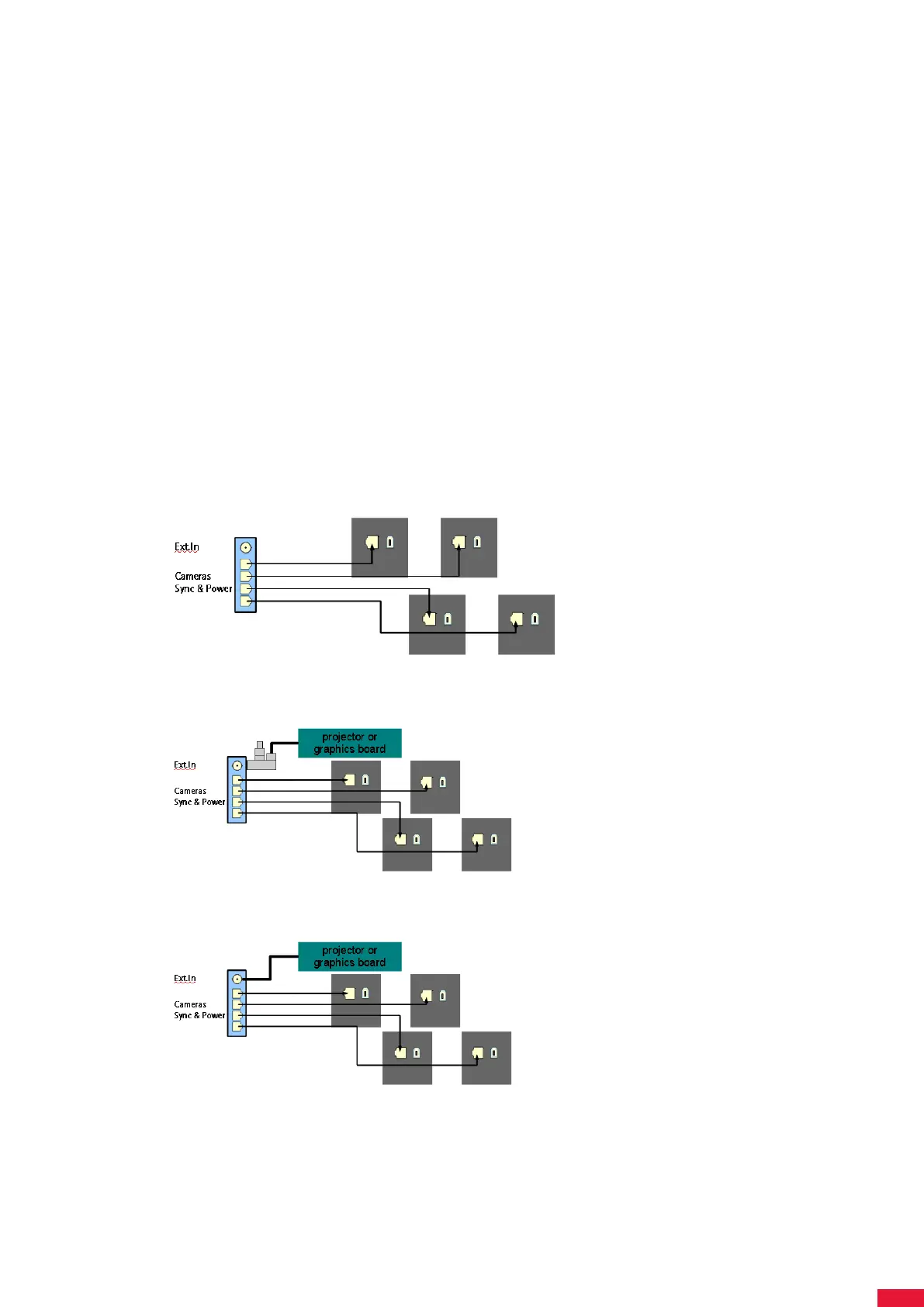
• The cables should be guided according to the following sketch:
• Active stereo: when using external synchronization (video) the correct cabling
would look as follows:
• Active stereo: when using external synchronization (TTL) the correct cabling would
look as follows:
201



 To Next Page